
A mobile IDE for Claude Code, Codex and OpenCode
Claude Code, Codex and OpenCode are coding agents that run in a terminal on your computer. Each vendor's own phone app drives that vendor's agent and no other. Fezu is a mobile IDE for Claude Code, Codex and OpenCode, plus six more agents: they run on your own computer, and your phone gets one screen with their tabs, the files, the diffs and a shell.
This page is the setup. The terms are defined in What is an agentic IDE? and Mobile agentic IDE.
What each vendor gives you on a phone
| Agent | The vendor's phone option | What it covers | What it leaves out |
|---|---|---|---|
| Claude Code | Remote Control, in the Claude app on iPhone and Android or at claude.ai/code | A Claude Code session running on your computer: the conversation, tool activity, a diff pane, the model and the effort. From the same app, Dispatch sends a task to Claude Desktop on your computer. | Other agents. It needs a claude.ai subscription login, so API keys, Amazon Bedrock and LLM gateways do not work. A line starting with ! goes to Claude as a message, not to a shell. |
| Codex | Codex in the ChatGPT app on iOS and Android | Start a task in the cloud or on a connected computer, follow it, approve its commands, and review changed files, diffs and test results. | Other agents. The connected computer runs the ChatGPT desktop app on macOS or Windows, and the setup cannot start from the Codex CLI. |
| OpenCode | The OpenCode mobile app: TestFlight on iPhone, Google Play on Android | Start, steer and approve sessions on your computer. You pair it with opencode pair, whose link works once, for 5 minutes. | Other agents. |
| Cursor | Cursor for iOS on iPhone and iPad | Start agents on a cloud machine or one of your own machines, follow their work, and review and merge their pull requests. | Other agents. Cursor says the app is not an IDE: the editor, the terminal and the file browser are on the web only. An Android app is planned. |
If you use one agent and its vendor's app does what you need, that app is enough. For Remote Control, see Claude Code Remote Control vs Fezu. Fezu fits when you run more than one of these agents, when you want the files and a shell next to the conversation, or when you run the Codex CLI rather than the ChatGPT desktop app.
Set up a mobile IDE for Claude Code, Codex and OpenCode
You need a Linux PC, a Windows PC or a Mac to run the agents.
- Install the agents on the computer. On Linux or a Mac, Claude Code:
and Codex:curl -fsSL https://claude.ai/install.sh | bash
Runcurl -fsSL https://chatgpt.com/codex/install.sh | shclaudeandcodexonce each and sign in. Install OpenCode, any agent you skipped, and every agent on Windows from the phone later: the cog's Agents group lists a missing agent with an Install button that runs the vendor's own installer. - Install Fezu. On Linux or a Mac:
On Windows, in PowerShell:curl -fsSL https://fezu.dev/install | shirm https://fezu.dev/install.ps1 | iex - Fezu opens on its login card. Type your email, click Continue and enter the code the email brings. The computer is now linked to your account.
- On your phone, open app.fezu.dev, type the same email, tap Continue and enter the new code. Every computer on your account opens, with no pairing.
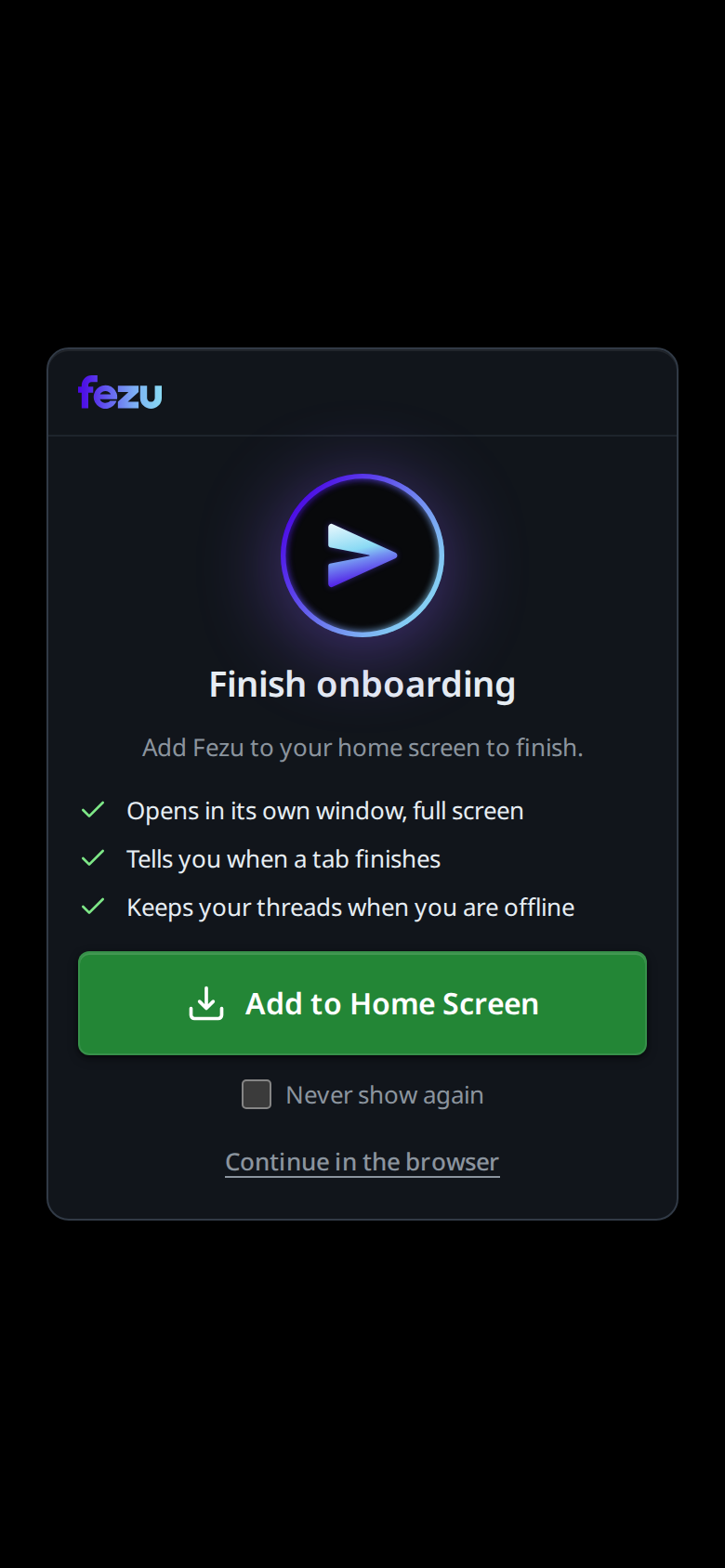
- Add the app to the home screen. The Finish onboarding screen opens on your first visit: tap Add to Home Screen on Android. An iPhone has no button; the screen shows the Share steps for your browser instead. An agentic IDE on iPhone and Android covers the differences.
Working in it
Start a tab per agent
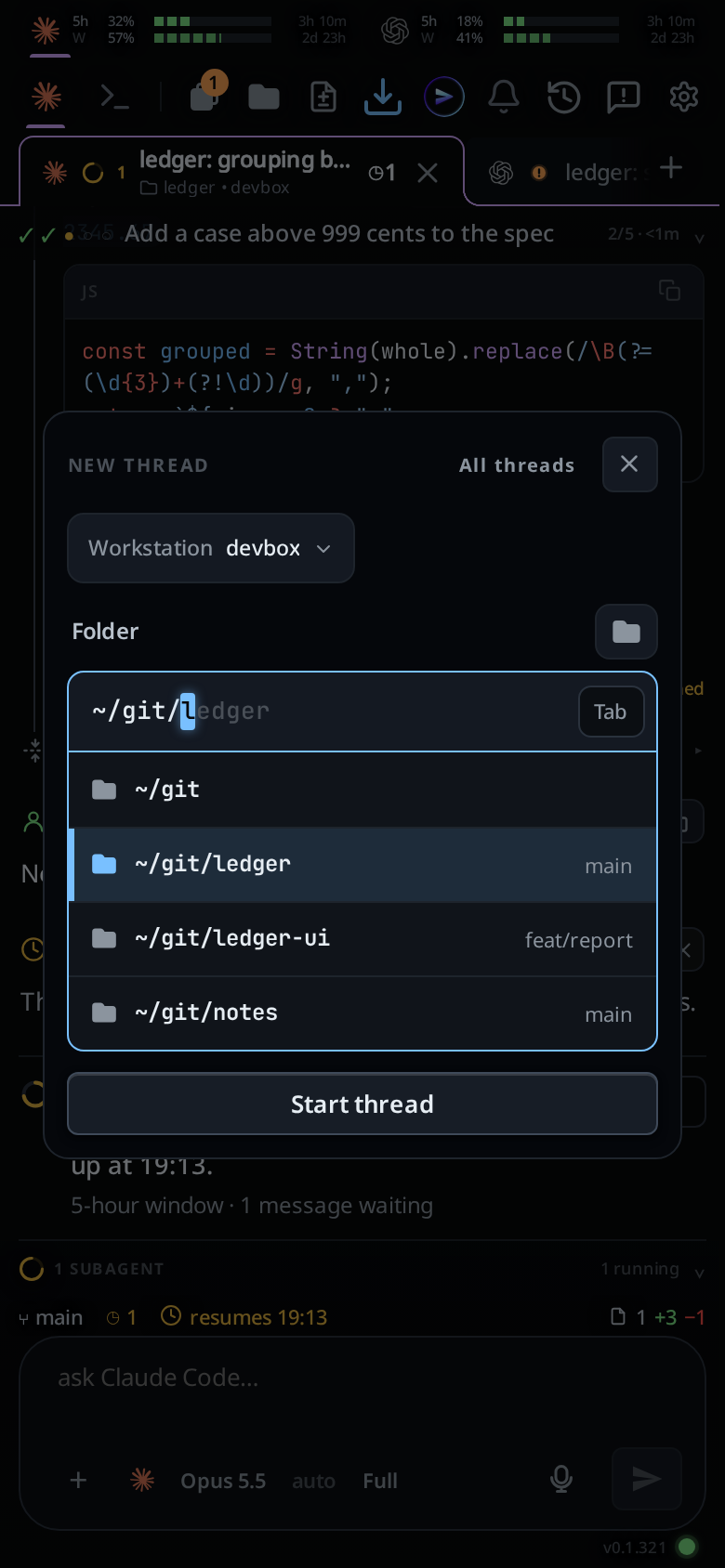
Tap the plus after the last tab. The New thread card asks for a folder: type a path or pick one, then tap Start thread. The new tab runs the agent of the tab you were on. To put it on another agent, tap the agent button under the message box.
Log an agent in from the phone
When Claude Code or Codex is logged out, the end of the transcript says so, for example Claude Code is logged out on devbox., with a green button to log in. For Claude Code you open the link, approve, and paste the code the page shows. For Codex you open the link and type the code shown in large letters. When the login is done, Fezu sends your message again. OpenCode logs in per provider instead: switch the tab to Shell and run opencode auth login.
Read the transcript
The transcript shows your messages, the agent's replies, its thinking, every tool it ran with that tool's output, and every file it edited as a diff, in the order they happened. Tap a long card to open it in full.
Review changes and open files
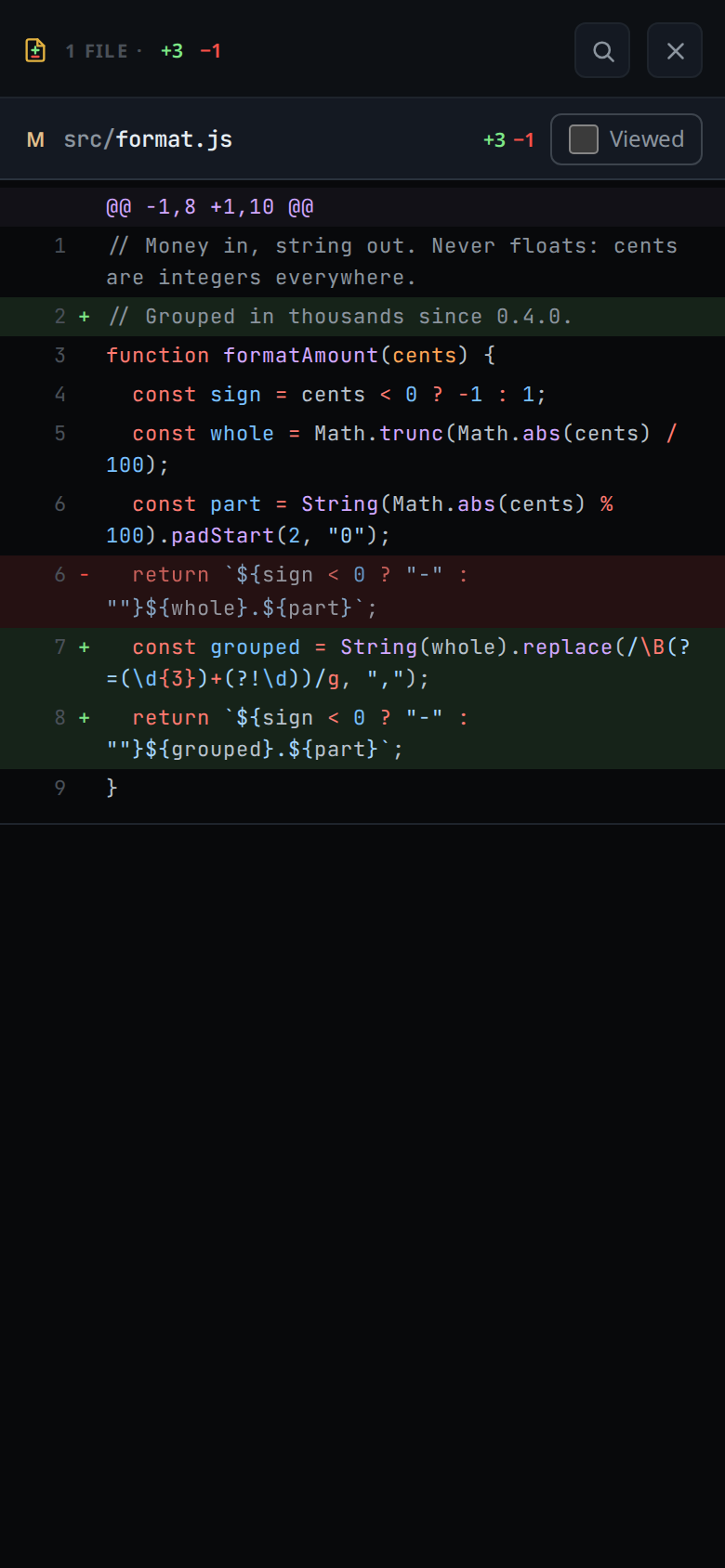
Tap the change count at the right of the status bar. The diff sheet lists every changed file, added lines in green and removed ones in red. Tick Viewed to fold a file. A comment on a line goes to the agent. The folder button opens the tab's file tree; tap a file to read or edit it.
Run a shell command
Start a message with !, such as !git status, and it runs in the tab's folder; the output lands in the transcript as a card. For more than one command, tap Shell in the strip at the top: the tab becomes a terminal in its folder, with keys for Tab, Esc, the arrows and ^C.
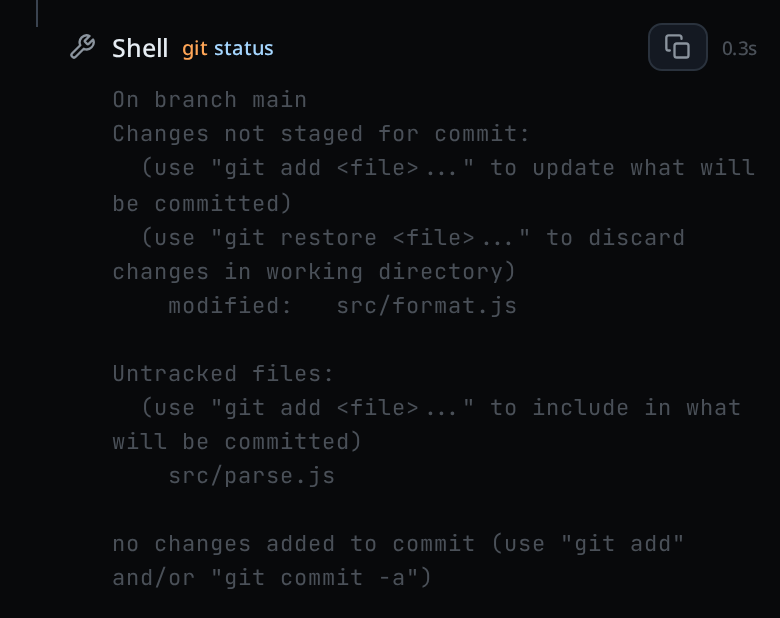
! command and its output, in the transcript.Switch the model
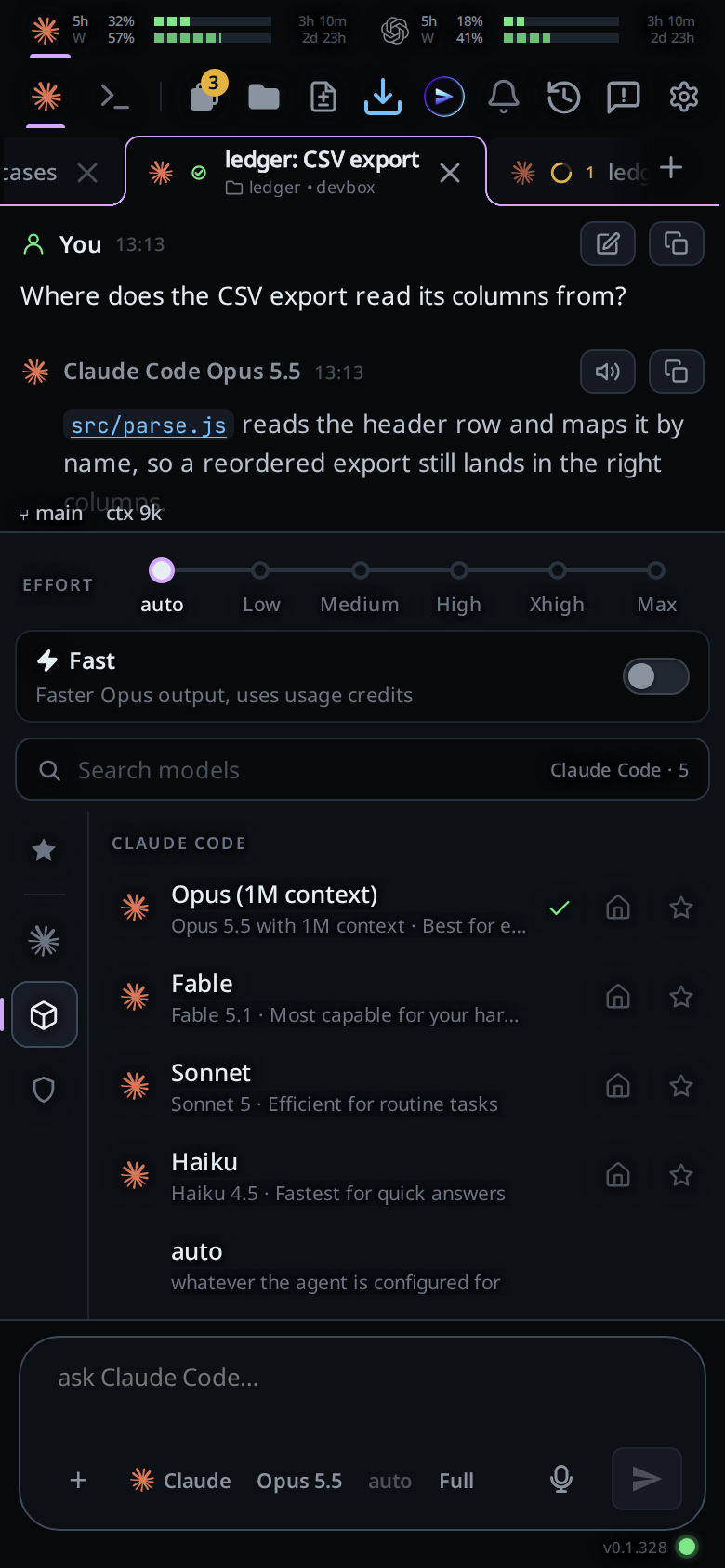
Tap the model button under the message box. The list is what the agent's own CLI offers on your computer, so a new model shows up without a Fezu update.
Hand a tab to another agent
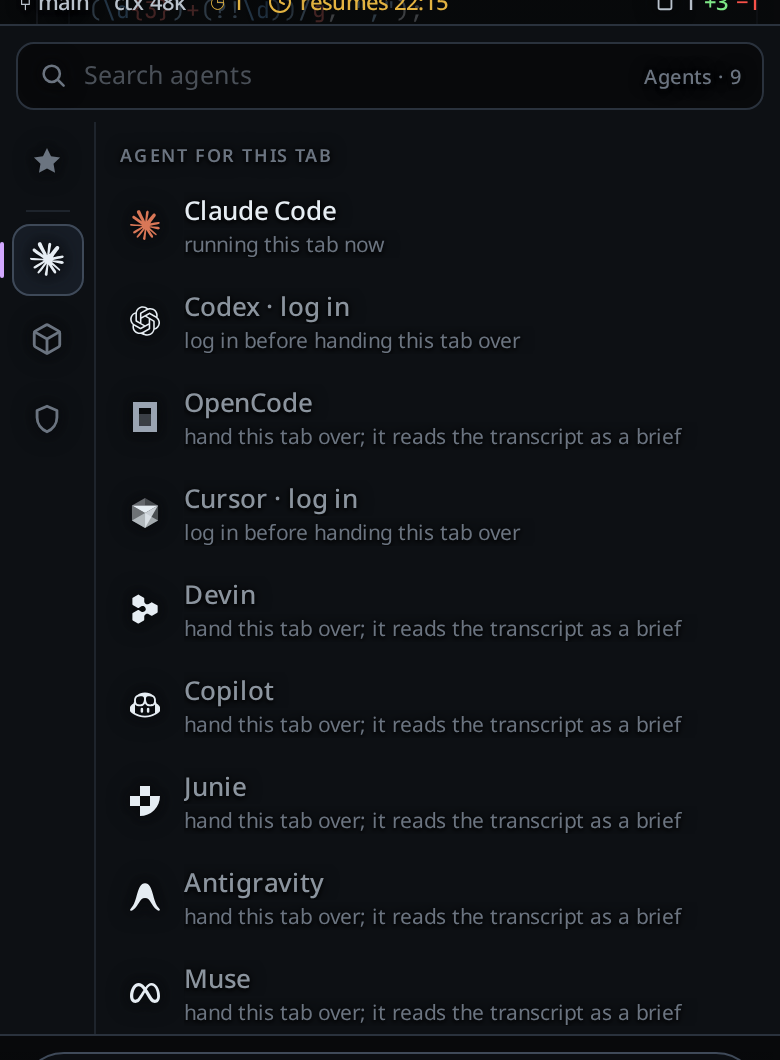
Tap the agent button. The list is headed Agent for this tab. The agent in use reads running this tab now, and the others read hand this tab over; it reads the transcript as a brief. Pick one and send your next message. The new agent gets a written summary in front of it: your messages, the replies, and one line for each command and each edit, up to 24,000 characters. Claude Code hit its limit walks through this for a usage limit.
Watch the usage meters
A row of meters sits above the transcript, one card for each logged-in plan. Claude Code, Codex and Muse have a card. Claude's and Codex's show the 5-hour window (5h) and the weekly window (W): the share used and the time until it resets. OpenCode reports no usage windows, so it has no card.

Get a notification when a tab finishes
Tap the bell at the top. Your phone then buzzes when a tab finishes, titled <tab> · done, and when a tab needs you, titled <tab> · needs you. On an iPhone, add the app to the home screen first; in a Safari tab the bell asks you to.
Per-agent notes
- Claude Code has Ask, Auto and Full; Auto is off on Haiku 4.5 and older. It has a usage meter, and you can rewind the conversation to an earlier reply.
- Codex has Ask, Auto and Full, a usage meter and rewind. A model change applies to the next message without a restart.
- OpenCode has Ask and Full, but no Auto, no usage meter and no rewind. OpenCode's own site says it comes with a set of free models that need no account, so an OpenCode tab can carry on when your Claude or ChatGPT plan runs out.
- Cursor has Ask, Auto and Full, but no usage meter and no rewind. A message sent during a turn waits for the next turn.
At Ask, the agent edits files in the tab's folder and asks before it runs a command or goes outside the folder. At Full it asks nothing. See permission levels.
The other agents
Cursor, Copilot, Devin, Junie, Antigravity and Muse run in tabs the same way, with their own logins (Cursor's is here). Each page lists what differs; Antigravity, for one, has no Auto and no approval cards. The whole app on a phone is in how to use Fezu on mobile.
FAQ
Can I use Claude Code on my phone?
Yes. Anthropic's Remote Control drives a Claude Code session on your computer from the Claude app. Fezu runs Claude Code on your computer too, with Codex, OpenCode, the files and a shell on the same phone screen.
Is there a mobile app for Codex CLI?
OpenAI puts Codex in the ChatGPT app on iOS and Android. The computer it connects to runs the ChatGPT desktop app on macOS or Windows, and OpenAI's docs say you cannot set it up from the Codex CLI. Fezu runs the Codex CLI itself, on Linux, Windows or a Mac.
Can I run OpenCode from my phone?
Yes. OpenCode has its own mobile app, which you pair with the computer that runs OpenCode. In Fezu, OpenCode runs in a tab beside your Claude Code and Codex tabs, and you can hand a tab from one agent to another.
Does Fezu use my Claude or ChatGPT subscription?
Yes. Each agent runs as its own CLI on your computer, with the login that CLI has there. Claude Code uses your Claude plan and Codex uses your ChatGPT plan.
Does my computer have to stay on?
Yes. The agents run on it. Fezu runs in the background, so closing a terminal does not stop it, and the Keep awake setting stops the computer from going to sleep while agents work.
What does Fezu cost?
Fezu is free. You bring your own agent subscriptions.
- Run the install command in a terminal on your computer.
- Fezu opens. Log in or create an account with your email.
- Open app.fezu.dev on your phone and log in with the same email.
More guides are on the guides page.