
Log in to Cursor from your phone
When Cursor is not authenticated, the settings sheet's Agents group gives its
row a Log in button, and the handoff menu marks it · log in. Tap either,
open the browser link VCode shows, and finish the Cursor login without opening a
terminal on the VCode machine.
Why you would use it
You want to start a Cursor thread from a phone, but the Cursor CLI has not been authenticated on the machine running VCode.
How to use it
Tap the cog (
#settings-open). In the Agents group (#settings-agents) the Cursor row readsnot logged inand has a green Log in button.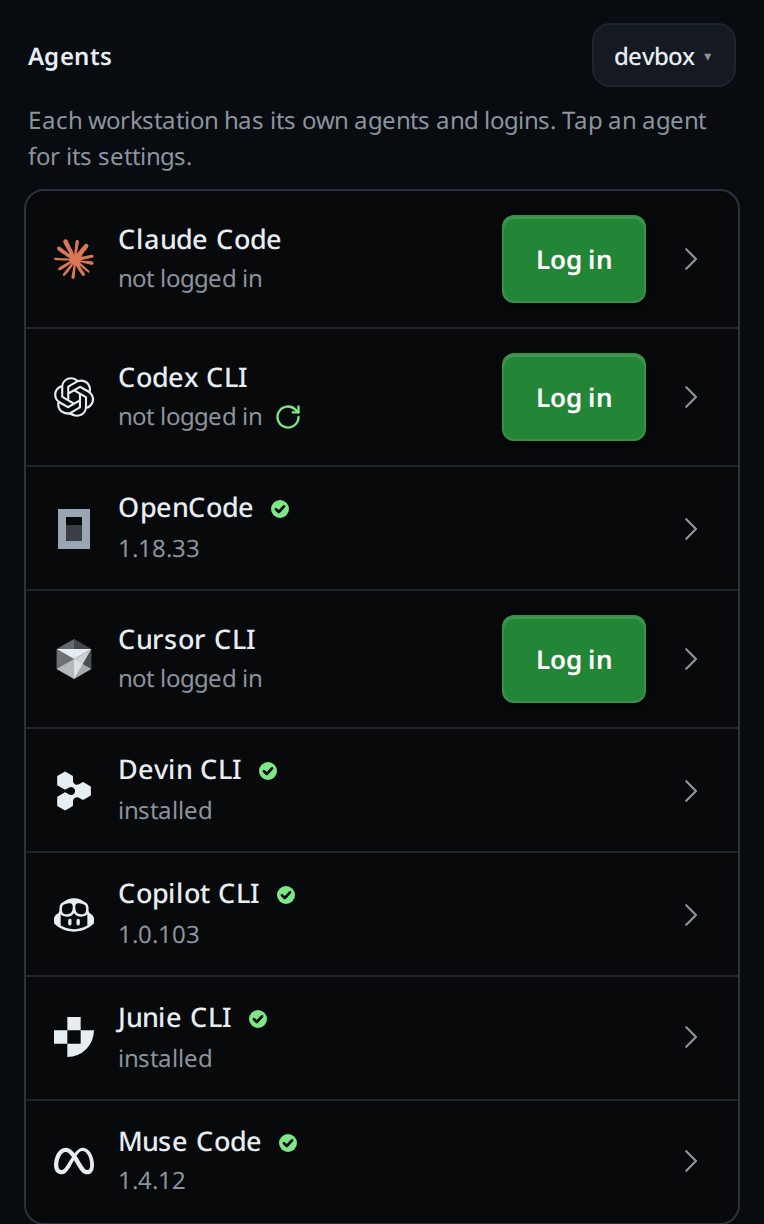
Tap Log in. Cursor's own screen opens over the settings (
#agent-screen) with the browser URL as a link (.agent-login-link) and a Copy link button (.agent-login-copy). Open the link on your phone and complete the Cursor login.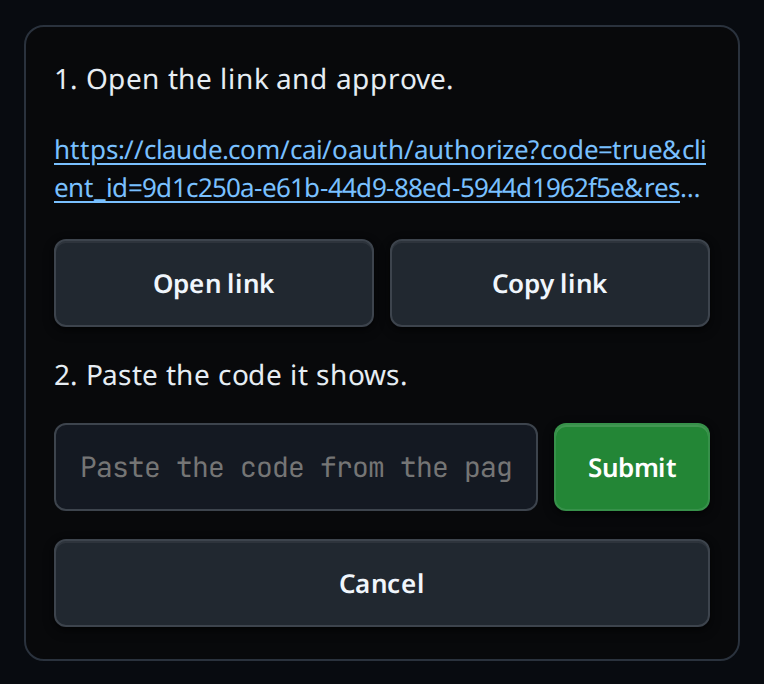
Leave the screen open while it checks the login. When it is done the toast says
Cursor logged in.To start a Cursor tab, switch an open tab to Cursor in the composer, as below. The new-thread card has no agent pick: a new tab runs the agent of the tab on screen.
You can also log in while handing an existing tab to Cursor:
- Open the agent picker in the composer (
#agentpick). - Tap
Cursor · log in. The handoff menu opens the same login card. - Finish the browser login. The tab hands itself to Cursor after the server confirms the CLI is authenticated.
If a Cursor turn fails with Authentication required, the line at the end of the
transcript reads Cursor is logged out on devbox. with a Log in to Cursor
button (.agent-login-go), as for Claude and Codex.
After the login, VCode sends your message again. If the message was still
queued because Cursor never started, VCode starts Cursor and sends that queued
message once. It does not ask you to retype or duplicate the message.
Once logged in, the Cursor row in the Agents group offers Log in again when you tap it open; see log-in-to-an-agent.
What you see
In the handoff menu the row reads Cursor · log in in amber, and tapping it
asks Cursor isn't logged in. Log in? with Log in and Cancel. After
Log in, the URL is a real tappable link. The status starts with waiting for browser authentication…; a failure says Login failed: <message> and offers Retry.
When it is done the card says Logged in to Cursor. before it closes.
The handoff menu uses the same card and never changes the tab until the server
confirms that Cursor is authenticated.
Options and settings
| Option | Default | What it changes |
|---|---|---|
| Poll interval | 3 seconds | How often the open card asks whether Cursor login has completed |
| Login timeout | 15 minutes | The background Cursor login is killed and marked failed after this limit |
Limits and known gaps
- Claude and Codex have their own steps: see log-in-to-an-agent. OpenCode has no login here.
- VCode never receives the Cursor credentials or the login callback. It
only displays the URL printed by
agent loginand polls the CLI's status. - Closing the screen cancels polling, but it does not cancel the vendor login process. Tap Log in again to see the same in-flight login.
Related
- start-a-thread: which agent a new tab runs
- the-three-agents: compare Cursor's capabilities
- log-in-to-an-agent: the Claude and Codex logins and the settings Agents group
- reach-it-from-a-phone: connect the phone to VCode