
The screen on a phone
Two bands of controls float over the conversation: everything above it in
#overhead, everything below it in #underfoot. The text scrolls underneath
both. The usage meters, the mode strip and the tab strip are solid, so no text
shows through them; the text fades out into the plan strip and the bottom band.
Why you would use it
This is what you are looking at. Knowing which row is which makes the rest of the docs findable: "the mode strip", "the plan strip", "the status bar" all name a row in one of these two bands.
How to use it
Nothing to operate. What sits where, top to bottom:
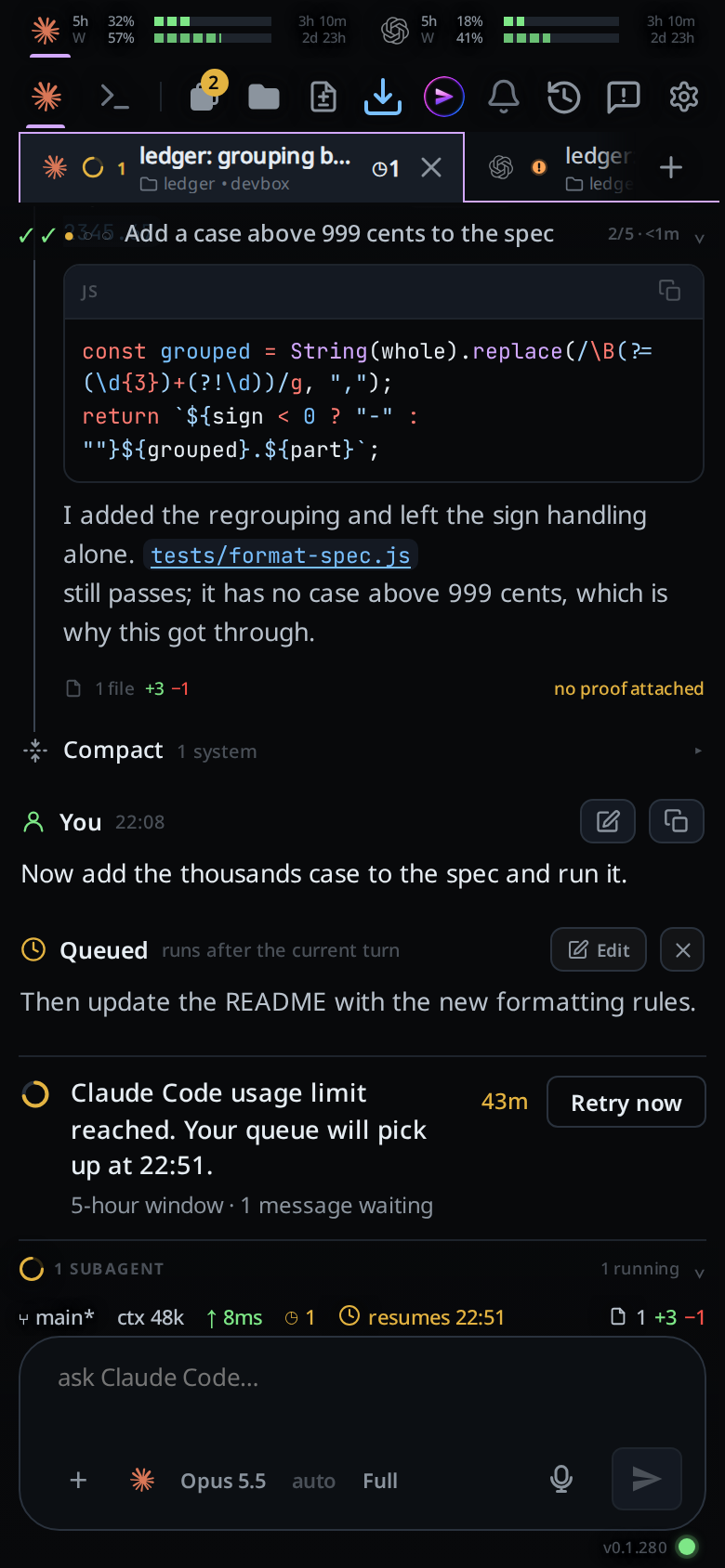
#overhead: the top band.
- The usage meters (
#agents). - The mode strip (
.modestrip): Agent and Shell (#send-modes), Notify, the Tabs (#tabs-open) in the compact layout, then the folder button (#files-open), Install (#install) and the cog (#settings-open) at the right edge. - The top bar (
.topbar): the tab strip (#tabstrip), the new-thread plus (#new-tab) right after the last tab, and the update-ready arrow (#update-ready, only while an update is waiting). - The plan strip (
#planstrip), when the agent has steps to show.
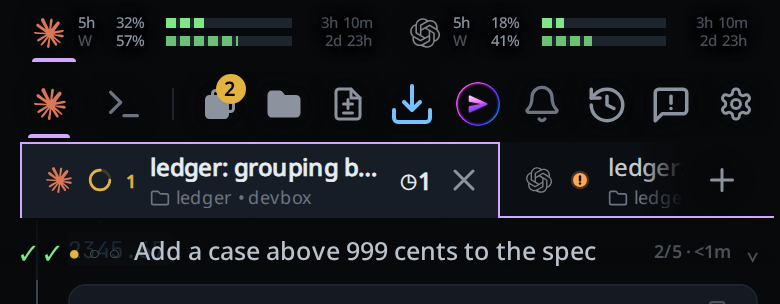
#underfoot: the bottom band.
- The offline banner
(
#offline-banner). - The two-row shell keypad (
#tray-keys), while Shell mode is selected. - The subagents strip (
#subs). - The status bar (
#statusbar). - The slash menu (
#slashmenu) and the attachment row (#drafts). - The composer (
.composer): agent, model and effort pickers, attach, the composer (#draft), mic, steer and send. - The version row (
.app-version): the release the tab's workstation runs, writtenv0.0.563. Its tooltip is the app's own build in the same form,shell v0.0.563, which the row shows instead on a workstation run from a clone. A release takes its number from the app build it was cut with, and the app takes a new build only once the workstation runs it (update to a new build), so the two match. A workstation that restarts on a new release shows the new number as soon as its threads reconnect, with no reload. Right of it the connection dot (#link-dot).
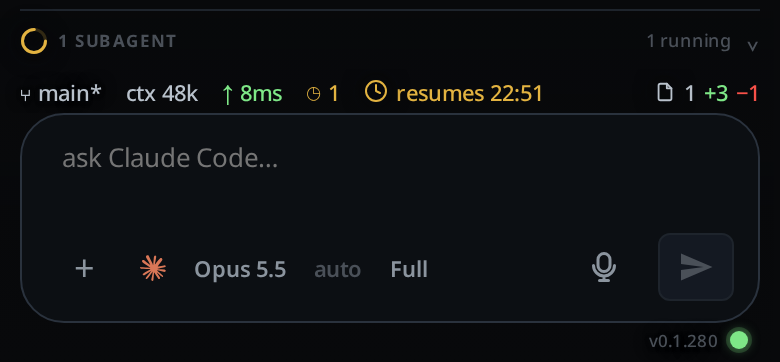
The conversation (#thread) fills the space between them; in
Shell mode the terminal (#panel) fills the same slot, and the
composer, the attachment row and the slash menu are hidden. From 760px
up both are a pane's instead, in #panes between the bands. See
wide-layout.
What you see
- One dark app. There is no light mode and no theme setting:
color-schemeisdarkand the palette is fixed in:root. - Each band is a single fade: 75% dark where the innermost row meets the text, solid at the far edge. No row has a background of its own, so there is no step or seam between rows.
- Text and icons on the bands carry a dark halo so they stay readable against the conversation showing through.
- The bands do not take taps except on their controls: text visible through a fade is still tappable.
- Sheets and popups cover the bands. The toast (
#toast) sits centred just below the top band, shows a check for success and a cross for failure, hides after 3.2 seconds, and a tap dismisses it. - The frame fills the window at every width. From 760px up it is also scaled up and the rows in the bottom band are capped at a reading width. The top band is one 48px row there. The Agent and Shell chips give way to a terminal button in each pane's header. See wide-layout.
Limits and known gaps
- No theme, no light mode, no font size setting.
- Colour is reserved for meaning: status, diffs, links. Selection is shown with elevation and a violet bar, not with a coloured border.
- Worktop's new-thread page hides the bottom band; the conversation keeps its padding so nothing jumps when you swipe back. A project's page past the end keeps the band: it is an empty tab waiting for its first message.
Related
- wide-layout: what changes on a wider screen
- icon-legend: every mark in these rows
- toasts: when the app says something and when it stays quiet
- status-bar: every segment of the row above the composer
- plan-strip: the row that appears when the agent has steps
- read-the-transcript: the conversation these bands float over