
Read the transcript
The middle of the screen (#thread) is the conversation: your messages, the
agent's replies, its thinking, every tool it ran and every file it edited, in the
order they happened.
Why you would use it
This is where you follow what the agent is doing and check what it did. On a phone it is also where you go back over a long turn (a command's output, the lines of an edit) without opening a terminal.
How to use it
Scroll the transcript (
#thread). It opens at the newest message.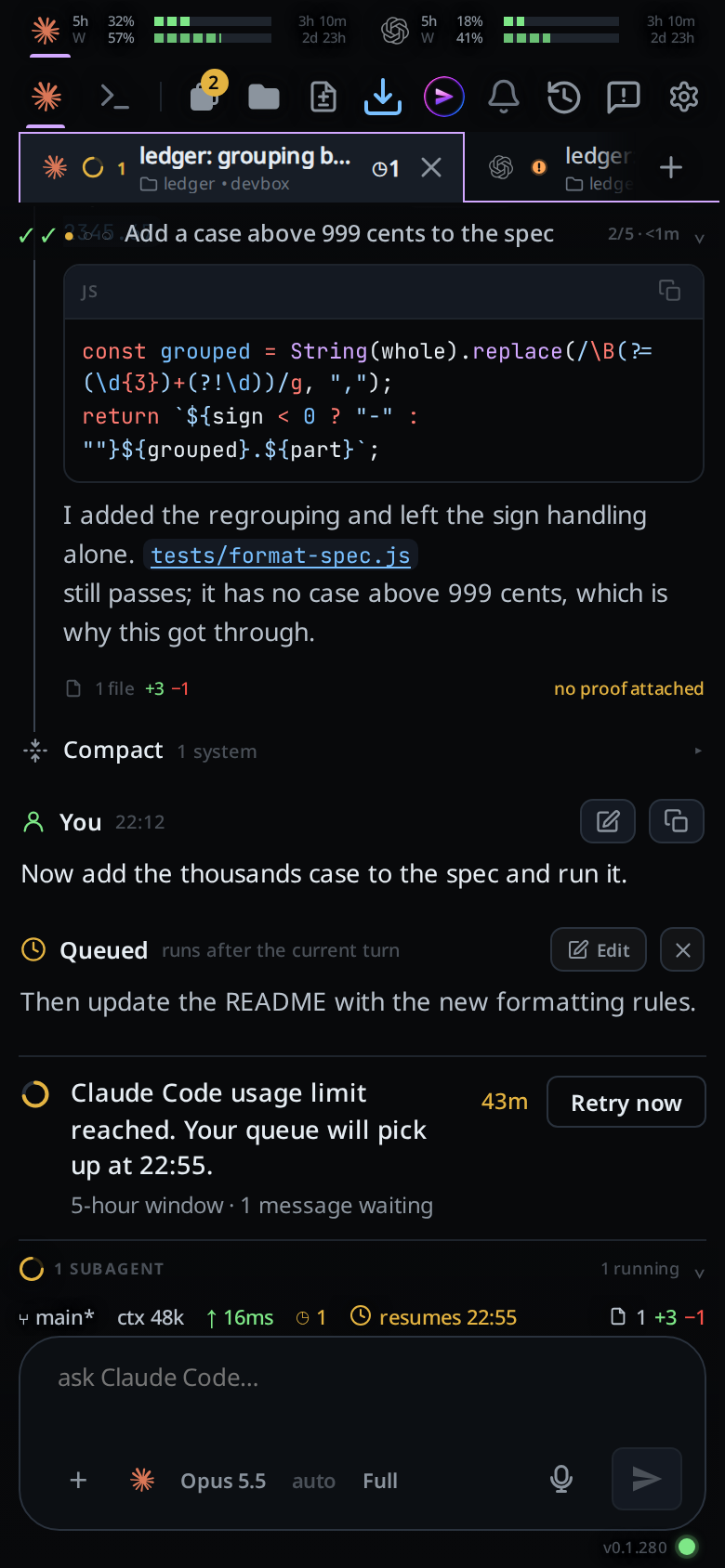
Tap a card that is clamped to open it in full; tap it again to fold it back.
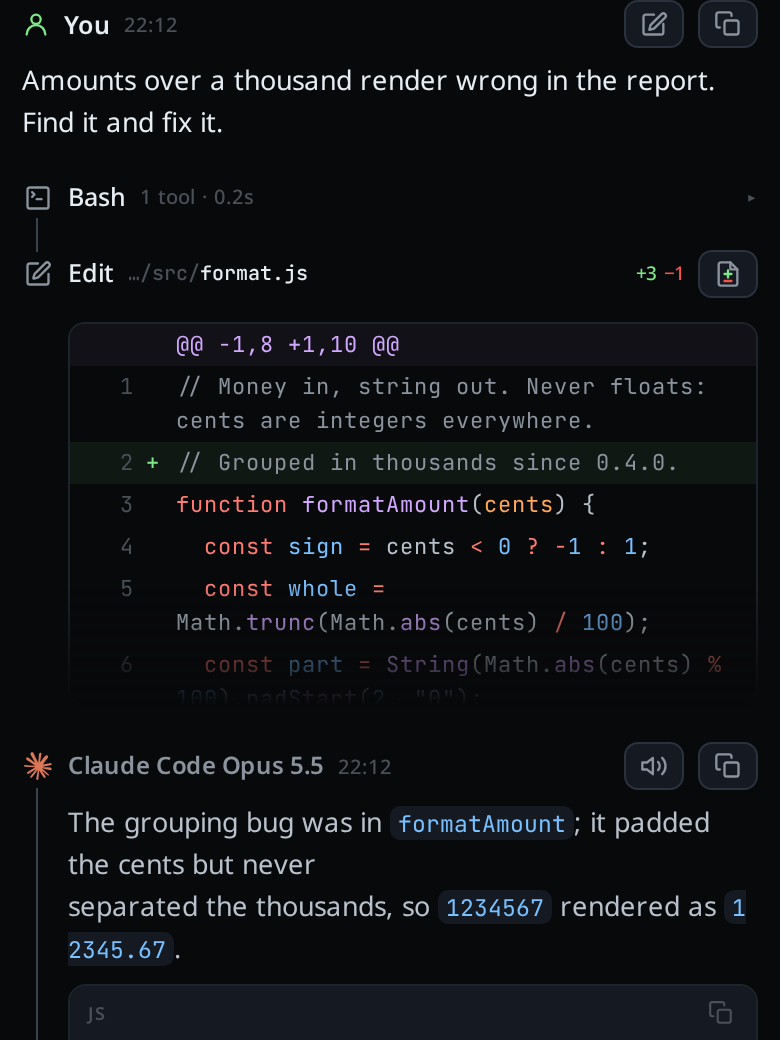
Tap
▴ N earlierat the top to load more of the history.Tap the pencil on one of your own messages to pull that prompt back into the composer, or the copy icon to copy the text.
Tap the diff icon on an
Editcard to open the whole turn's diff in the diff sheet, at that file.
What you see
Every card is headed by an icon and a word, with no box around them. Each card for something the agent did
(thinking, a tool call, an edit, a Sys note, its reply) has a grey icon in a
left gutter, with its word beside it. A thin line joins those icons from the
first step of a turn down to the reply, so one turn reads as one run. A message
you send breaks the line. A step that failed has a red icon.
| Tag | Card |
|---|---|
a green person icon plus You |
a message you sent |
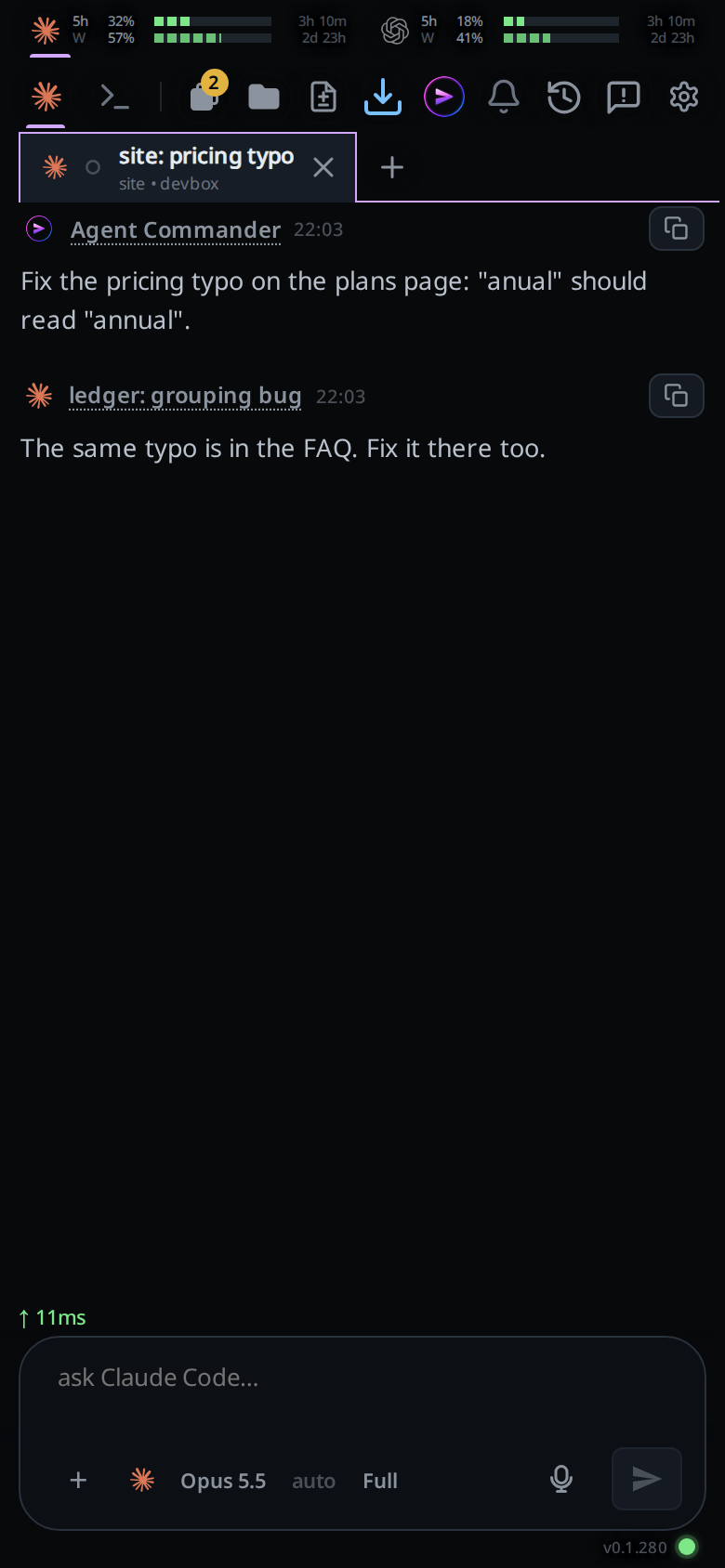
VCode's mark plus Agent Commander, or a tab's agent logo plus the tab's title |
a message that tab sent with v-code tab send or tab new --prompt. The name is underlined: tap it to open that tab |
a speech bubble plus Report |
a tab's report in an older Agent Commander conversation, from before tabs stopped reporting |
| the agent's logo plus its name and model | a reply, e.g. "Claude Opus 5" |
Thinking (a thought bubble) |
reasoning. On OpenCode, a reply that opens with the model's own <think> or <thinking> block shows that block here and the rest as the reply |
Read Write Edit Bash Search Web Subagent Plan Wakeup Tools Message Stop Think Tool |
a tool call, named for what the tool does, each with its own icon: a terminal for Bash, a page for Read, a magnifier for Search, a globe for Web, a network for Subagent, a square pen for Edit. A tool not on that list shows the whole words of its name that fit in ten characters, with a wrench; an MCP tool shows its own name without the mcp__server__ prefix |
Edit plus a file path and +N −N |
a file the agent changed |
Sys |
VCode talking, e.g. an agent's notice. An info icon plus System, then Restart or Update v0.0.613 → v0.0.615, is the message VCode sent the agent to carry on a turn a restart cut short |
the orange ! glyph plus Needs you |
an approval request |
an amber clock plus Queued, or an amber upload arrow plus Outbox |
a message waiting to be sent: queued or held offline |
Beside the tag: the time for a message, the command for a shell tool (coloured
as shell), the file path for a read or an edit. On a Read or Write card the
file name is underlined: tap it to open the file in the
viewer, at the first line the agent read. The rest
of the head still folds the card. On the right: how long the step
took (1.4s), counted from the end of the step before it, so the time the agent
spent writing the command counts too; … while it is still running, or the added and removed line
counts on an edit.
A tool card that is still running says running…. An edit card shows the first
8 lines of its patch until you open it.
Long cards are clamped: tool output over 8 lines or 700 characters, diffs over 8 lines or 1200 characters, anything else over 22 lines or 1600 characters. The last card in the thread is exempt when it is the reply itself, so the answer is never hidden behind a tap. Tapping a link, inline code or a code block inside a card does not fold the card. A table is part of the text: tapping it opens or folds the card like the prose around it.
A message from another tab has no pencil, only the copy icon: nobody typed it
here. Its name is the tab's title now; a tab this app no longer shows keeps the
title it had when it sent, and tapping it says That tab is closed.
A SYS Restart card is one line until you tap it; open, it shows the text the
agent was sent.
A turn that changed files gets a footer under its last reply: a file icon, N files and the totals. Tapping it opens
the list of files.
Cards that inform nobody are hidden: empty wait and ToolSearch polls,
TaskCreate and TaskUpdate calls, one-word subagent acknowledgements, and
"The file … has been updated successfully" under an Edit or Write. Errors
and running calls are never hidden.
The cog's Transcript group sets how much of each thinking, tool, edit and system card shows: in full, on one line, grouped or hidden. See stream-detail-levels.
Limits and known gaps
- A thread opens showing the newest 120 cards. Each
▴ N earliertap adds 400 more. A thread of 3,000 cards built in one pass stalls a phone for seconds, which is why the window exists. - Reasoning is shown only for agents that report it.
- Editing one of your prompts does not rewrite history: the original card stays, because the agent's side effects already happened.
/clearempties the transcript on screen. The log on disk is untouched, but the cards do not come back.
Related
- activity-line: what the card at the bottom shows while the agent works
- stream-detail-levels: show thinking, tool calls, edits and notes on one line, grouped or not at all
- copy-from-the-transcript: getting text out of a card
- file-viewer: where the file name on a READ or WRITE card opens
- file-viewer: where a READ or WRITE card's file name opens
- formatted-answers: how markdown and code are rendered
- jump-to-latest: getting back to the newest message
- page-through-the-transcript: PageUp and PageDown on a keyboard
- plan-strip: the band of steps above these cards
- subagents-strip: the strip below them
- diff-review-sheet: the sheet the diff icon opens
- agent-commands:
v-code tab send, which writes the messages labelled with another tab - resume-after-a-restart: the
SYS Restartcard - turn-changes: the file list behind the footer
- manage-queued-messages: the
Queuedcards - permission-levels: when
Needs youand the plan card with Build appear - icon-legend: what every glyph on a card means
- rewind-the-conversation: the rewind icon on a reply and the Rewound row