
Mobile IDE: four ways to code from your phone
A mobile IDE is a way to write, run and review code from a phone. There are four kinds: an editor that runs on the phone, a cloud IDE in the phone's browser, a remote connection to your own computer, and an agentic IDE, where coding agents write the code while you direct them and review it. If you are learning, start with the first two; if your project already builds on your own computer, use the last two.
1. An editor that runs on the phone
A mobile code editor of this kind is an app on the phone, and some of these apps hold an interpreter or compiler for a few languages too. The code is stored and runs on the phone itself. You need no network and no other machine.
This kind suits learning to code on a phone and short scripts. On a real project you type every character on a glass keyboard with no Esc, Ctrl or Tab key, on a screen that fits a few dozen lines. The compiler, package manager or database your project needs is often missing on a phone OS. On an iPhone, Apple's App Store rules say an app may not download or run code that changes what the app does, with a limited exception for educational apps. The guide to an agentic IDE on iPhone and Android covers the two phones.
2. A cloud IDE in the phone's browser
The editor opens in a browser, and the project lives on the vendor's servers. GitHub Codespaces is one. GitHub hosts each codespace in a Docker container on a virtual machine. You open it in a browser, where you get a browser version of VS Code, or in VS Code or GitHub CLI. Replit is another. Replit opens in a browser and saves your project in the cloud. Its app for iOS and Android lets you chat with its Agent, edit a project and publish it to the web.
This kind suits you when you have no computer of your own. If you do have one, it can stay off. On a phone, a desktop editor squeezed onto a phone screen is cramped: Microsoft says of VS Code for the Web that smaller screens may have certain limitations. Without a connection you cannot work. And your project has to move into the vendor's environment, with its secrets and services set up again there.
3. A remote connection to your own computer
An SSH client app gives you a terminal on your computer. A remote desktop app shows your computer's whole screen on the phone. Either way the code runs on your computer, with the toolchain and files you already have.
This kind suits a project that already builds at your desk. On the phone, a terminal editor needs keys a phone keyboard lacks. A remote desktop shrinks a monitor's worth of windows to the width of your hand. Your computer has to be on, awake and reachable from the phone's network, which often means setting up a VPN or opening a port.
4. An agentic IDE: coding agents write, you direct
A coding agent runs on a computer, reads the project, runs commands and edits files. On the phone you say what you want in a sentence or two, follow the steps the agent takes, read the diff and send the next instruction. The code runs on the computer the agent runs on: your own, or the vendor's cloud, depending on the product.
This kind suits tasks you can describe, from a bug fix to a feature that takes the agent an hour. You type sentences, not code. You still read every change on a small screen, so the tool must make review easy. The guide to what an agentic IDE is defines the term, and mobile agentic IDE: what it is and what it needs lists what a phone version must do.
The four kinds side by side
| Where the code runs | How much you type | Your project and toolchain | Works with your computer off | Good for | |
|---|---|---|---|---|---|
| Editor on the phone | On the phone | All of it | Rarely | Yes | Learning, short scripts |
| Cloud IDE | The vendor's servers | All of it | After you set it up there | Yes | A full environment with no computer of your own |
| Remote connection | Your computer | All of it, in a terminal or desktop | Yes | No | A quick command or fix on your own machine |
| Agentic IDE | The agent's computer: yours or the vendor's | Instructions and review comments | Yes, when the agent runs on your computer | Only when the agent runs in the cloud | Whole tasks you hand off and review |
Which mobile IDE to pick
- You are learning to code on a phone. Use an editor on the phone. Move to a cloud IDE when you need a real Linux environment.
- You want a quick fix to one file. If the project lives in a cloud IDE, open it there. If it lives on your computer, use a remote connection or an agentic IDE with a file editor.
- You have a full project with a build. Run it where the build already works: your own computer, through the third or fourth kind, or a cloud IDE you have set up for it.
- You want to hand off long tasks. Use an agentic IDE. Check that it shows each step, the full diff and a shell.
The fourth kind in practice: Fezu
Fezu is an agentic IDE. It also covers part of the third kind: a file tree, an editor and a shell on your own computer, from the phone. It runs Claude Code, Codex, Cursor, OpenCode, Copilot, Devin, Junie, Antigravity and Muse on your own Linux PC, Windows PC or Mac, and you drive them from app.fezu.dev on your phone. Nothing compiles on the phone: your computer does the work, so it must be on and awake; Fezu can keep it from sleeping.
To set it up, run curl -fsSL https://fezu.dev/install | sh on Linux or a Mac, or irm https://fezu.dev/install.ps1 | iex in PowerShell on Windows. Log in with your email; Fezu sends a code to it. Then open app.fezu.dev on your phone and log in with the same email. Per-agent setup is in the guide for Claude Code, Codex and OpenCode.
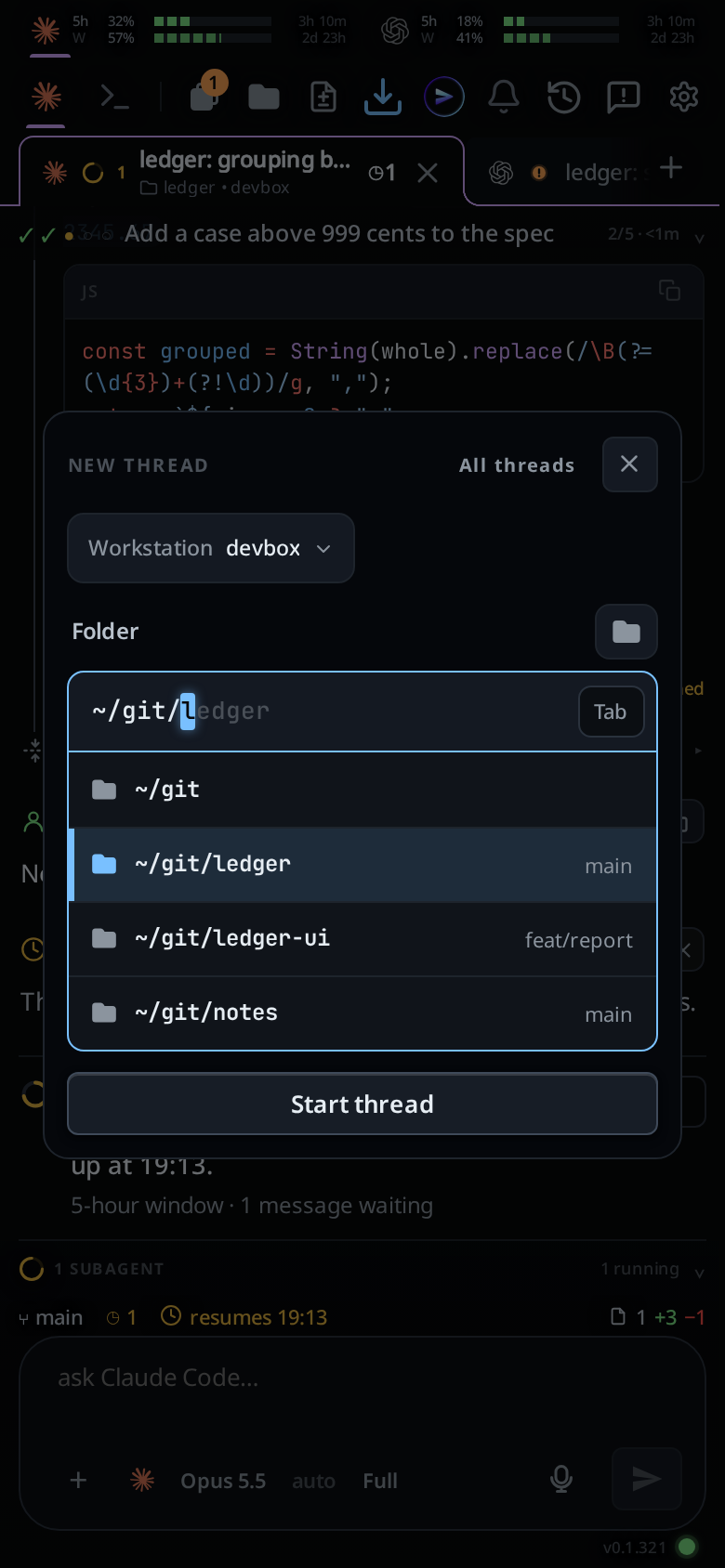
Start a tab in a folder
Tap the plus after the last tab. In the Folder box, type a path or pick a folder, then tap Start thread. The new tab runs the agent of the tab you were on; to use another, switch the agent in the new tab's message box. See start a new thread.
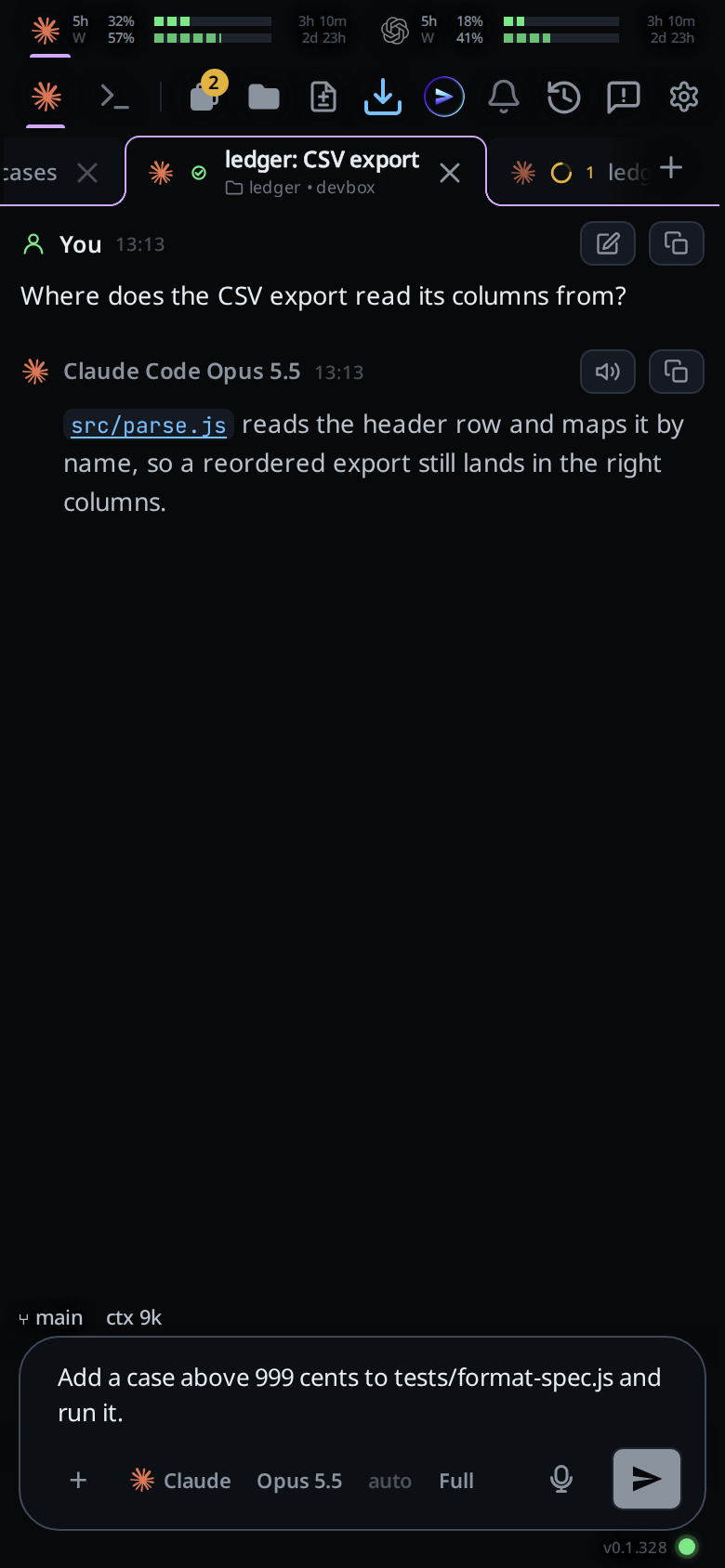
Send a message, typed or dictated
Type into the box at the bottom and tap the paper plane. Or tap the mic and talk: the words land in the box, and you edit and send them yourself. The mic shows once the transcription service is installed on a Linux computer. See send a message and dictate a message.
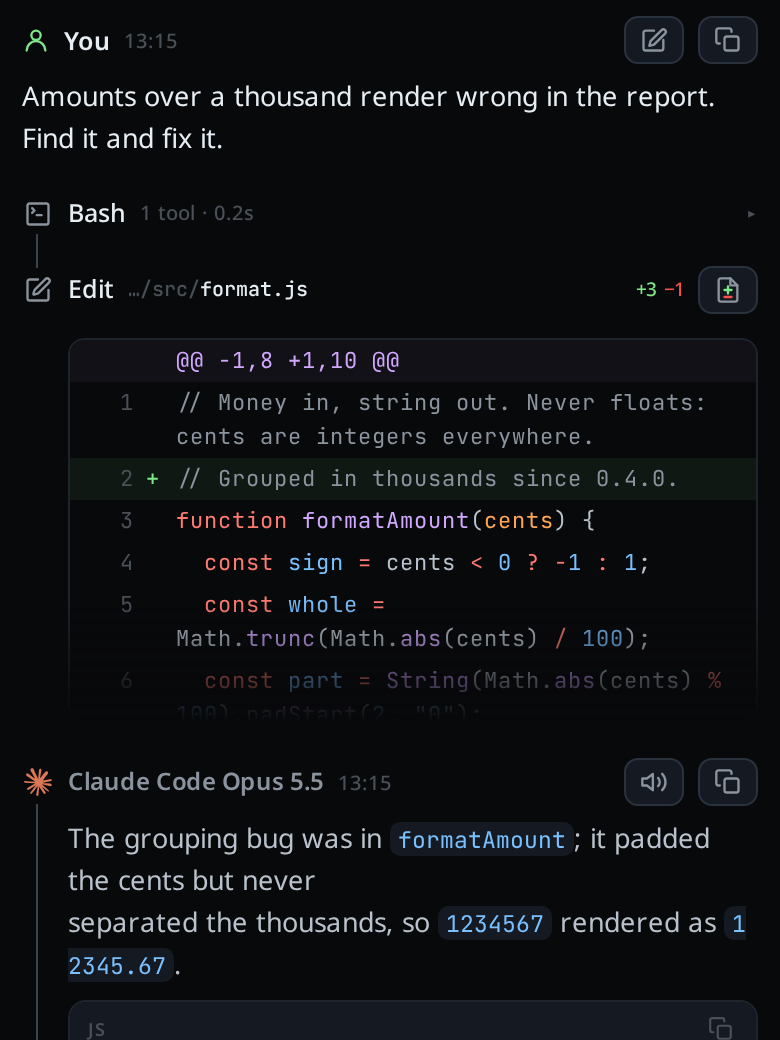
Read the steps
The conversation shows the agent's thinking, every command it ran with its output, and every file it edited as a diff, in the order they happened. Tap a folded card to open it in full (read the transcript).
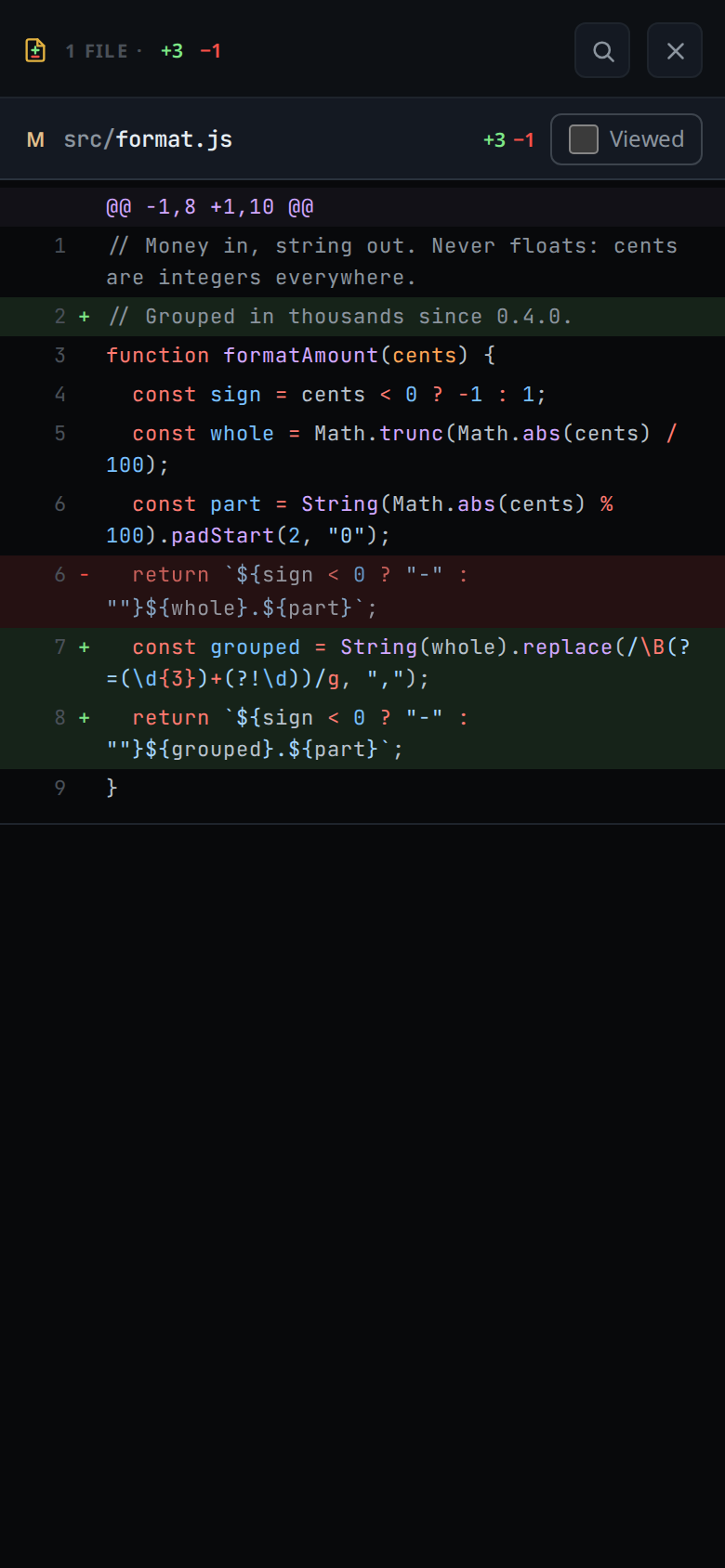
Review the diff
Tap the diff icon on an Edit card. The sheet lists every file the turn changed and scrolls like a pull request. Tick Viewed on each file you have read, or tap a line to send the agent a comment on it. See review a diff.
Open and edit a file
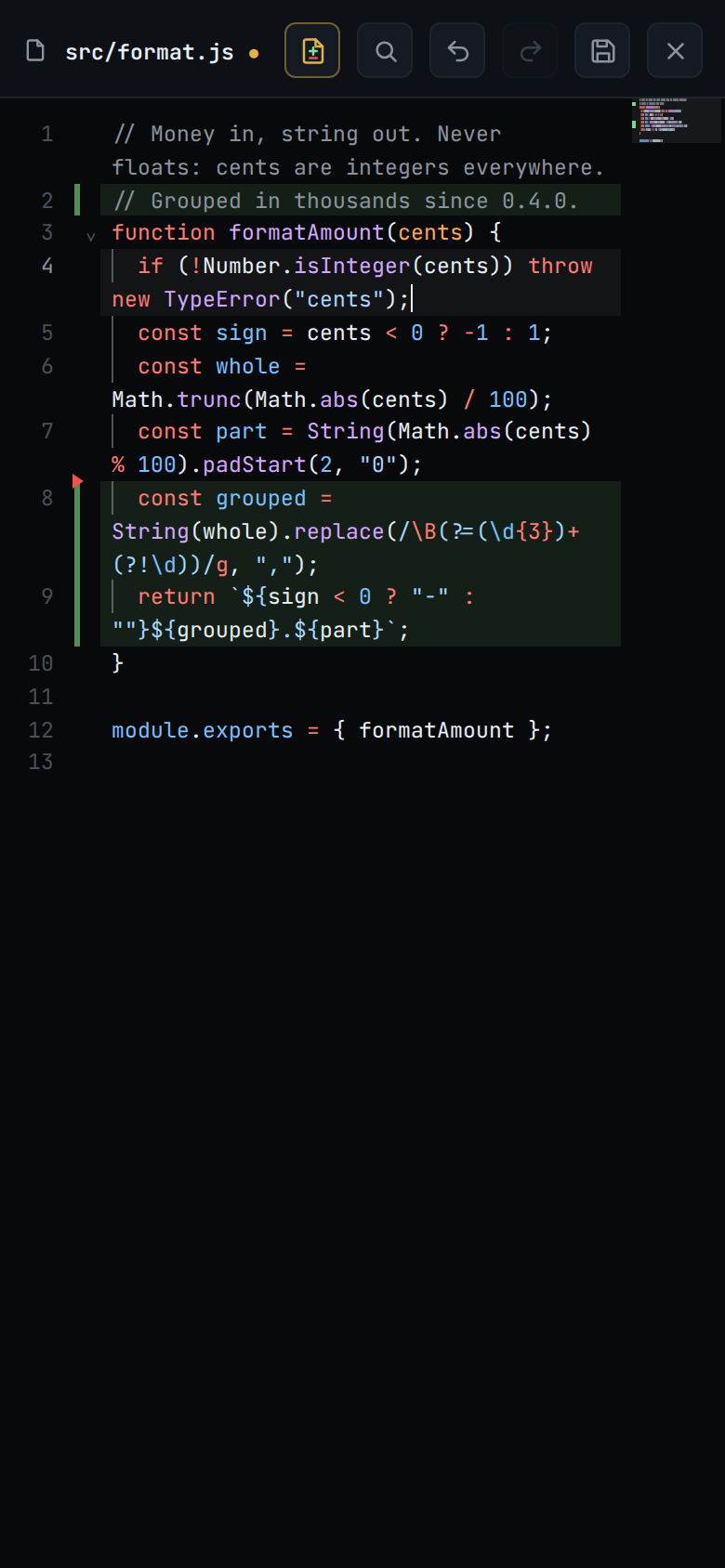
Tap the folder button to open the file tree of the tab's folder, then tap a file. Change a line in the editor and tap save; the toast reads saved. See edit a file.
Run a shell command
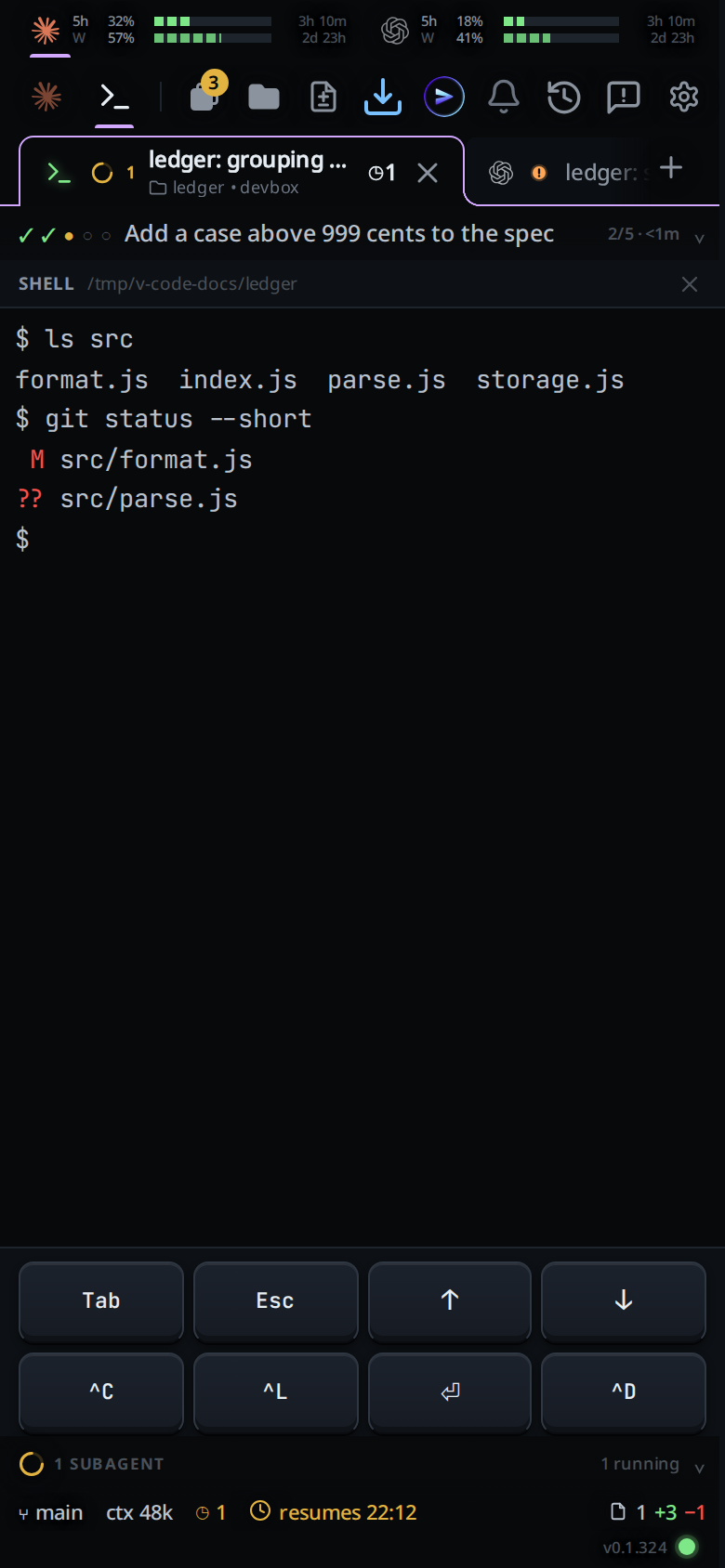
Tap Shell in the strip at the top. The tab becomes a real shell on your computer, in the tab's folder, with keys for Tab, Esc, the arrows and ^C. Run the tests or git status yourself. Tap Agent to go back. See shell mode and how to use Fezu on mobile.
FAQ
Can you code on a phone?
Yes. Type code into an editor on the phone, open a cloud IDE in its browser, connect to your own computer, or have a coding agent make the change while you review it. For a real project the last two save the most typing.
What is the best mobile IDE?
The best mobile IDE depends on the job. To learn or write short scripts with no computer, use an editor on the phone. For a full environment with no computer of your own, use a cloud IDE. For a project that already builds on your computer, connect to that computer. To hand whole tasks to an agent and review the result, use an agentic IDE.
Is there an IDE for Android or iPhone?
Yes. Replit, a cloud IDE, has apps for both. Fezu, an agentic IDE, opens at app.fezu.dev in the phone's browser on either. On an iPhone, Apple's App Store rules limit the code an app may download and run.
Do I need a computer to code on my phone?
Not for an editor on the phone or a cloud IDE: the code runs on the phone or on the vendor's servers. For a remote connection, and for Fezu, yes: the code runs on your own computer, which must be on and awake.
Can I use VS Code on a phone?
Microsoft says VS Code for the Web, at vscode.dev, runs in the browser on mobile devices, but smaller screens may have certain limitations. In the browser it has no terminal or debugger, and only some extensions run. GitHub Codespaces also opens a browser version of VS Code.
What does Fezu cost?
Fezu is free. You bring your own agent subscriptions.
- Run the install command in a terminal on your computer.
- Fezu opens. Log in or create an account with your email.
- Open app.fezu.dev on your phone and log in with the same email.
More guides are on the guides page.