
Edit a file
Every text file opens ready to edit. Change the text and save it to disk. A save never overwrites what the agent wrote in the meantime without asking you first.
Why you would use it
The agent got one word wrong in a config file, or you want to fix a typo before you ask for the next change. Typing the fix is quicker than describing it, and you do not need a terminal or a laptop to do it.
How to use it
Open a text file: tap it in the explorer, tap a link to it in the transcript, tap Edit system prompt, or create one. It opens in the viewer in the editor, with line numbers. There is no mode to pick: the same editor shows the change marks and takes comments on a line. On a phone the keyboard stays down until you tap the line you want to change. On a wide window the file opens as a file tab in a pane, and only the file in the focused pane can be edited; a copy of it in another pane is read only.
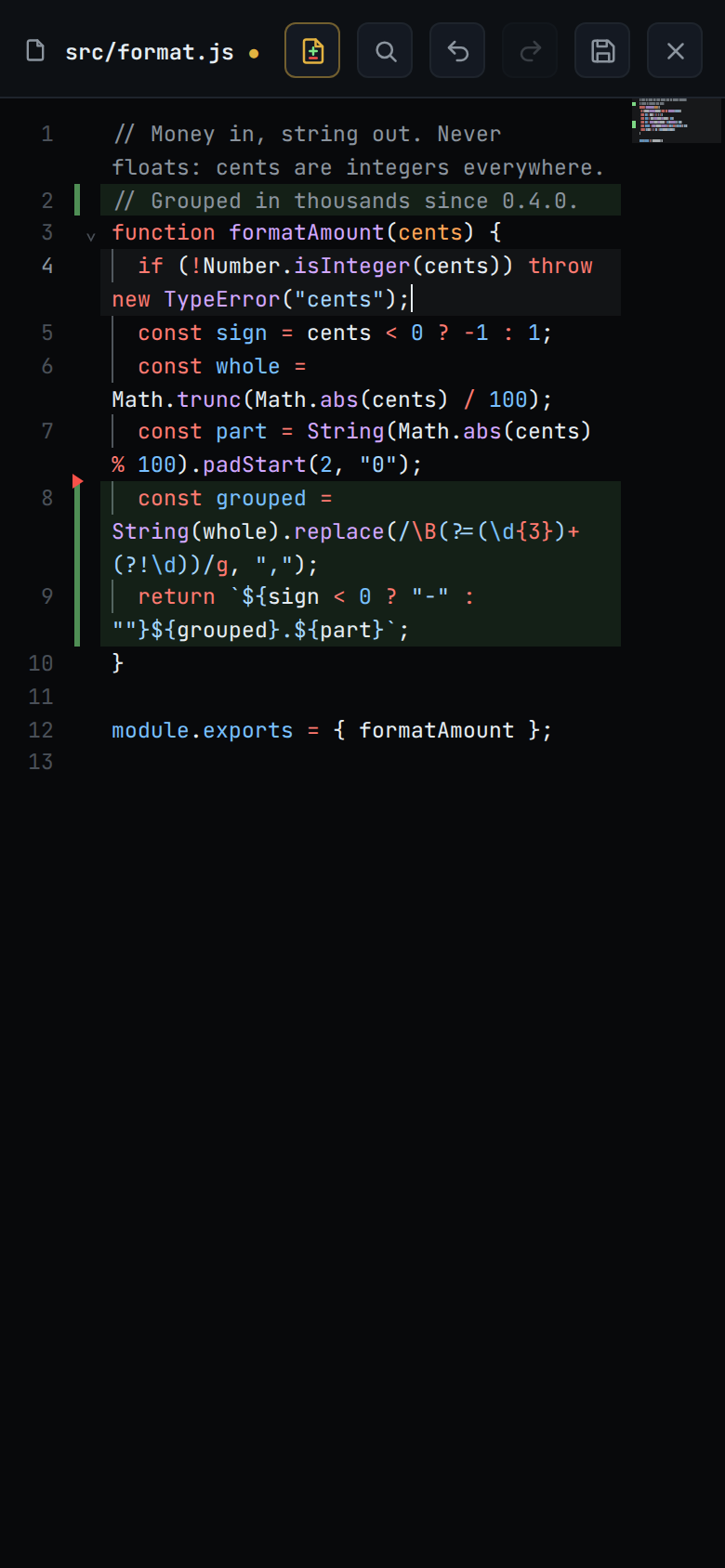
Change the text. A dot appears after the path while there are unsaved edits.
Tap the save button (
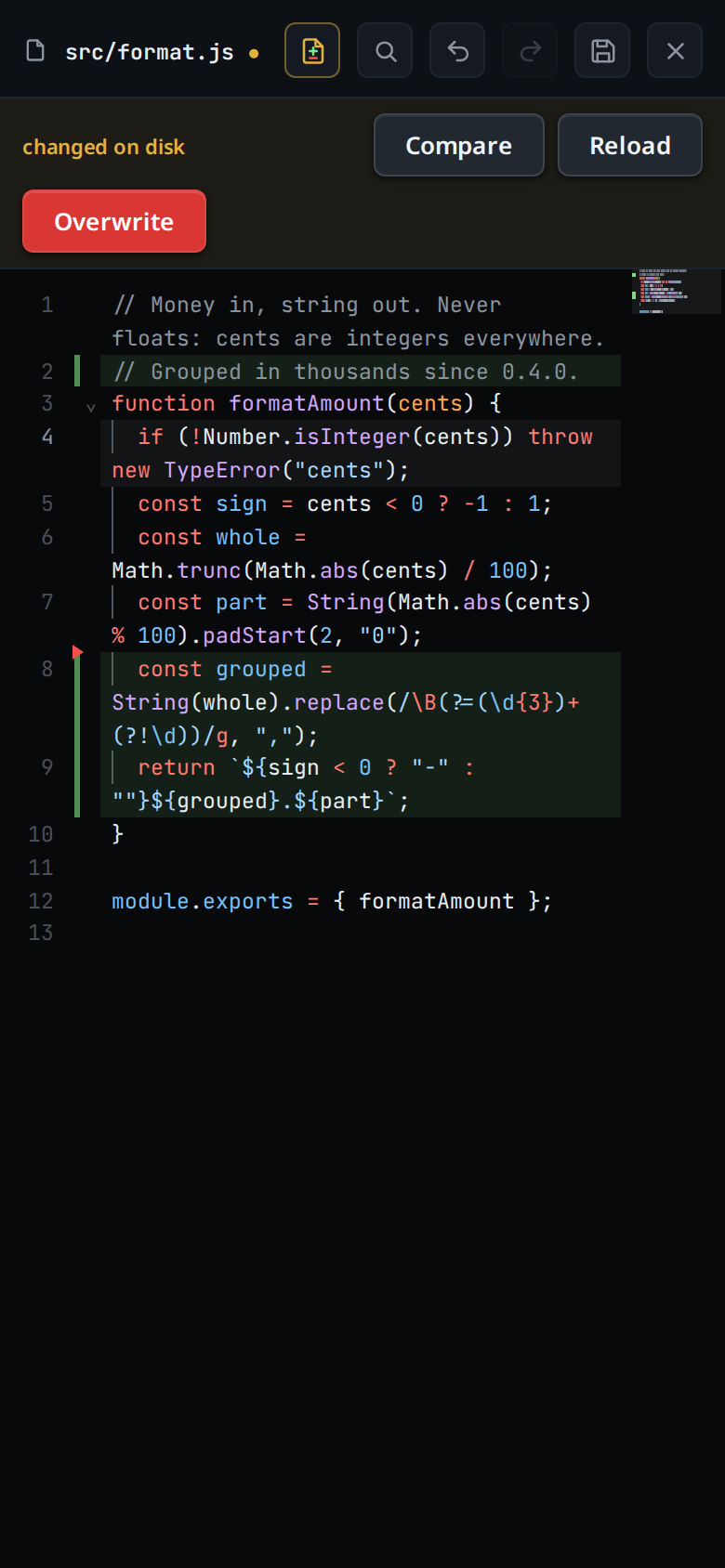
#viewer-save, "Save (Ctrl+S)"), or press Ctrl+S (Cmd+S on a Mac). The toast readssaved.If the file changed on disk since you opened it, the save stops and a strip under the head reads
changed on disk(#viewer-conflict):- Compare (
#viewer-compare) shows your text against the disk, changed lines marked. The button then reads Back; tap it to return. Your edits stay as they are. - Reload (
#viewer-reload) drops your edits and takes the disk's text. The editor stays open. - Overwrite (
#viewer-overwrite) saves your text over the disk's.
- Compare (
If the file was deleted on disk, the strip reads
deleted on disk. A save finds it, and so does the disk check while you have no unsaved edits. In the read view (see below) the strip only says so, and it goes when the file is back. In the editor:- Save as new (
#viewer-save-new) makes the file again and saves your text into it. - Discard (
#viewer-discard) drops your edits and closes the viewer.
- Save as new (
Tap close (
#viewer-close) with unsaved edits and a card asksSave changes?. Save (#confirm-go) saves the file and closes it; if the save fails or the disk changed under you, the file stays open with the strip. Discard (#confirm-alt, red) drops your edits and closes it. Cancel (#confirm-cancel), the card's ×, or a tap outside it keeps the file open with your edits.
What you see
Only a text file opens in the editor. An image, a binary file and a file over 1 MiB open in the read view, as does a copy of a file in a pane that is not focused, and any text file when the editor script did not load.
The editor colours the file as the viewer does, VS Code's colours for every language VS Code's grammars cover. A file opens plain and takes its colours a moment later; the first file in a language waits for that language's colours to download, and offline a language you have never opened stays plain. As you type, the lines you change are coloured again at once, and so are the lines below them when the change reaches them, such as a
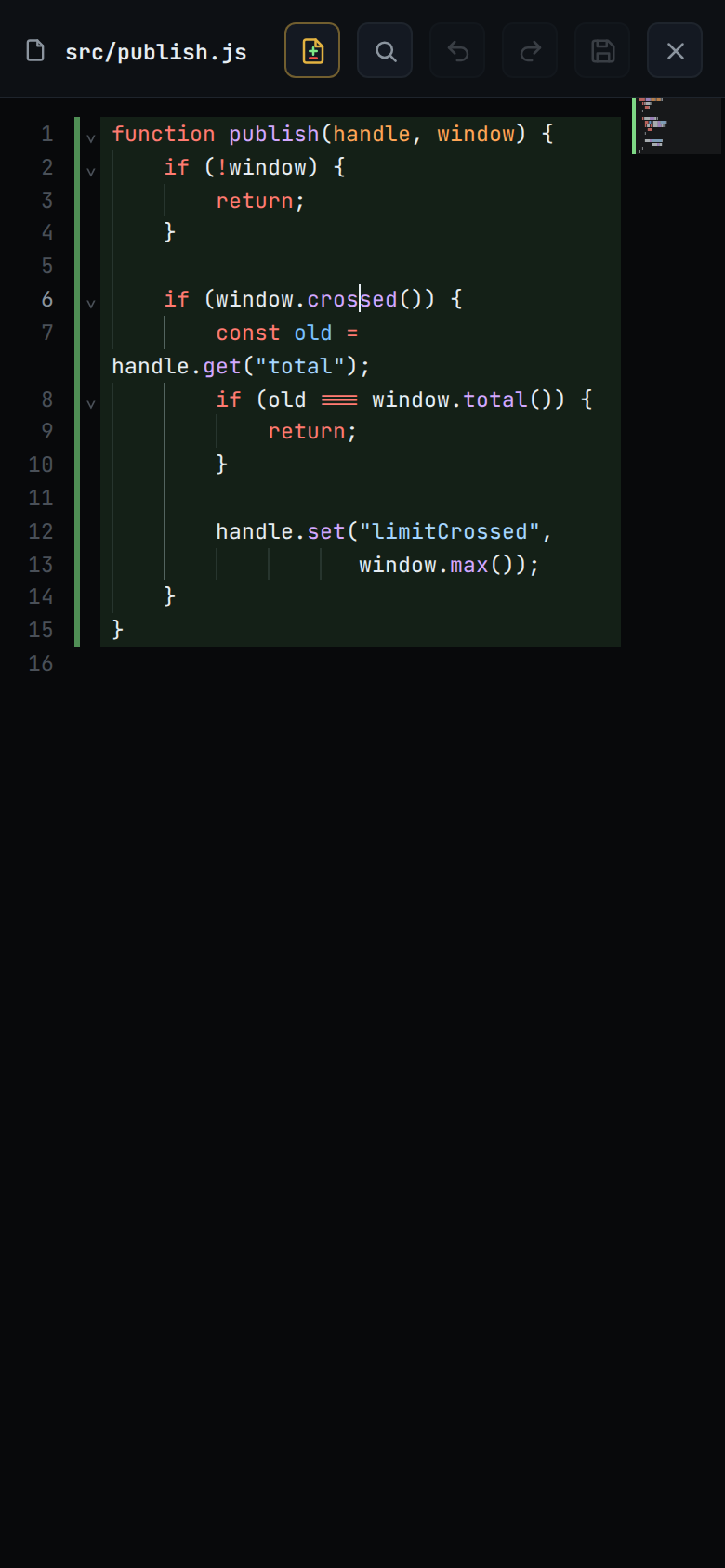
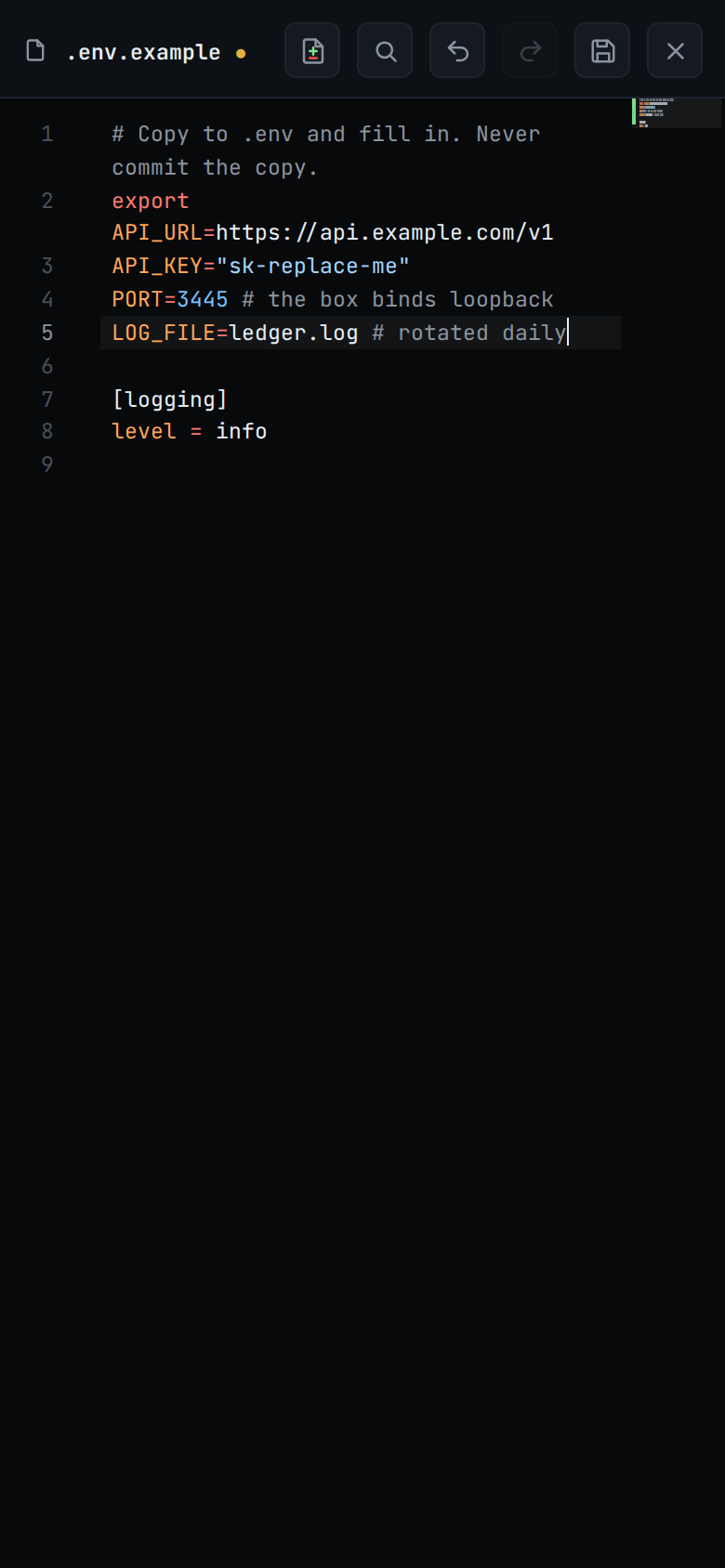
/*that turns the rest of the file into a comment. A long file has no line limit for colours: jump to its end and the lines there are coloured at once, before the lines above them. It has line numbers, folding, bracket matching, undo and redo, find and replace (Ctrl+F, Cmd+F on a Mac, or the magnifier in the header), Tab to indent, and suggestions as you type (see below). Folding and the indent after Enter follow the language in JavaScript, TypeScript, Python, JSON, CSS, HTML, YAML, SQL and Markdown. Shell scripts and INI, TOML,.envand systemd files have no folding, and Enter keeps the line's own indent there, as in every other language.Indent guides, as in VS Code: a thin line at each indent stop in a line's leading spaces or tabs, carried through blank lines, so you can follow a block from its first line to its last. The step is the one the file indents by: every 4 columns in a file indented by 4, one per tab in a tab-indented file. The guide of the block the cursor is in is brighter; on a line that opens a block, or one that closes it, that block's guide lights. A long line that wraps shows its guides on its first row only.
Suggestions open as you type a word. They come from the words in the open file, in any language, and from the language itself in JavaScript, TypeScript, CSS, HTML, SQL and Python: a variable in scope, a CSS property, a keyword. A word both offer shows once. In TypeScript, JavaScript, Python, Go and Rust the box's language server adds its own, and colours the code as VS Code does. The list narrows as you type and closes when nothing matches. It opens under the line you are typing, or above it when there is no room below, so it never covers that line.
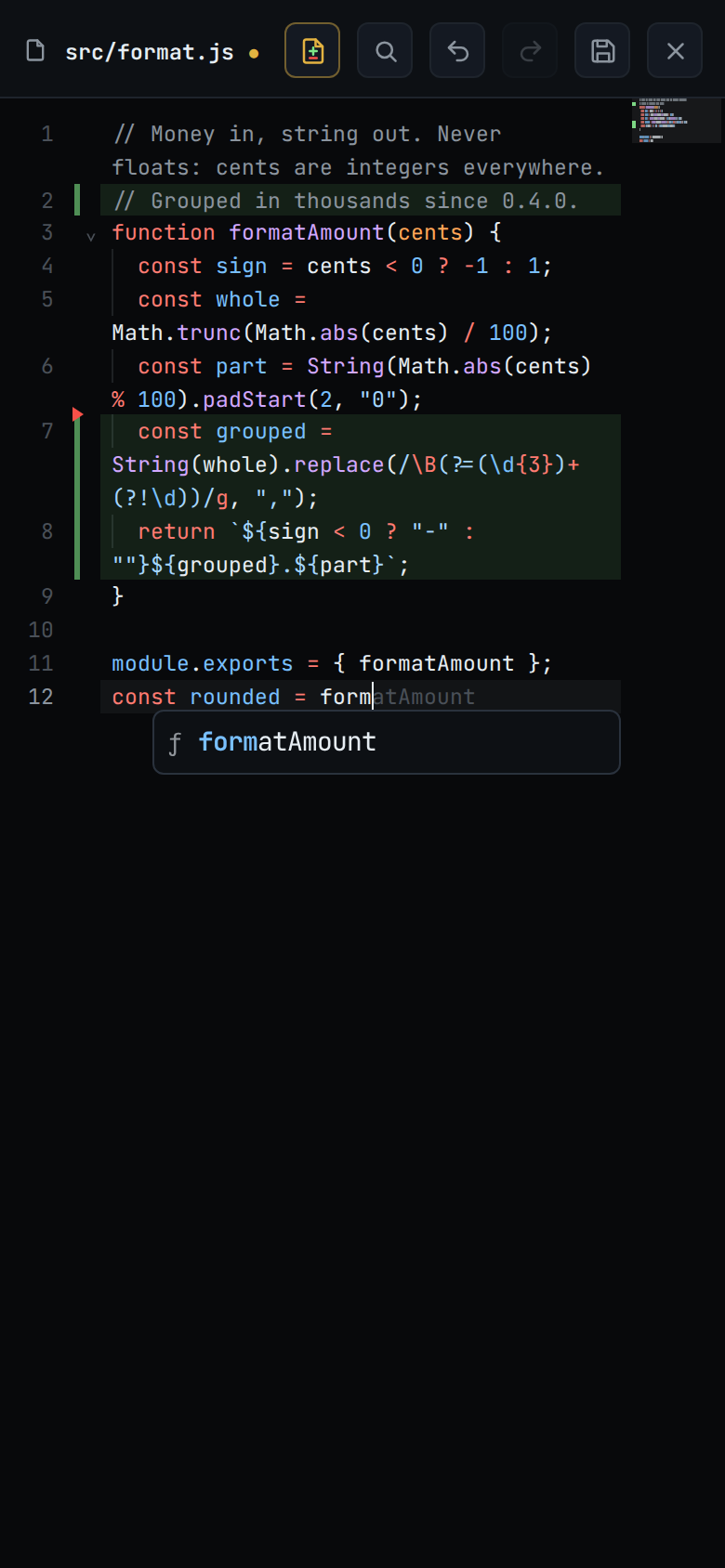
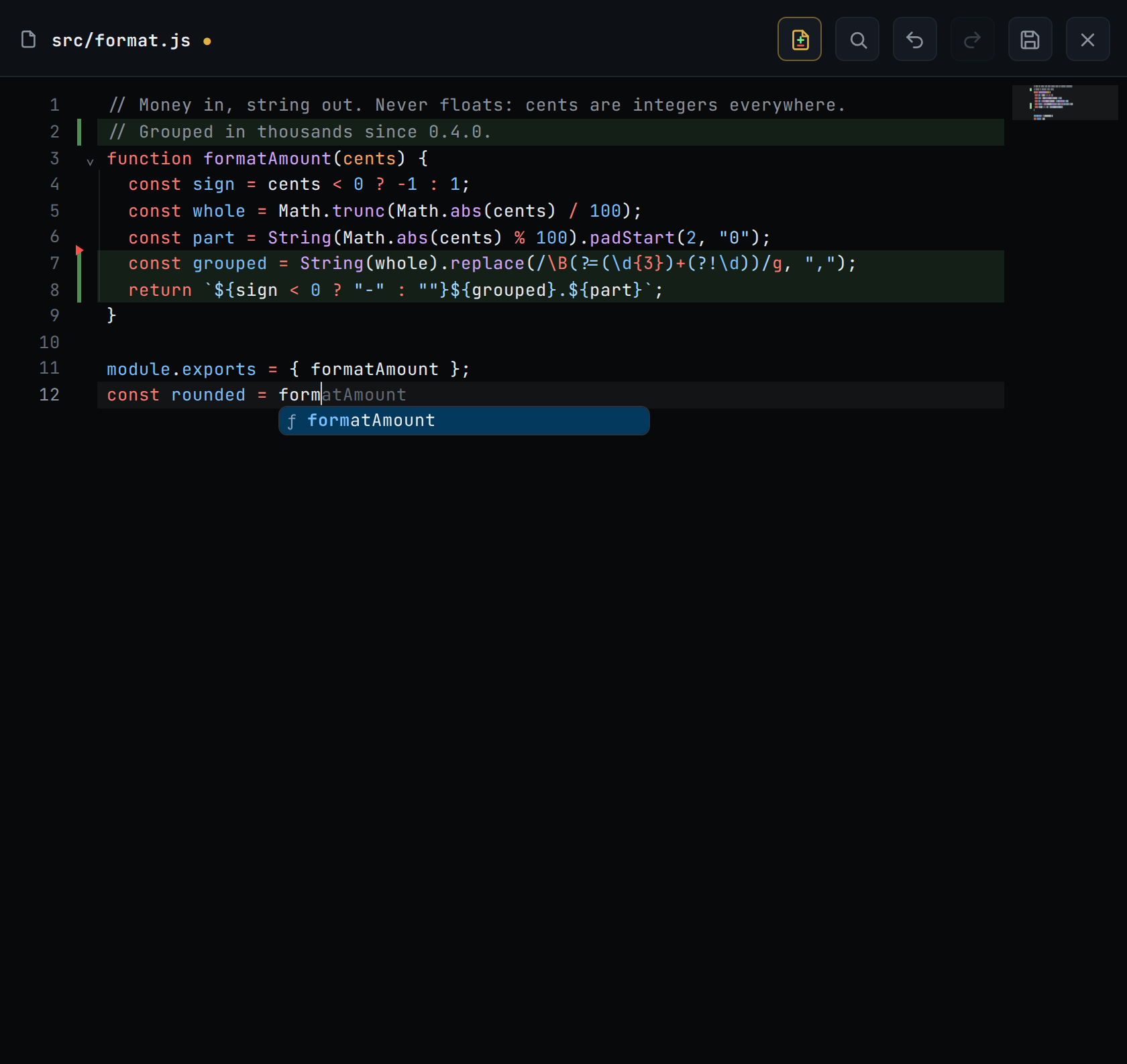
- While the list is open, the rest of the selected suggestion shows in grey
after the cursor, the way VS Code shows an inline suggestion:
formreadsformthenatAmountin grey. With nothing selected it is the top one. It follows the arrows. A suggestion that does not carry on from the word you typed (qtcfindsquarterlyCount) shows as a faint→ quarterlyCountinstead. With the cursor inside a word nothing shows. - Tap or click the grey text to put that suggestion in. On a phone that is how you take it without a Tab key.
- On a phone, nothing is selected. Tap a suggestion to put it in. Enter closes the list, taking nothing from it, and does what it does with no list open: a new line, or the next item of a Markdown list. A tap elsewhere or a scroll of the text closes it too. It shows 5 rows.
- With a mouse or trackpad as the main pointer, the keys follow VS Code: the first suggestion is selected, Enter or Tab puts it in (the one in grey), the arrows move, Escape closes the list and Ctrl+Space opens it. A phone or tablet without one behaves like a phone, a keyboard attached or not. Plug in a mouse or trackpad and the next list follows VS Code's keys.
- While the list is open, the rest of the selected suggestion shows in grey
after the cursor, the way VS Code shows an inline suggestion:
The editing keys follow VS Code. Ctrl is Cmd on a Mac:
- Multi-cursor: Ctrl+D selects the next occurrence of the selection, one per press, held down one per repeat; Ctrl+Shift+L selects every occurrence; Ctrl+Alt+Up/Down adds a cursor on the line above or below; Ctrl+Click (Cmd+Click on a Mac) adds one where you click; Alt+drag selects a rectangle; Escape goes back to one cursor.
- Lines: Alt+Up/Down moves the line, Shift+Alt+Up/Down copies it, Ctrl+Shift+K deletes it, Ctrl+L selects it, Ctrl+Enter opens a blank line below and Ctrl+Shift+Enter one above.
- Comments: Ctrl+/ toggles the line comment; the VS Code chords Ctrl+K Ctrl+C and Ctrl+K Ctrl+U comment and uncomment, and Ctrl+K Ctrl+X trims trailing whitespace.
The editor draws the diff marks; the diff button (
#viewer-diff) turns them off and on. A right click or a long press on a line opens a menu of Copy, Select all and Comment, and the review's comments sit under their lines. A plain click or tap only places the cursor.Undo (
#viewer-undo, "Undo (Ctrl+Z)") and Redo (#viewer-redo, "Redo (Ctrl+Shift+Z)") sit in the header between the magnifier and the save button. Each is dimmed while there is nothing to undo or redo. A tap keeps the phone's keyboard up if it was up. The keys work too: Ctrl+Z undoes, Ctrl+Y or Ctrl+Shift+Z redoes (Cmd on a Mac). Undo stops at the last text the disk gave the editor: after Reload, or after the agent's write shows in a clean file, there is nothing before it to undo.The save button is dimmed while there is nothing to save and while a save is on its way. Ctrl+S then sends nothing either. Undo back to the text on disk and the dot goes: there is nothing to save, and no draft is kept.
Toasts:
saved: the text is on disk and the dot is gone.saved · still editing: you typed while the save was on its way. The disk has what was sent; the newer edits are still unsaved.the editor did not load: the editor script could not be fetched. The file opens read only in the read view; open it again to try again.the editor did not load; the unsaved edits are kept: as above, for a file with a kept draft. It opens read only and the draft waits; the next open that loads the editor starts from the kept edits, not from the disk.unsaved edits are not being keptorunsaved edits too large to keep: the browser refused to store the draft. Save before you leave the page.the file on disk is not text any more: Compare or Reload found a file that can no longer be edited.- Any other refusal shows the server's words, such as
that file is too large to edit,file is too large to save,that file is not textorcannot write: EACCES. A fault on the server shows the request that failed and the server's answer, such as a 500 withinternal error. The edits stay unsaved.
Unsaved edits are kept as a draft in this browser. Back, Escape outside the editor, switching threads, changing the thread's folder, opening another file and reloading the page all keep them. The next time you open the file it opens with your edits, unsaved. A save still on its way when you left updates the kept draft when it lands, so the edits reopen against what it wrote.
While the viewer is open and your buffer is clean, it follows the disk: when the agent writes the file, the new text shows within about three seconds, in the editor and in the read view alike. Unsaved edits are never replaced.
A file whose every line ends in CRLF (Windows) stays CRLF. New lines you type or paste into it get CRLF too. A file that mixes CRLF and LF is edited on LF: each LF starts a line, a CR stays as a character at the end of its line, and the bytes save back as they were.
Options and settings
| Option | Default | What it changes |
|---|---|---|
| Size limit | 1 MiB | The largest file that opens for editing, and the largest save the server accepts |
| Disk check | every 3 s | How often an open, clean file is read again |
| Draft delay | 500 ms | How long after the last keystroke the draft is written |
Limits and known gaps
- Text only: a file with a NUL byte in its first 8192 bytes, or one that is not valid UTF-8, cannot be edited.
- There is no merge. Compare shows the two texts; you choose Reload or Overwrite. Overwrite replaces whatever the agent wrote.
- The check and the write happen on one open file, but a few microseconds separate them. An agent writing the same file in that moment can still lose its write.
- A save is never queued. Offline, it fails with a toast and your edits stay as a draft until you save again.
- Drafts live in this browser's IndexedDB, on this device only. A browser that refuses the database keeps nothing across a reload, and says so with a toast. So does a tab opened while an older tab of the app still holds the database. That tab also has no offline outbox and no cached threads until you close the older tab and reload it.
- Deleting a thread drops its drafts. Renaming a file moves its drafts to the new path; deleting one drops them.
- The disk check pauses while the page is hidden, while a comment box is open, while you are selecting text in the read view, and while you are signed out.
- A hard link is not detected. A save writes into the file in place, so a hard link inside the folder to a file outside it writes that file.
- The browser, not the server, names the folder a save goes to. Anyone who can log in, a paired device included, can write any file this user can, as an agent in a thread already can. See trust-model-and-security-headers.
Related
- find-in-a-file: find and replace in the open file
- language-servers: the project's suggestions and colours from the box's language server
- file-viewer: the sheet you edit in
- file-tabs: the tab you edit in on a wide window
- manage-files: make, rename and delete files in the explorer
- viewer-diff-marks: see what changed after you save
- comment-on-a-line: ask the agent to change a line instead
- trust-model-and-security-headers: who can write files
- system-prompt: Edit system prompt opens its file here