
See every change this tab made
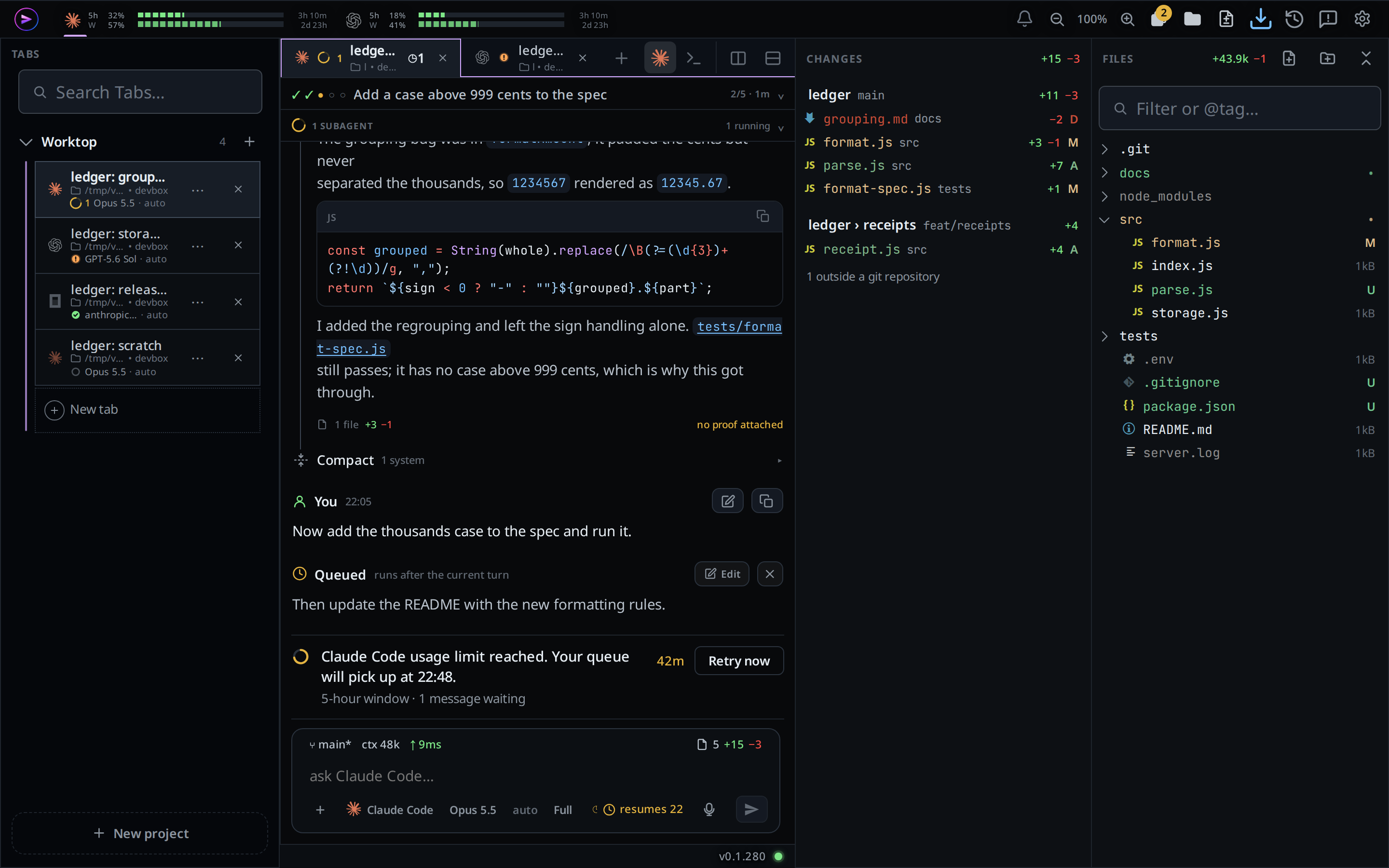
The explorer's Changes tab lists the files this tab changed, under a heading for each checkout they are in: the main checkout or a git worktree. Other tabs' work does not show. A row opens the diff sheet on all of them, landing on that file. The count at the right end of the status bar counts the same files.
Why you would use it
The agent has worked for an hour across many turns, with subagents in worktrees and commands in a shell, and you want the whole change in one place before you merge it: what it added, what it edited, what it deleted, and how big each change is. One turn's summary shows one turn; this shows the whole tab.
How to use it
Tap the Changes button in the icon rail (
#changes-open), the page with a plus and a minus right after the folder. The explorer opens on its Changes tab. The list readsreading…until the answer lands.Already in the explorer, tap the Changes tab (
#explorer-changes-tab, the page next to the folder) in its head. A swipe in from the right edge opens the explorer on the tab you left it on. See file-explorer.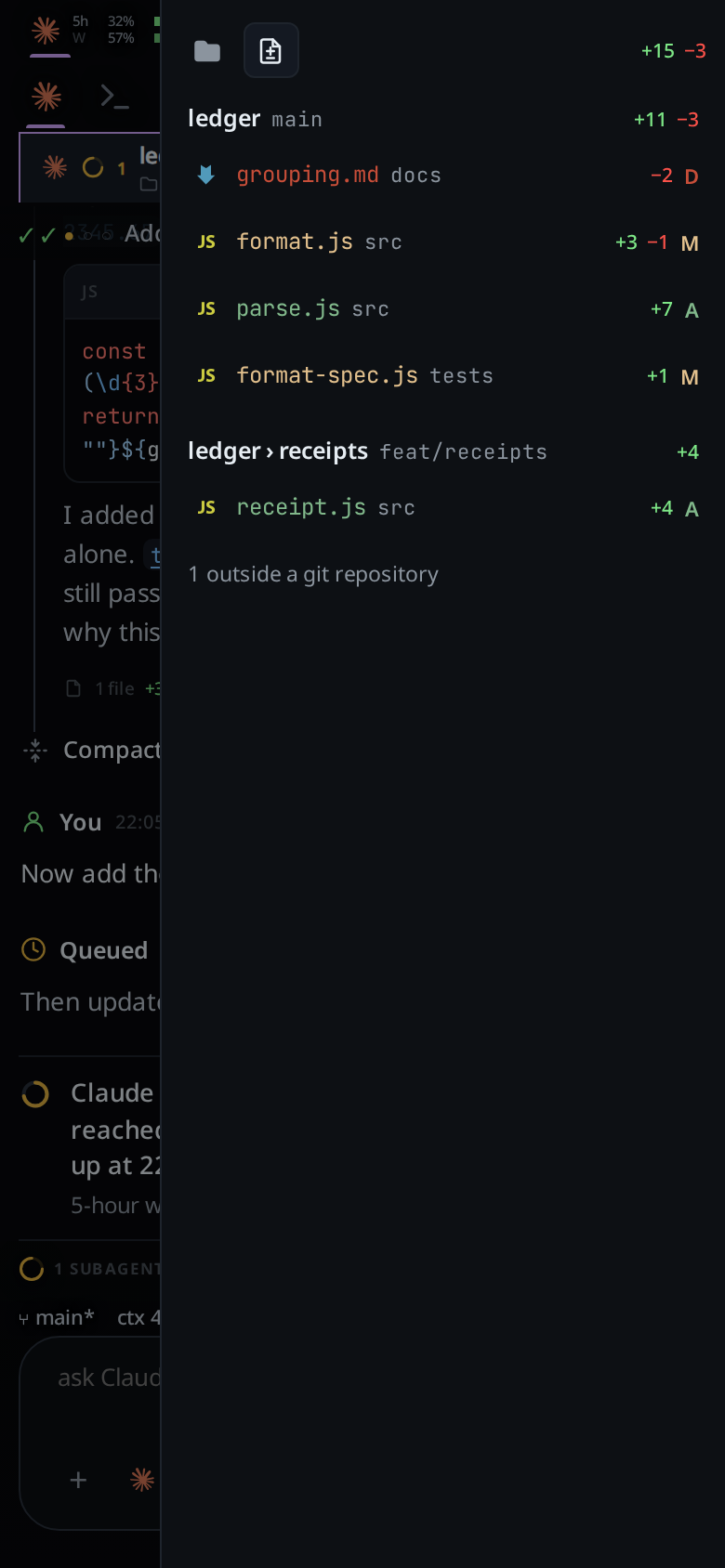
Tap a row. The diff sheet opens with every file the tab lists, scrolled to the one you tapped.
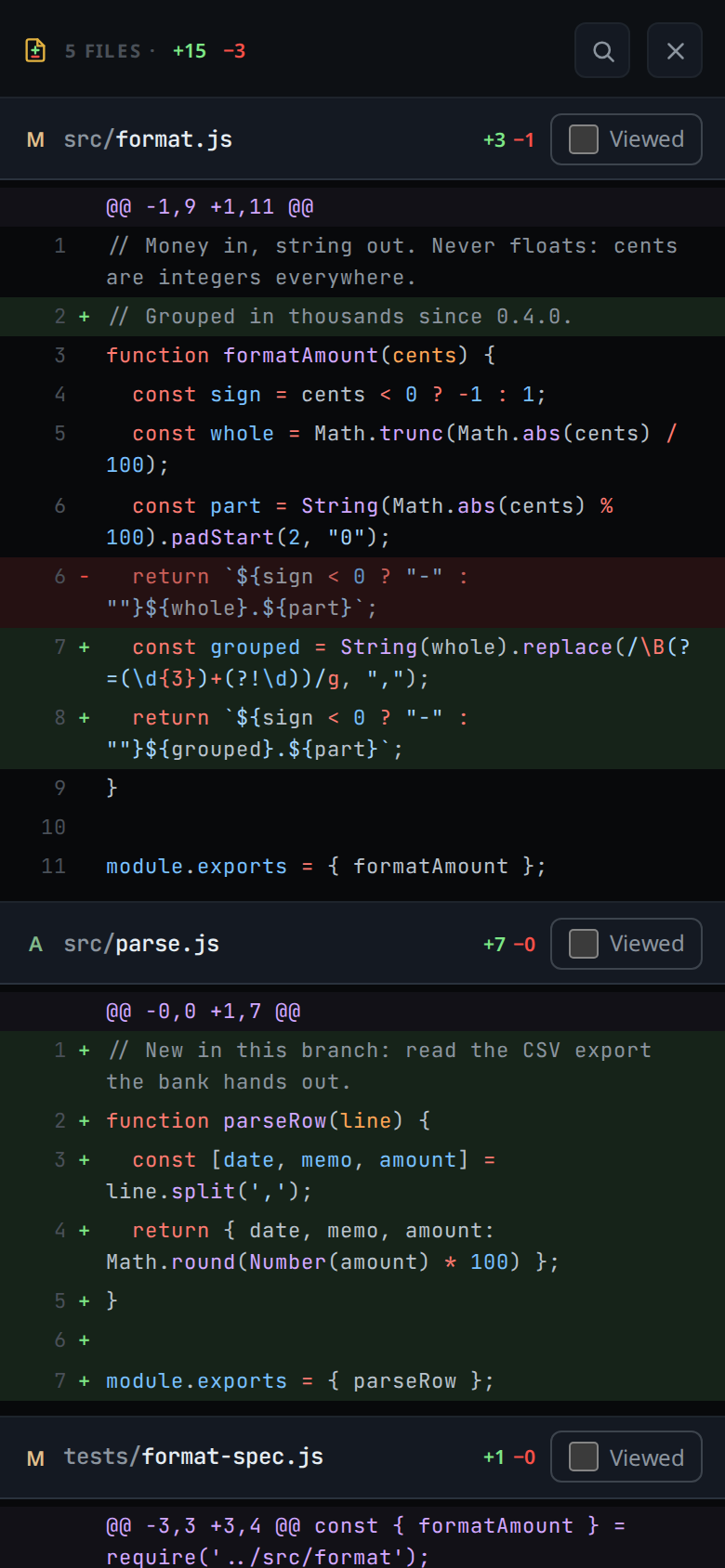
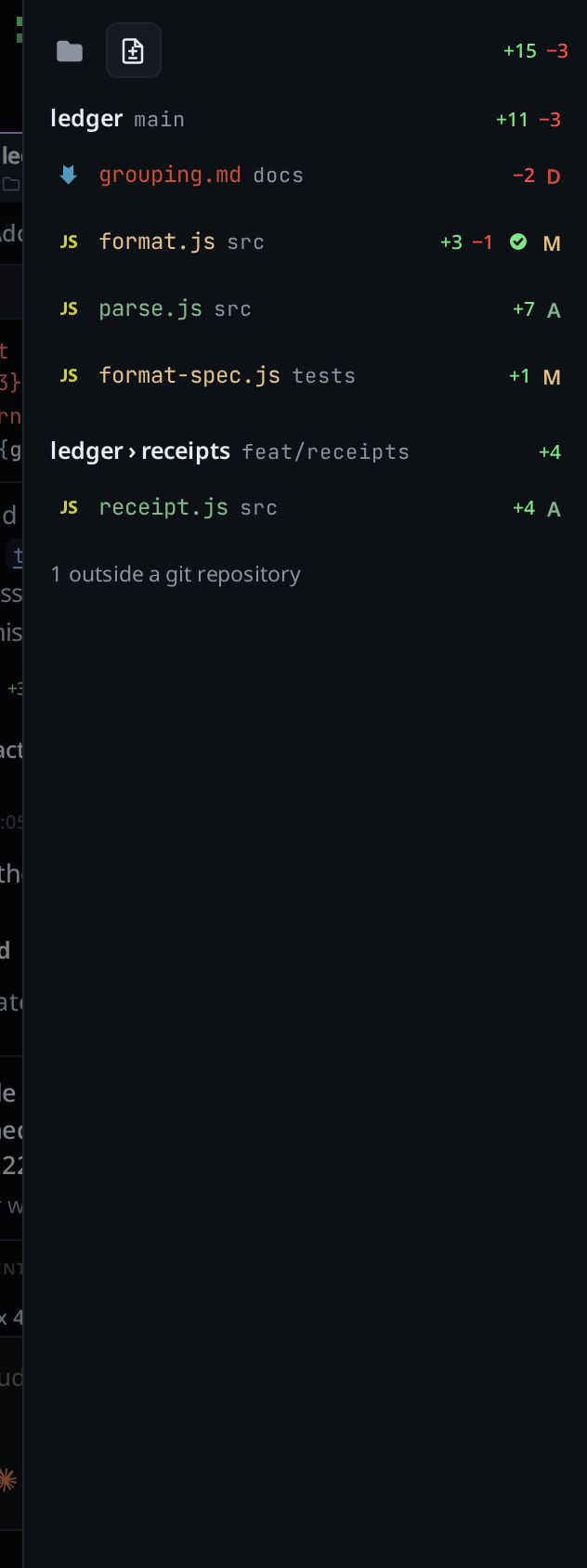
Tick Viewed on a file in the sheet to fold it away. Back in the list the file carries the green done mark.
Tap a line in the sheet to comment on it, as on any diff in the sheet.
Or tap the count at the right end of the status bar, without opening the explorer: a file icon, the number of files and
+<added> −<removed>. The diff sheet opens on the files this tab edited.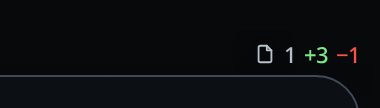
On a wide window it is the right end of the composer's top row, beside the branch and the ping.

Tap the Files tab (
#explorer-files-tab, the folder) to go back to the tree. A swipe opens the explorer on Changes until you pick Files, then on whichever tab you left it on. The folder button always opens Files, the Changes button always Changes.
On a wide screen the docked column keeps the list and the sheet takes the pane beside it.
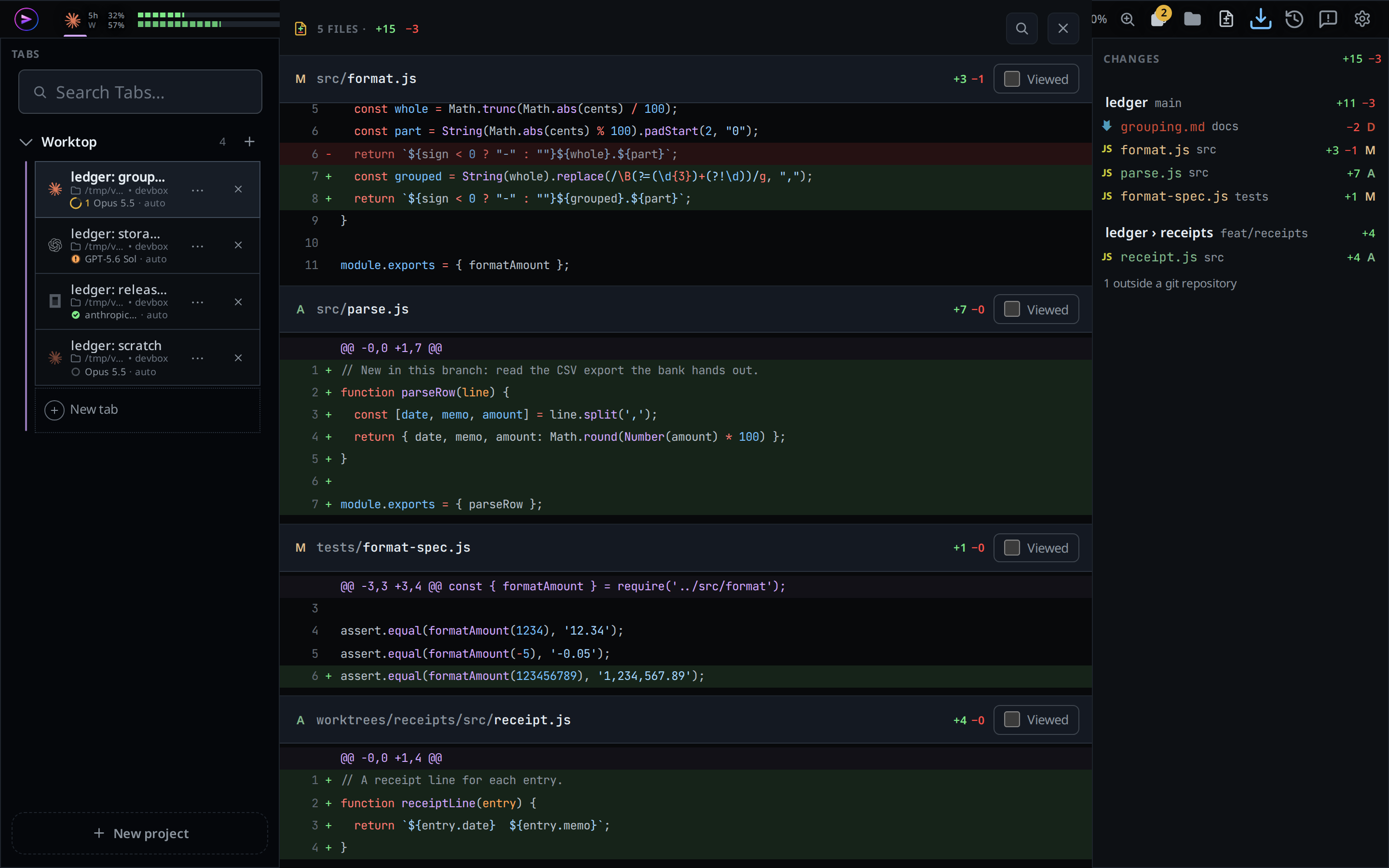
There the folder button (#files-open) and the Changes button
(#changes-open) each switch their own side of the column, so it can show both:
the file tree on top and the Changes list under it, headed CHANGES with the
tab's total. Click the button of a side that is not shown to add it, and the
button of one of the two to take it away. The column's head has no tabs: it is
titled FILES, or CHANGES when the list is alone, and the Changes list under
the tree has its own CHANGES bar. The choice is remembered on this
browser.
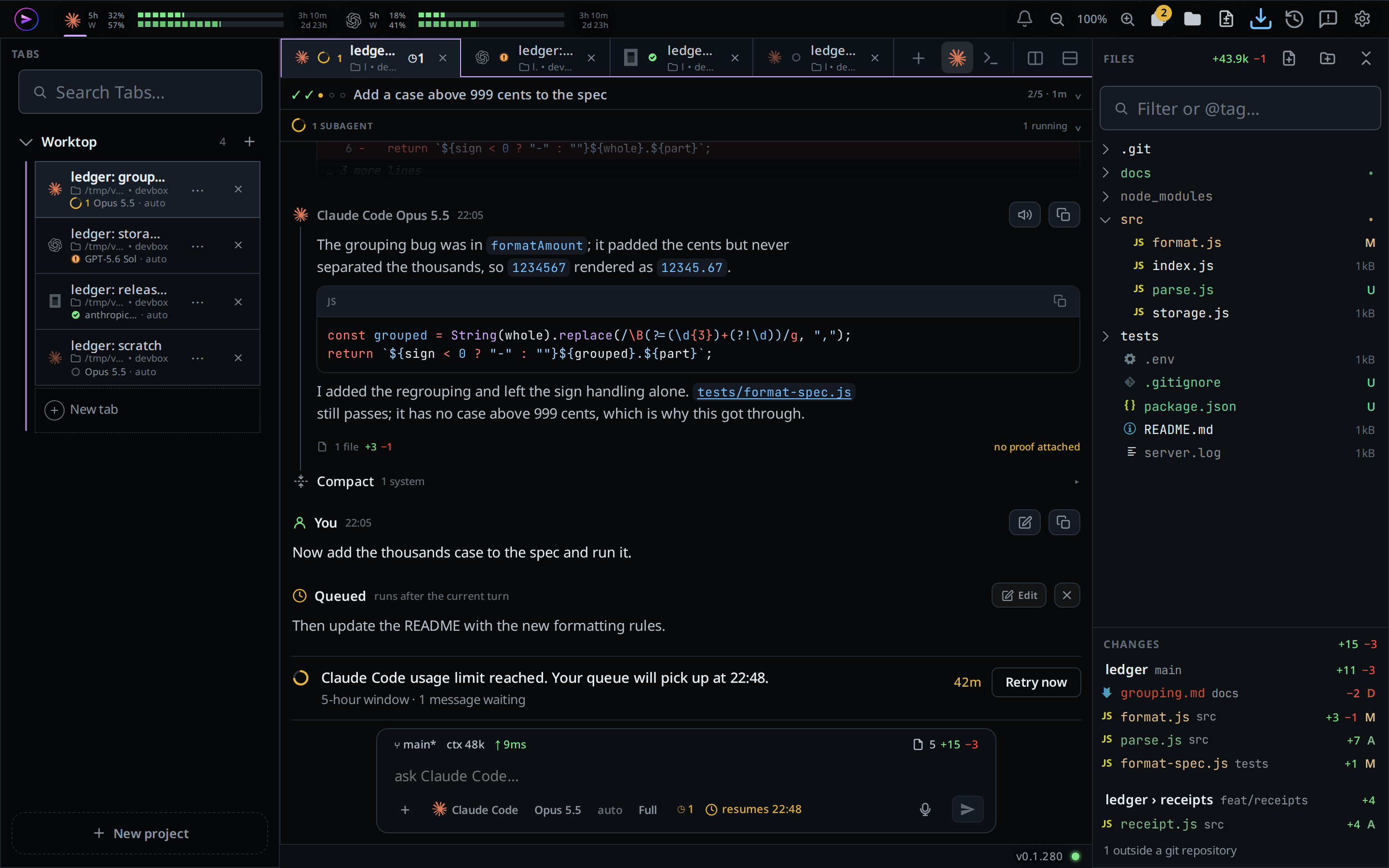
With both shown, drag either bar to move its side: the FILES head or the
CHANGES bar. While you drag, the bar's name follows the pointer, its side
dims, and the half of the other side under the pointer lights up blue: top,
bottom, left or right. Let go there and the side you dragged takes that place,
so Changes can sit over the tree, under it, or beside it on the left or right.
A click on a bar, or a drop anywhere else, moves nothing.
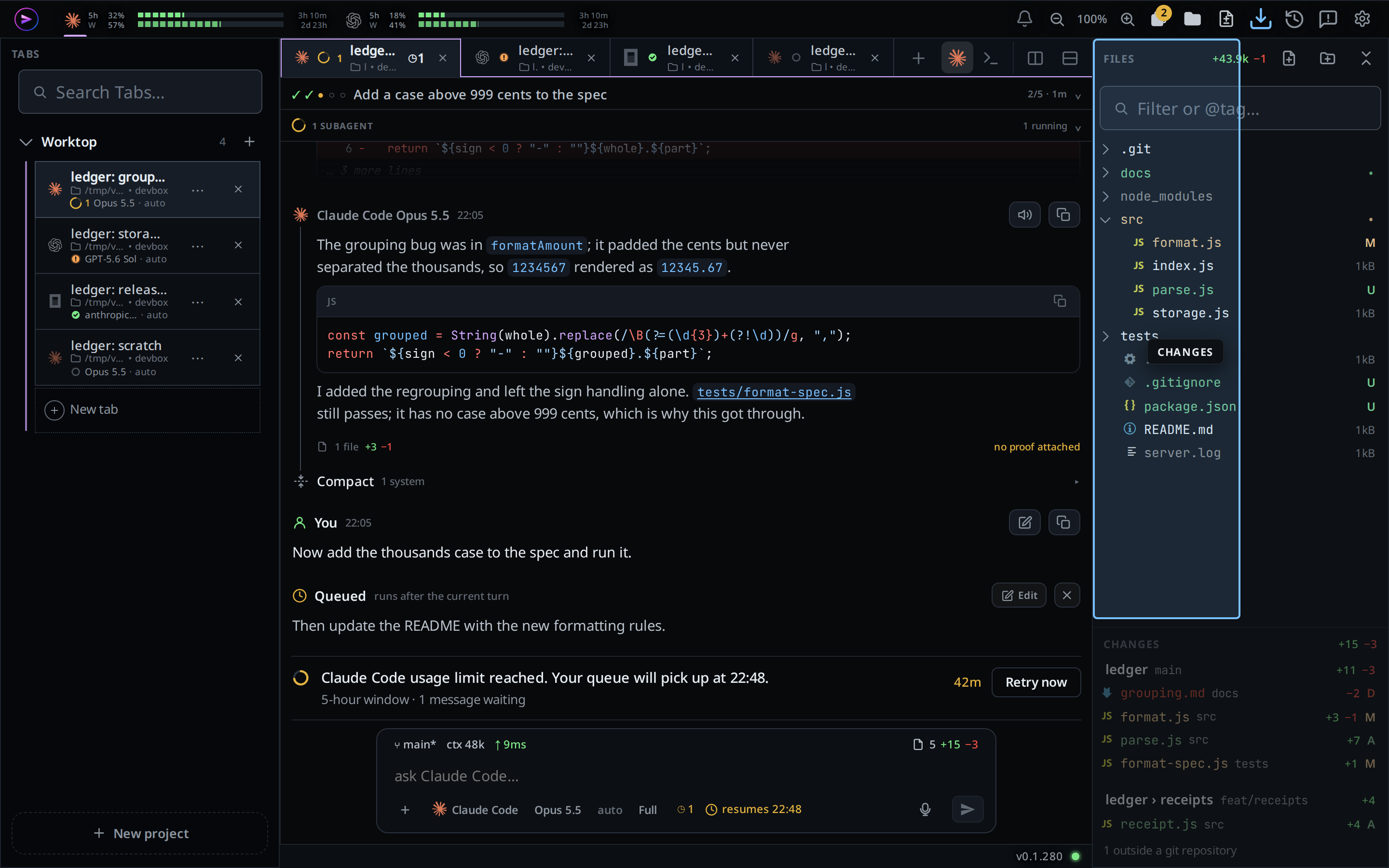
Side by side, each side starts as wide as the Files column was, so the column doubles and the panes beside it give up the room. Drag the line between the two sides to share the width differently, and the column's left edge to widen or narrow both. Double-click either to put it back. When the window has no room for two sides side by side, they stack, Changes on top if it was on the left, and go back side by side when the window widens. The place and the sizes are remembered on this browser.
What you see
- A heading per checkout: the repository's folder name, then
›and the worktree's folder name for a worktree, then its branch (its short commit when it has none) and its+<added> −<removed>. - The files this tab edited, and the files named in the tab's proofs, each counted against the default branch as it was when the thread began. Committed, merged and uncommitted work all count. A file whose change was undone drops out.
- One row per file: its icon, its name in the colour of what happened to it,
its folder in the checkout dimmed after the name,
+<added> −<removed>, and git's letter at the end:Mmodified,Aadded,Ddeleted. - The green done mark after the counts on a file you ticked Viewed.
- The total in the head (
#explorer-delta), where the Files tab shows the folder's. No changes yetwhen the tab has changed nothing.<n> outside a git repositoryat the end when the tab edited files git cannot diff.- An error from the box in place of the list, in red.
- The filter, New file, New folder and Collapse all are hidden on this tab.
- With both sides in a wide column, the list sits under the tree as tall as its rows, up to half the column, and scrolls on its own, until a drag of either bar puts it over the tree or beside it. Drag the line between the two to resize them; double-click the line to go back. A phone or a narrow window shows one side at a time.
The list is read when you show the tab, when the explorer opens on it, when the box connects while it is on screen, and when a turn of the thread ends while it is on screen. The status bar reads it again whenever the agent edits a file and when a turn ends. Neither polls.
Limits and known gaps
- A file shows once the agent edits it with its edit tools (subagents' and codex's edits included) or names it in a proof. A file changed only by a shell command shows from the tab's first proof on; until then it does not show.
- Another tab's or a terminal's change to one of this tab's files shows too: the file is read from git as it is now.
- A file git ignores never shows, and is not counted in
<n> outside a git repositoryeither. - Files edited before a Clear context stay listed: the list covers the whole thread, not the context.
- A repository git cannot read (a damaged one, or a diff past what the server
reads) has its files counted in
<n> outside a git repository. - A binary file is left out: the list and the sheet show only files with lines
to count. A patch past the size cap shows
too large to showand keeps its counts. - Viewed is kept on this device only. A file edited again after you viewed it loses the mark.
Related
- file-explorer: the Files tab beside this one
- diff-review-sheet: the sheet a row opens
- turn-changes: one turn's files instead of the session's
- work-in-worktrees: have agents work in worktrees and remove them after the merge
- status-bar: the count that matches this tab
- comment-on-a-line: writing to the agent about a line in the sheet