
Read a reply aloud
The speaker on an agent's reply reads it out with your device's own voices. Turn on Read new replies and the agent's replies are read by themselves: the last one when its turn ends, or every one as the agent moves past it. With dictation, you can work with the agent without looking at the screen.
Why you would use it
You are walking, cooking or driving and cannot read the screen. You dictate a message, and the agent's answer comes back as speech. You can also listen to a long answer while you look at something else.
How to use it
Tap the speaker (
button[data-speak]) in a reply's header, beside Copy. The reply is read out, and the speaker turns into a stop square (Stop reading).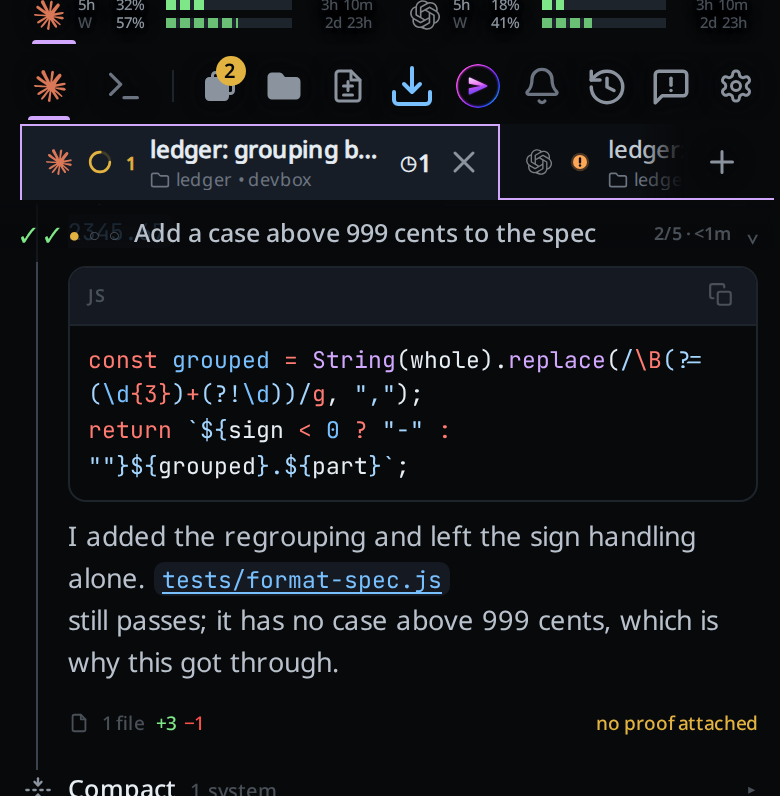
Tap the stop square to stop. Tap another reply's speaker to read that one instead.
To hear every new reply, open the cog (
#settings-open). In the Read aloud group, switch on Read new replies (#speak-auto). The group saysSaved. Under it, Frequency (#speak-frequency) picksLast reply of a turnorEvery reply.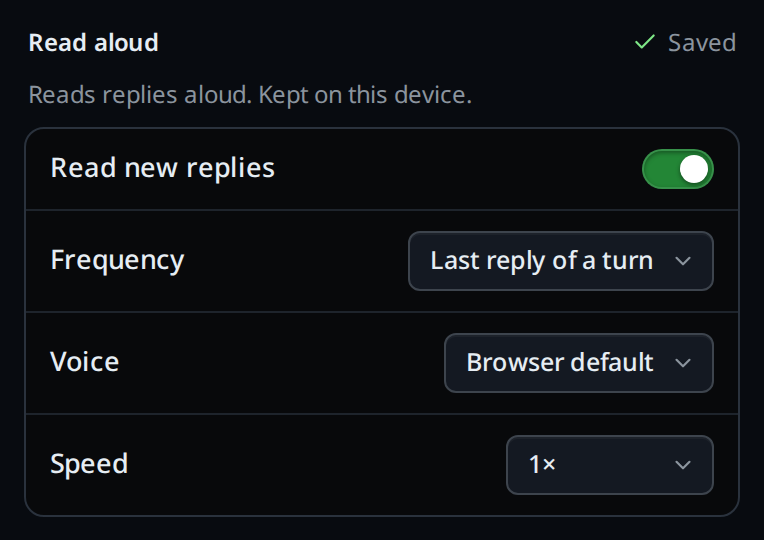
Pick a Voice (
#speak-voice) and a Speed (#speak-rate) in the same group. Each change saysReplies will sound like this.in the new voice.
What you see
- Code blocks are said as
Code block.and tables asTable.. Their contents are left out. - A link is read as its text, a bare web address as
link, and an image as its description. Short inline code, such as a file name, is read out; long inline code is said ascode. - Headings and list items are read as sentences, without their marks.
- Tapping the mic stops the reading, so dictation does not pick it up.
- With
Last reply of a turn, the tab on screen reads its last reply when its turn ends. Replies written in the middle of a turn, between tool calls, are not read; the last one is. - With
Every reply, each reply is read as soon as the agent moves on from it (a tool call, another reply) or its turn ends, so a status line written partway through a long turn is read too. A reply that arrives while another is being read waits for it, then is read in order. - If your browser refuses to speak until you tap, the toast says
tap Read aloud on a reply once, then this browser reads new replies. Any other failure saysreading aloud failed:and the browser's reason.
Options and settings
| Option | Default | What it changes |
|---|---|---|
Read new replies (#speak-auto) |
off | Reads the tab's new replies by themselves |
Frequency (#speak-frequency) |
Last reply of a turn | Last reply of a turn reads only the reply a turn ends on; Every reply reads each reply, including those written partway through a turn |
Voice (#speak-voice) |
Browser default | The voice used. Lists the device's voices in your language, or all of them if it has none |
Speed (#speak-rate) |
1× | 0.75× to 2× |
These settings stay on the device you set them on. Each device has its own
voices, so they do not sync to your other devices or workstations. An agent
changes them with v-code settings set readAloud.<key> (see
agent-commands), in the browser that
runs the command.
Limits and known gaps
- Only the tab on screen is read. A turn that ends in another tab, or in a tab you were not looking at, is not read when you switch to it.
- Opening a tab never reads the replies already in it.
- A rewind reads nothing: the reply the tab goes back to was read already.
- A reply more than ten minutes old is not read by Read new replies, even when your phone only now catches up on it. Tap its speaker to hear it.
- While the screen is locked or the app is in the background, the browser does not speak. When you come back, a reply that finished in the last ten minutes is read.
- iPhone and iPad speak only after a tap. With Read new replies on, the first tap anywhere in the app after it opens allows it.
- The voices are the ones your device and browser have. Some need a network connection. The Read aloud group is hidden in a browser with no speech support.
- Long replies are read in short pieces, cut at the ends of sentences, so Android Chrome does not stop partway. Some voices pause briefly between pieces.
Related
- dictate-a-message: speak to the agent
- send-after-dictating: send without tapping, for hands-free use
- copy-from-the-transcript: the button beside the speaker