
Open a tab from the composer with /new
Type /new in the composer to open another tab without leaving the
composer. Bare /new opens it in the active project. In Worktop
it carries this tab's agent and uses the last model and effort chosen for that
agent on this device; in a project bare /new is the project's +. A
default model you set replaces both.
/new <folder> opens a Worktop tab in that folder.
Why you would use it
You are mid-conversation and want a second tab like this one (same agent, same settings), usually on the same repo or a worktree beside it. Typing four characters is faster than opening the manager, and the slash menu turns into the same folder picker the new-thread card has.
How to use it
- Type
/newin the composer (#draft) and send it. In Worktop the tab opens in this tab's folder; in a project it opens in the project's MAIN folder with the agent, model and effort the last tab started there was last set to, or on your default model when you set one. Tab does the same thing, and so does taking the/newrow out of the slash menu with Enter or a tap. - Or type
/new(with the space) and keep typing a folder: the slash menu (#slashmenu) becomes a folder list.
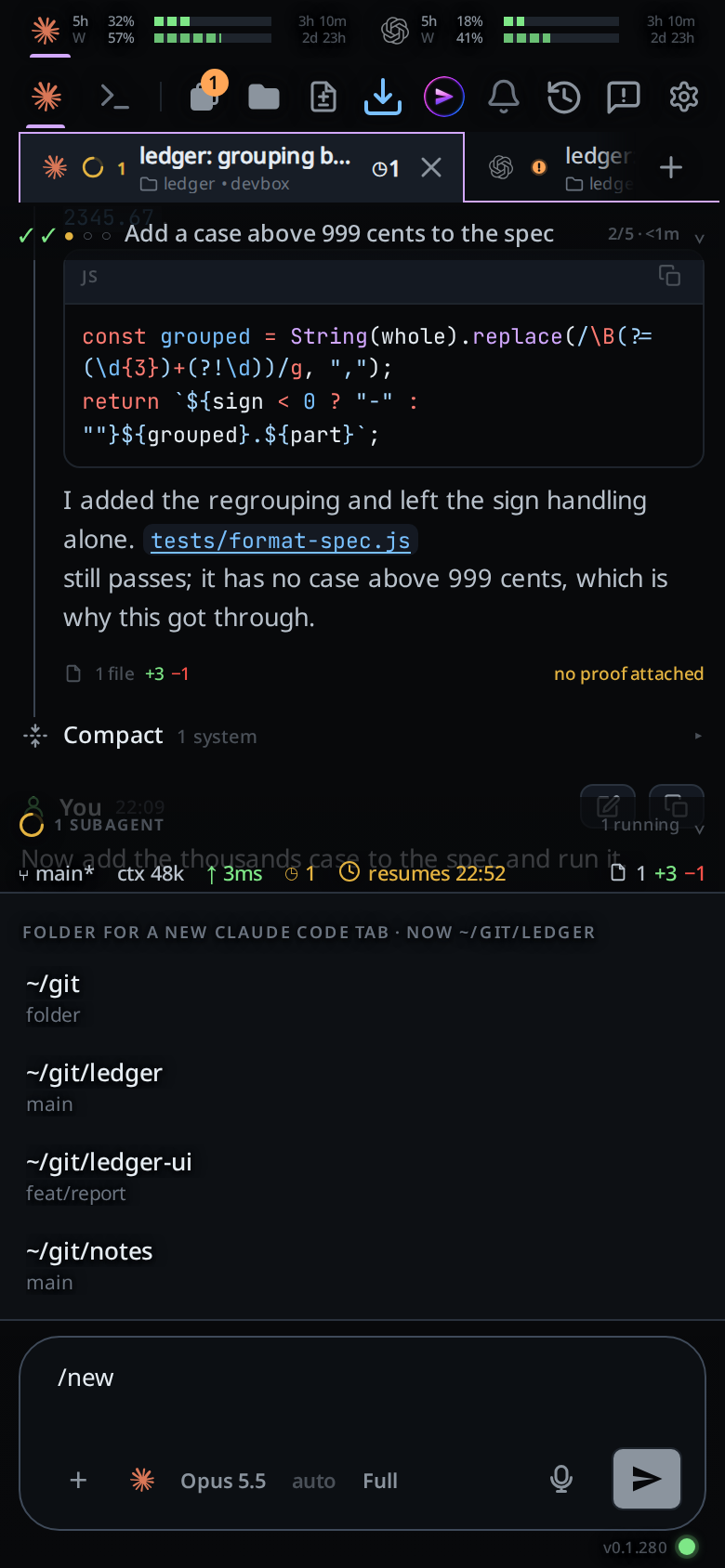
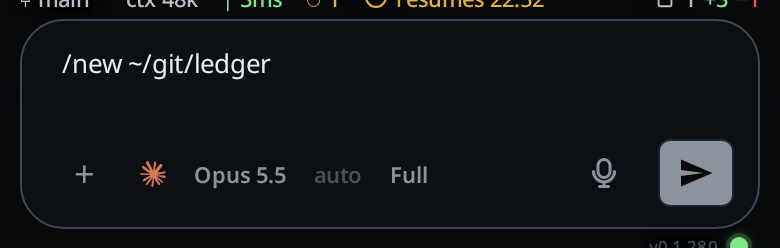
- Tap a row to fill the command in, then send.
What you see
While the folder menu is up, its header reads
Folder for a new <Agent> tab · now <this tab's folder>, with no rail beside
the list. Each row shows the
folder's ~-short label and its branch, or the word folder for a directory
that is not a repo; the full path is the row's tooltip.
Picking a row rewrites the whole draft as /new <label> and closes the menu.
The menu stays shut for exactly that text, so it does not pop straight back up;
typing anything else brings it back.
On success the toast reads new tab in <folder>, and the new tab is selected.
Bare /new in a project shows starting thread… instead, as the + does.
Bare /new opens the tab at the end of the active project's tabs.
/new <folder> opens it at the end of Worktop's, and since the new tab is
selected, the window switches to Worktop. See
start-a-thread.
If the folder is wrong the server's message is shown as an error toast and
/new <what you typed> goes back into the composer, so you can edit rather than
retype it.
Options and settings
| Option | Default | What it changes |
|---|---|---|
/new |
in Worktop this tab's folder, else the server default; in a project the project's MAIN folder | Opens a tab in the active project |
/new <folder> |
Opens a Worktop tab in that folder, whichever project is active; ~ is expanded by the server |
Limits and known gaps
- In Worktop, and for
/new <folder>anywhere, the new tab copies this tab's agent. Its model and effort come from the last choices for that agent on this device, unless you set a default model. It does not copy the transcript, the queue, the colour or the title. /new <folder>never starts a project tab, even when the folder is one of the active project's folders: a project tab always starts in MAIN. The tab is in Worktop./newis not/clear. It leaves this tab alone and opens another beside it.- The space is what asks for the folder list.
/newon its own is a whole command, so taking its row runs it rather than offering folders; type the space if you want to pick one. - The value menu accepts letters, digits,
.,-,/,:,@,~and spaces after/new; anything outside that stops the menu and the text is sent as a message.
Related
- start-a-thread: the form version
- projects: the project a bare
/newtab joins - default-start: the default model
/newopens on - pick-a-folder: the ranking and completion rules
- close-and-reopen-tabs:
/exit, the other half - slash-menu: the menu this one replaces
- clear-the-context:
/clear, which/newis not - toasts: where
new tab in <folder>appears