
When the box cannot save a tab
When the workstation's disk stops taking writes, for example because it is full, VCode keeps the tab's new steps in memory and saves them once the disk has room. If that goes on long enough, it stops the agent, says why in the transcript, and holds the messages you send on your device until the disk takes writes again.
Why you would use it
You do not use it; it happens to you. It keeps a long disk outage from filling the workstation's memory, and it keeps an agent from working on with nothing written down about what it did.
How to use it
Read the line at the end of the transcript. It names the disk's error, for example
ENOSPC: no space left on device, and how much of the tab waits in memory.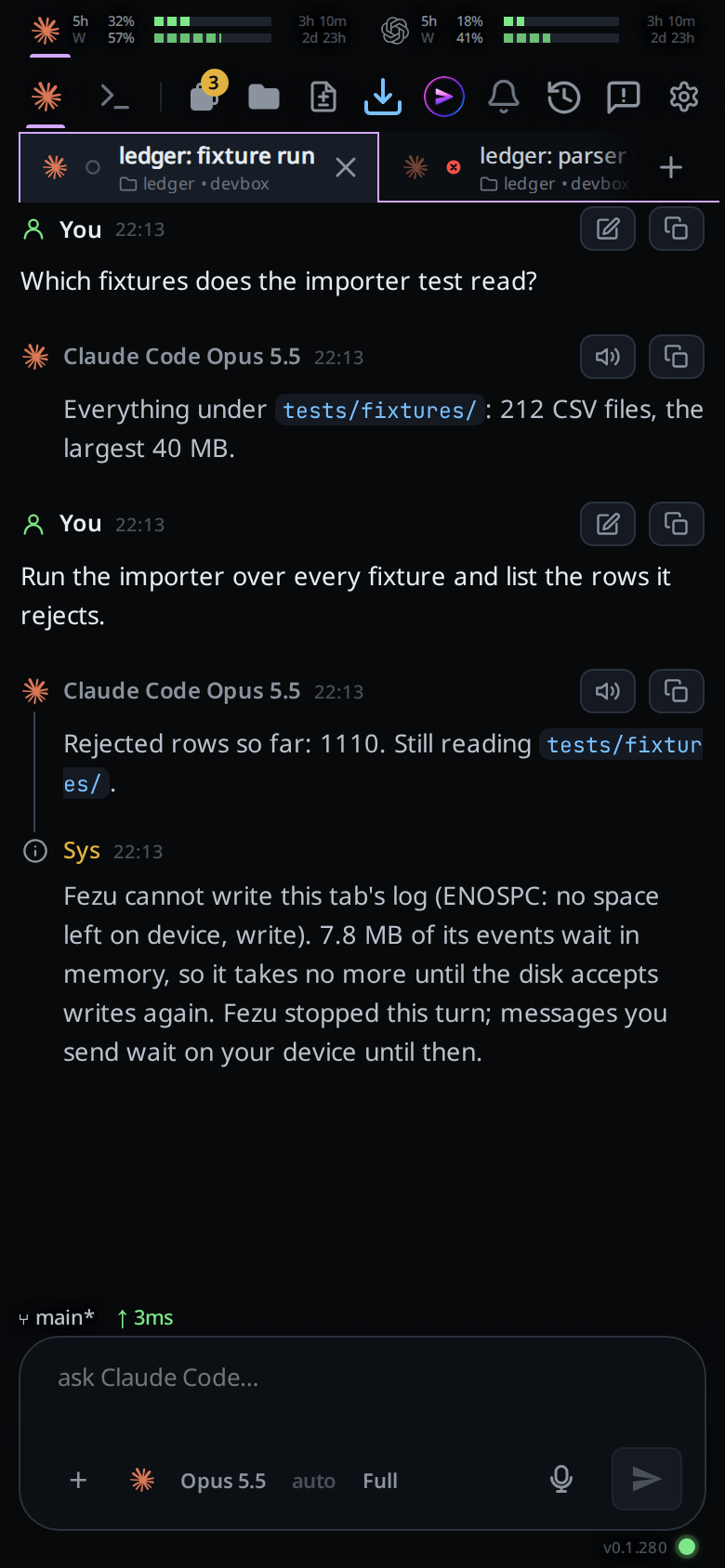
Free space on the workstation, or fix whatever stopped the writes.
Wait. Within a second of the disk taking writes again, everything held in memory is saved in order, and the tab takes messages again.
A message you sent meanwhile goes on its own within 15 seconds and runs. You do not send it again.
What you see
While the disk refuses writes, nothing changes on screen at first: the turn goes on, and the steps it takes show as usual. They wait in memory.
Once 8 MB of the tab's steps are waiting, the turn stops and this line appears, in the warning colour, never folded into a group of system rows:
VCode cannot write this tab's log (<the disk's error>). <size> of its events wait in memory, so it takes no more until the disk accepts writes again. VCode stopped this turn; messages you send wait on your device until then.
A message you send then shows as an Outbox row, and a toast carries the same
first sentences. The box stays online: the dot does not turn grey and no
offline banner shows. A line comment or a review sent then is kept in the
outbox too, and the toast adds The comment is queued. or
The review is queued.
When the disk takes the waiting steps, a line This tab's log is written again.
joins the system rows, and the outbox sends what it holds.
Options and settings
| Option | Default | What it changes |
|---|---|---|
| Memory held per tab before VCode stops it | 8 MB | Not configurable |
Limits and known gaps
- The limit is per tab. Several busy tabs on one full disk each hold up to 8 MB of steps, plus their working copy in memory.
- The agent process is stopped, not paused: the next message starts it again on the same session.
- Other changes to the tab while it is stopped, such as a rename, are not saved.
- A message from
v-code tab sendto such a tab fails withbox <name> did not take the message (<reason>); it is queued on this device, and goes later from the device that ran the command. - A tab in a browser with no storage for the outbox gets its words back in the message box with the toast instead.
Related
- errors-and-retry: the line for an agent that stopped on its own
- queue-a-message-offline: the outbox the held message waits in
- read-the-transcript: where the line sits