
Find in the transcript
In the desktop app, Ctrl+F (Cmd+F on a Mac) searches the transcript of the tab you are in. The bar is the same one the file editor uses.
Why you would use it
The agent named a file, an error or a command a while back, and you want to find it again without scrolling. A browser has its own find; the desktop app has none, so Fezu draws this one.
How to use it
- Click in the tab you want to search. With split panes, that is the pane in focus.
- Press Ctrl+F (Cmd+F on a Mac). The find bar opens over the top right of the transcript. Text you selected first, on one line, fills the field.
- Type what to find. The count reads
1 of 4, and the page scrolls to the first match from the top of the screen down. - Press Enter for the next match and Shift+Enter for the previous one, or use the arrows.
- Press Escape, or the cross, to close the bar.
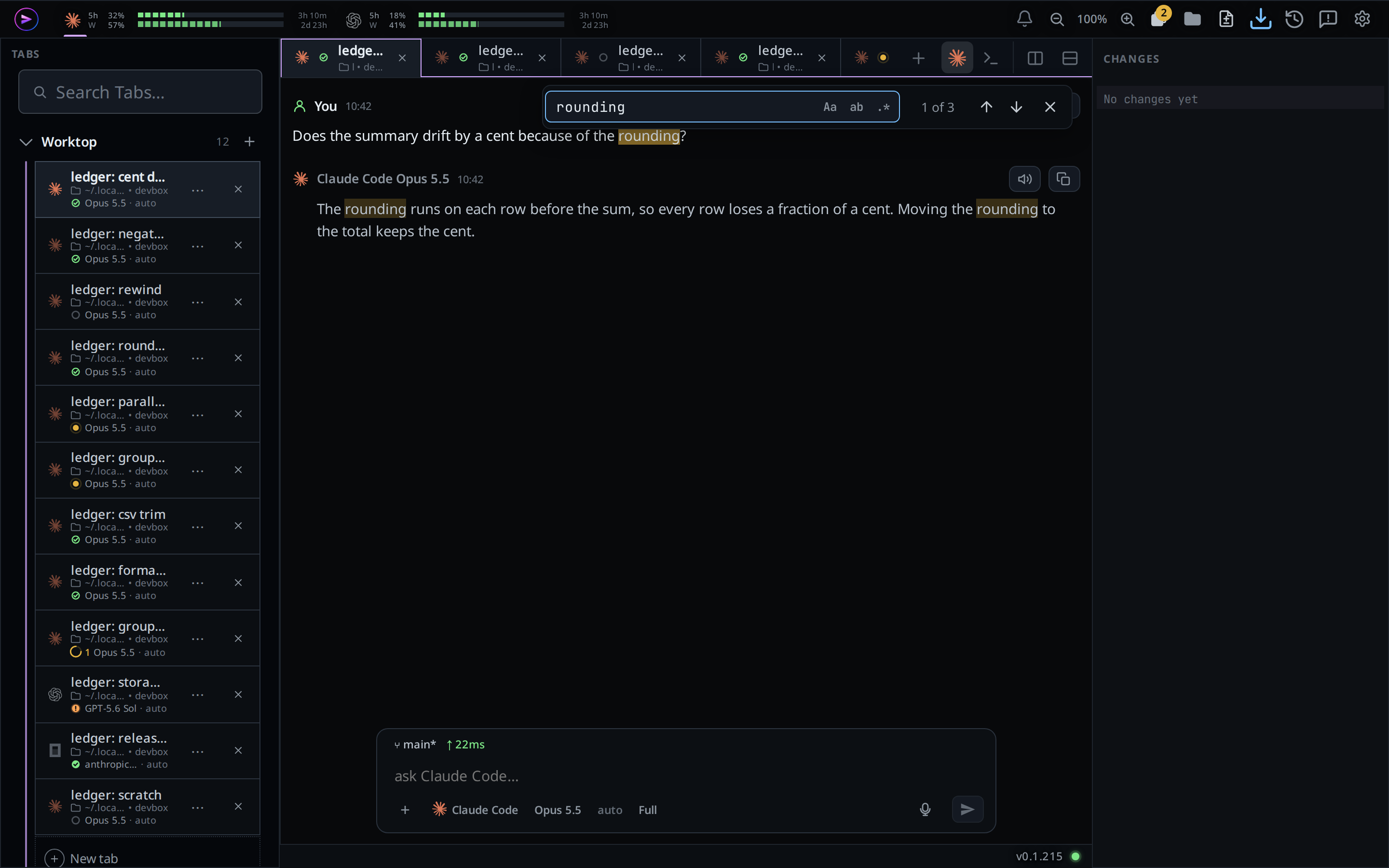
What you see
Every match is marked in amber, and the current one in a brighter amber. The
count reads No results when nothing matches, and the field turns red. A
regular expression that does not parse turns the field red too.
As new messages arrive the matches update, and the bar stays on the match it was on. Switching the pane to another tab closes the bar.
Options and settings
| Option | Default | What it changes |
|---|---|---|
| Aa (Alt+C) | off | Match case |
| ab (Alt+W) | off | Match whole words only |
| .* (Alt+R) | off | Read the field as a regular expression |
Limits and known gaps
- Desktop app only. In a browser Ctrl+F opens the browser's own find.
- It searches the messages drawn on the page. A long tab shows its older
messages behind a
▴ N earlierbutton at the top; tap it to bring them in before you search them. - Steps folded into a group row are searched only once the group is open.
- A file open in a pane, the file viewer and the diff sheet have their own find: see find in a file and the diff review sheet.
- At most 1000 matches are counted; past that the count ends in
+.
Related
- find-in-a-file: the same bar in the file editor
- read-the-transcript: what the transcript holds
- desktop-app: the app this works in