
Search your tabs
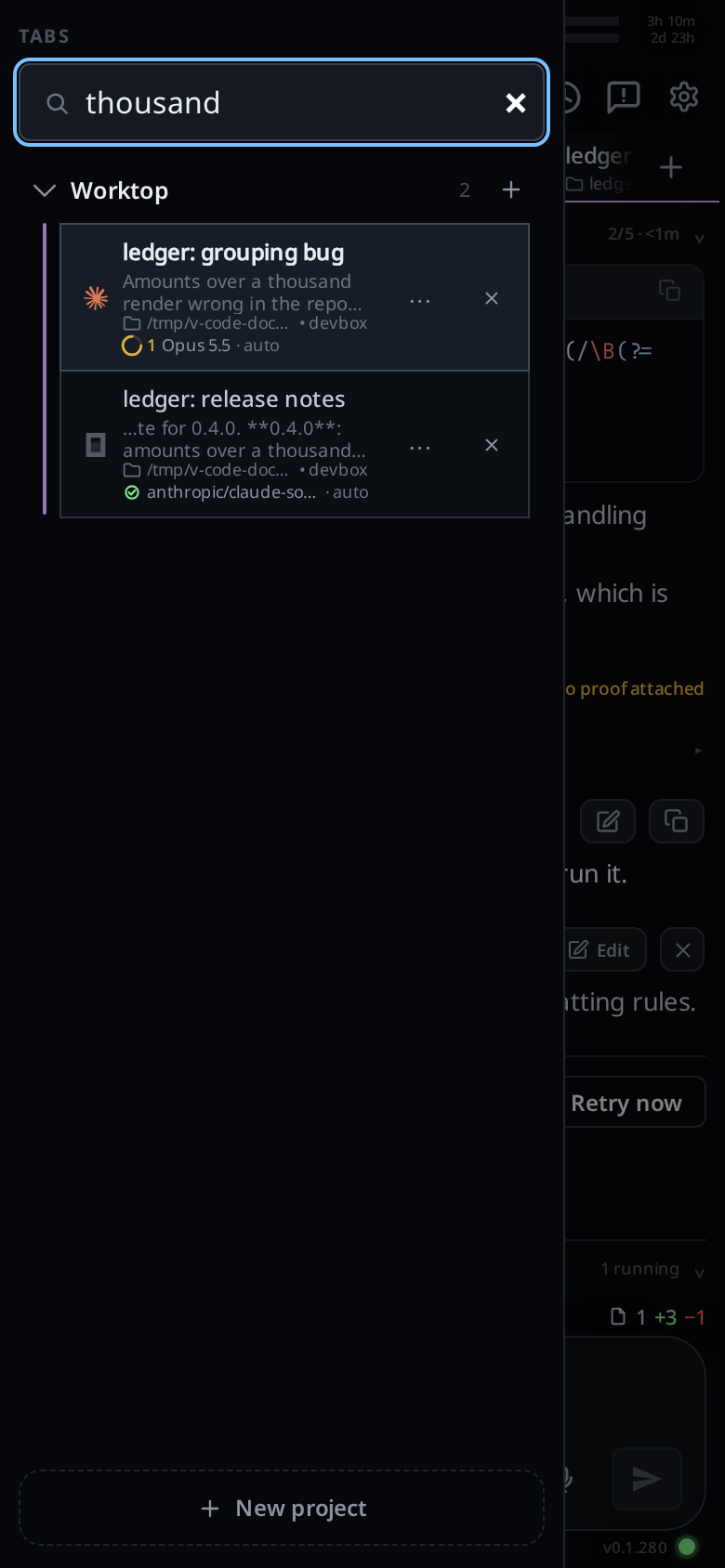
Type into the search field at the top of the tab bar to narrow it to the open tabs whose name, or whose messages, hold every word you typed.
Why you would use it
You have a dozen tabs across several projects and remember what one of them was about, not what it is called. A word from the conversation finds it without opening each tab.
How to use it
- Tap Tabs (
#tabs-open) to open the tab bar. - Type into the field under
TABS(#tab-search), above Worktop. The list narrows as you type. - Tap a row to go to that tab. The drawer closes, and the next time it opens the search is empty again. In the column on a wide screen the search stays until you clear it.
- To clear it, delete the text or press Escape.
What you see
Only the projects with a matching tab are listed, each one open with only its
matching tabs. Worktop is always listed, with its heading and its +, even
when none of its tabs match. A tab that matches on its name looks as it always does. A tab
that matches on its messages has up to two more lines under its name: the text
around the first word its name lacks, with … where it was cut. Done tabs
that match come after a project's live ones, each with why it is done, and a
tap on one takes it out of Done and opens it. With
no match the list reads No tabs match above an empty Worktop with its New
tab row. Closing every tab the search found leaves the same list, so you can
start a tab without clearing the search first.
While the search has text, the New tab rows are hidden, Worktop's included unless nothing matches, and rows and project headings do not drag.
Limits and known gaps
- Only open tabs are searched, done ones included. Closed tabs are in the Threads sheet.
- Messages are your prompts and the agent's replies. Tool output, thinking and diffs are left out.
- The search reads messages from the copy this device already keeps, so it works offline. That copy holds the tabs you have opened here and the 30 newest open tabs, refreshed in the background every few minutes. A tab this device has never kept a copy of matches on its name alone, and a tab's newest messages may be missing for a few minutes.
- Every word must match, in the name or in the messages, as plain text with
case ignored. A word matches inside a longer one:
thoufindsthousand. There is no ranking and no regex.
Related
- tab-drawer: the tab bar the search sits in
- threads-sheet: closed tabs and past sessions