
What's new
The What's new popup shows the newest Fezu news. It opens only when you ask for it in settings. It never opens by itself.
Why you would use it
A feature ships and you want to know what it does and how to start it. The popup gives its name, a short description, its steps and a link to its docs page.
How to use it
Open settings (
#settings-open), find the What's new group and tap Show what's new (#whats-new-open). The popup shows the newest entry: its title, its badge, its text, a picture and its steps.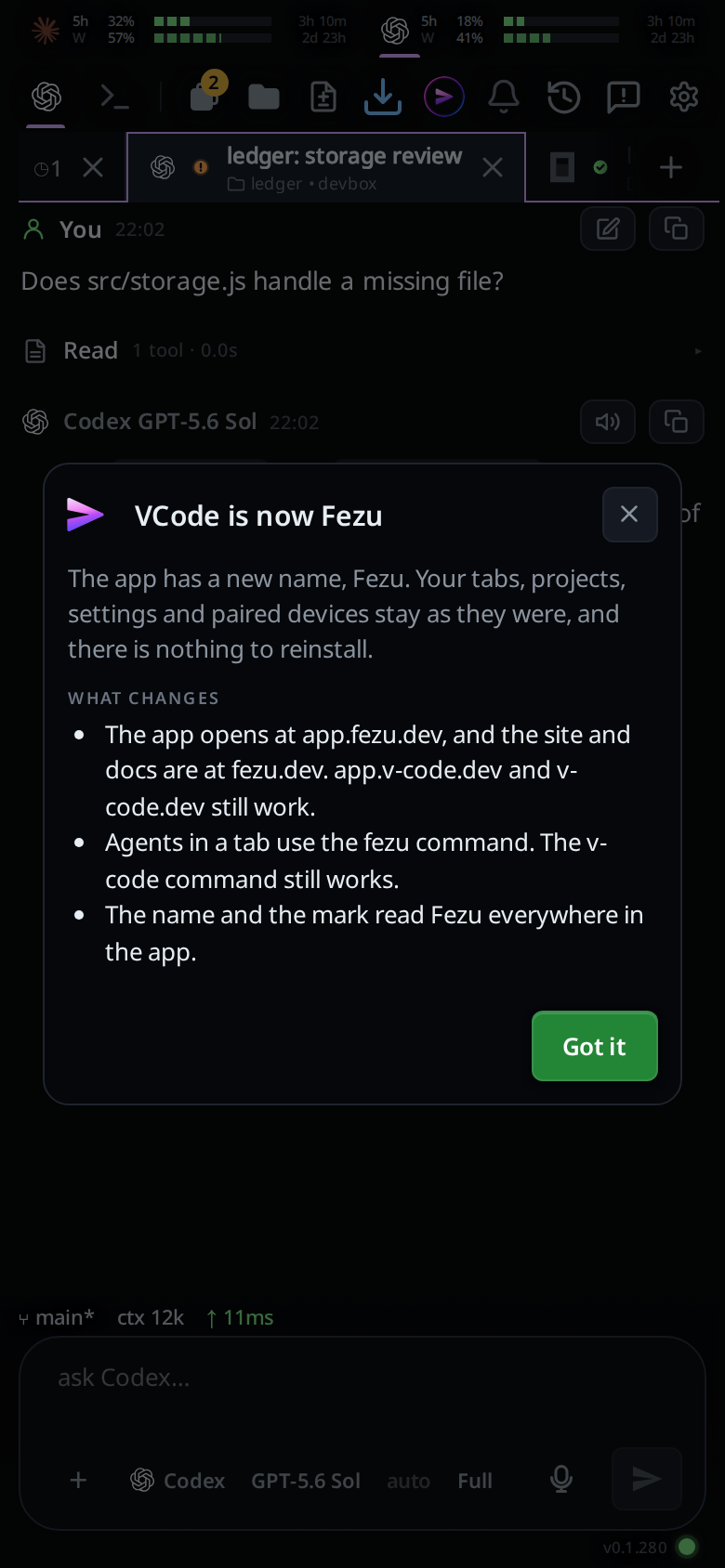
Close it with Got it (
#whats-new-ok), the X (#whats-new-x) or a tap outside the card (#whats-new-scrim). Read the docs (#whats-new-docs) opens the entry's page on fezu.dev in a new tab and closes the popup.
What you see
- When the workstation's settings load, the newest entry counts as seen, whether or not you opened it.
- The newest entry is VCode is now Fezu: the app has a new name, and your tabs, projects, settings and paired devices stay as they were. Under What changes it lists the new addresses (app.v-code.dev and v-code.dev still work), the
fezucommand (thev-codecommand still works), and the new name and mark. It has no badge and no docs link. - The entry before it, VCode Fusion, kept its title from before the rename. It has an
Alphabadge (#whats-new-badge). Under How to turn it on it lists three steps. Under Also available it listsMuse Code, from Meta,GitHub Copilot CLIandDevin CLI.
Options and settings
| Option | Default | What it changes |
|---|---|---|
news.seen in settings |
empty | The id of the last entry seen. The page sets it to the newest entry. Linked workstations share it. There is no control for it in the cog. |
Limits and known gaps
- An app on an older release still opens the popup by itself for an entry it has not seen. This release marks the newest entry seen for the account, so an older app on a linked workstation stays closed once this one has loaded.
- Show what's new opens the newest entry even when no agent on the box lists Fusion.
Related
- Plan on one model, edit on another with Fusion: the feature the Fusion entry introduces.
- One set of settings for all your workstations: how
news.seenreaches your other workstations.