
Ask without interrupting with /btw
/btw asks the agent a quick question about the conversation so far, without
interrupting it. The answer comes back in a card above the box. A copy of the
agent's session answers it, so the turn that is running goes on as it was, and
the question and answer never enter the session the tab goes on with. Copilot tabs do not offer side questions yet. On a Muse tab a read-only muse exec run answers instead, and it is handed the conversation as text.
Why you would use it
The agent is twenty minutes into a task and you want to know why it picked a mutex, or which file it is in. Sending that as a message would steer the turn or queue behind it, and the question would stay in the agent's context for the rest of the session. A side question does neither.
How to use it
Type
/btwand your question in the box (#draft), for example/btw why is the cents case untested?./sidedoes the same. The slash menu describes it asAsk without interrupting: a side question about this conversation. The turn goes on, and the exchange stays out of the session.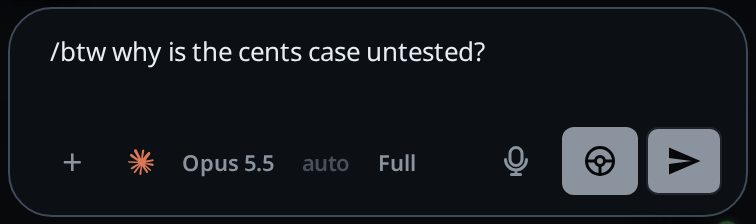
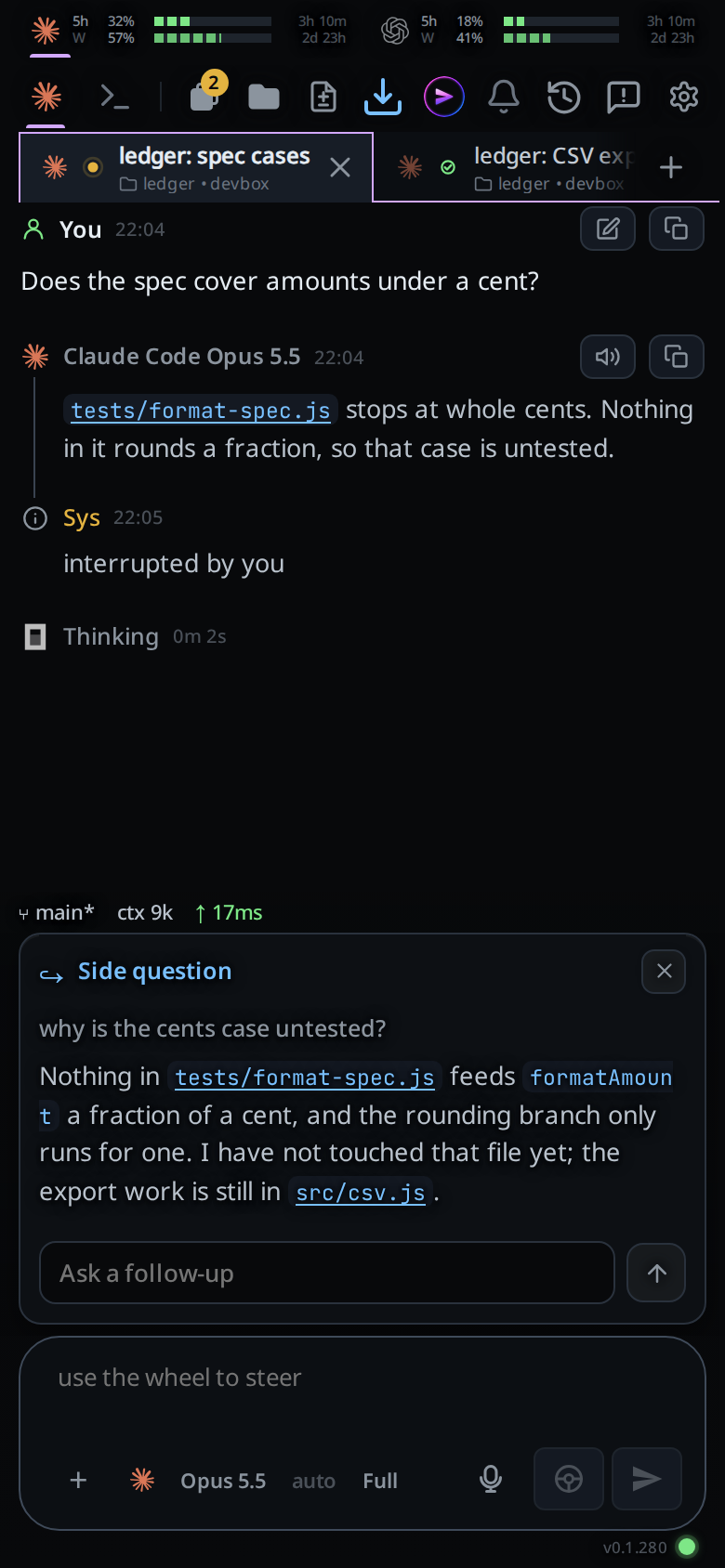
Send it. The box empties and a card opens above it, headed
Side question, with your question under it.Read the answer in the card. The turn above goes on as it was.
To keep going, type in
Ask a follow-upunder the answer and press Enter or the arrow. The follow-up goes to a new copy of the session as well, with the side questions and answers so far, and its answer lands under them in the same card. Like the first question, it never enters the session.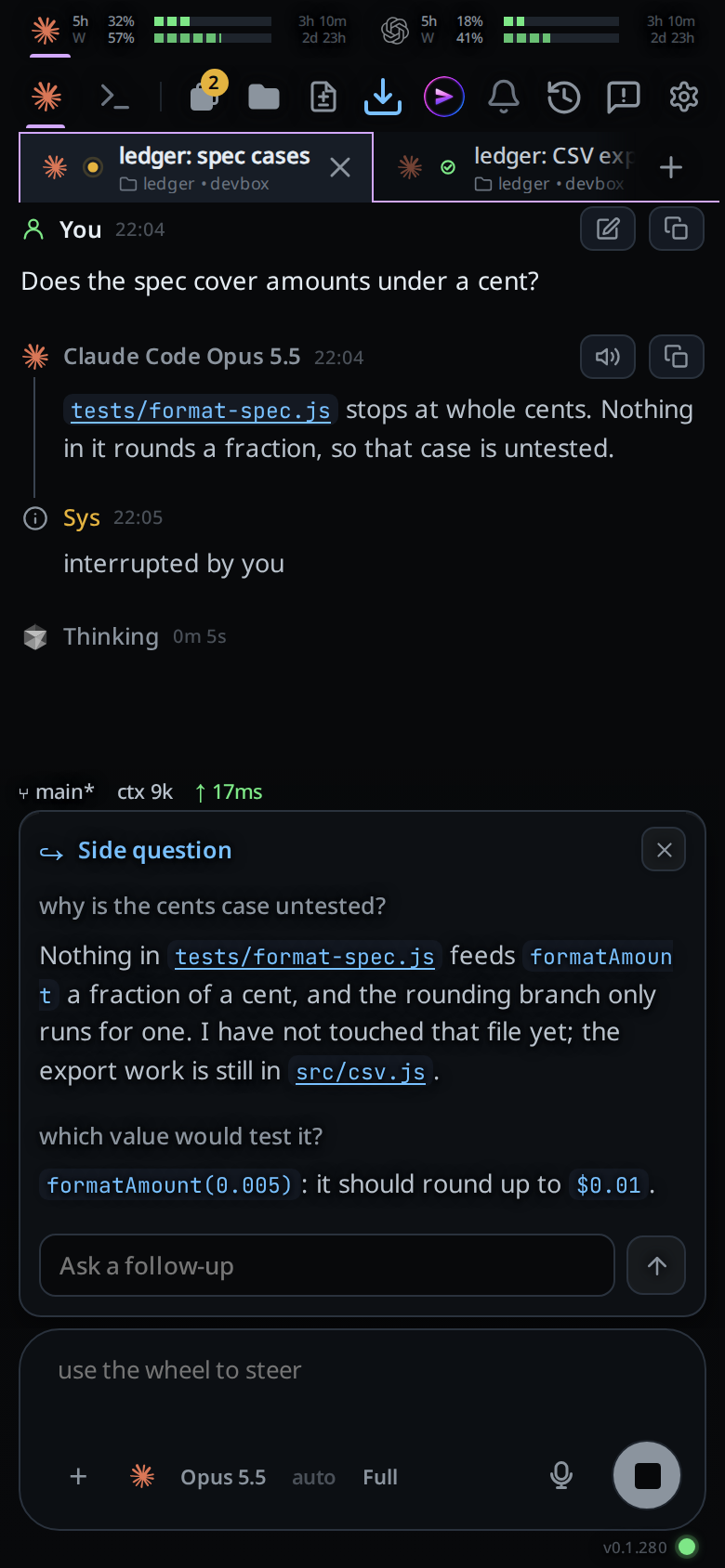
Tap the × at the card's top right to close it. The cards sit in
#sidesabove the box. Closing a card that is still waiting for its answer stops the question; the × then readsStop this side question.
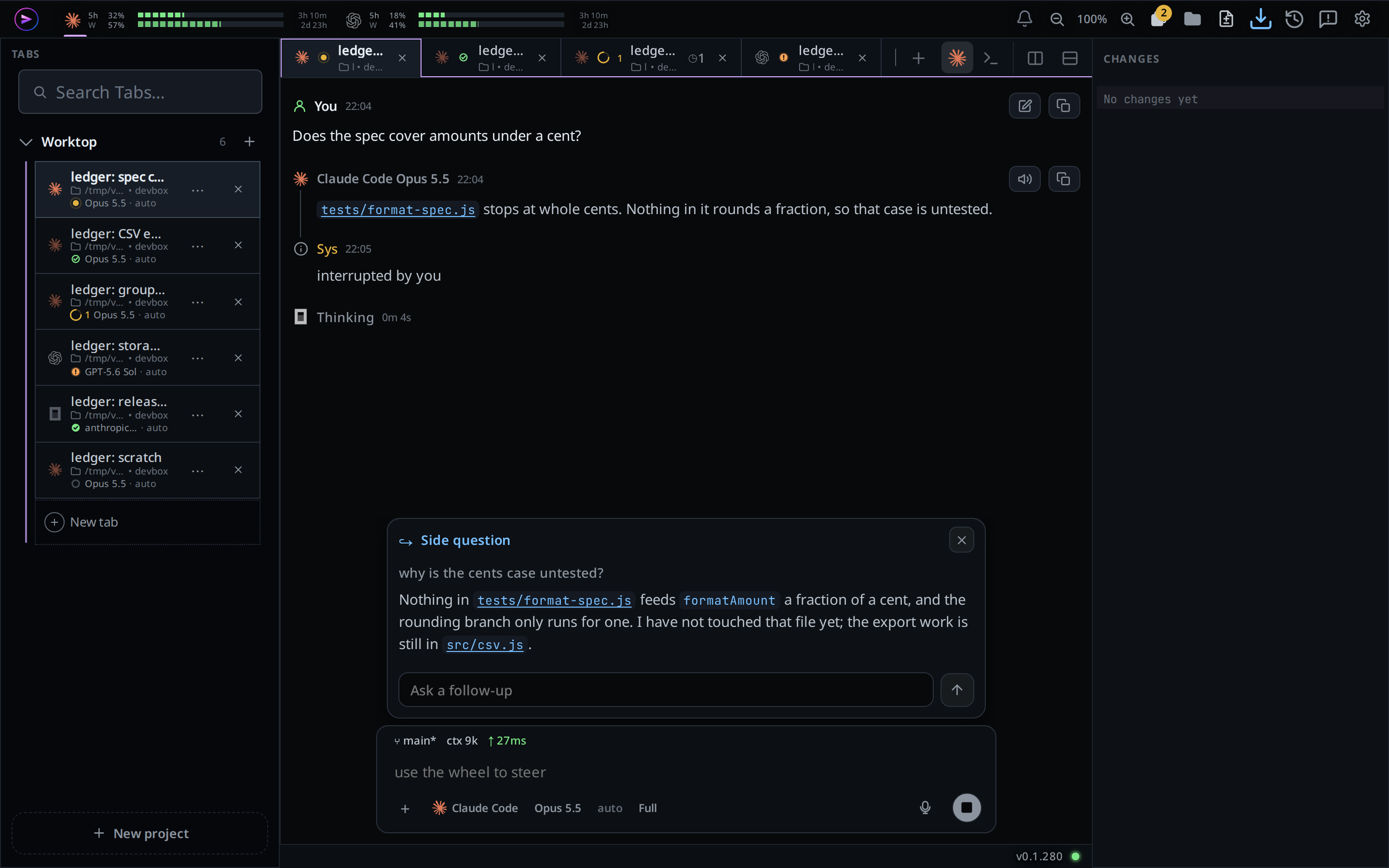
On a wide screen the card sits over the box of the pane you are typing in.
What you see
- While the agent answers: a spinning dot beside
SIDE QUESTION. - Once answered: the answer under the question, formatted like any reply.
- If it fails:
no answer, and the reason in red under the question. You can still ask a follow-up; the failed question is left out of what it carries. - While the card holds a long exchange, its head stays at the top as you scroll.
/btwwith no question: the toasttype a question after /btw.- A tab that has not talked to its agent yet:
a side question forks the agent's session, and this tab has none yet: send it a first message. - A second side question while one is still being answered:
a side question is already running in this tab. - Several cards stack over the box. Past about half the screen the stack scrolls, and a follow-up you are typing in one card stays when another card's answer arrives.
- The card stays until you close it, across a reload and on your other devices.
/clearcloses every card in the tab.
Limits and known gaps
- The agent answers from the conversation. On claude the shell and the file tools are refused, even where your settings allow them, and your claude hooks do not run. An MCP tool your claude settings allow can still run. On codex a command or anything that writes is refused, and a read-only lookup such as a docs search can still run. On opencode the agent can read and search files, and anything else is refused. On cursor the agent works in ask mode, its read-only mode: it can read files, and the shell is refused.
- Devin cannot copy a session either, so its side question is a new ask-mode session with the conversation as text, the newest 24000 characters. A request for permission is refused. The session is removed once the answer is in.
- cursor cannot copy a session, so it gets the conversation as text: your messages, its replies, and one line per tool call and edit, without their output. The newest 24000 characters go; older ones are left out.
- One side question at a time per tab, follow-ups included. A question is at most 8000 characters. A follow-up carries the newest 16000 characters of the side exchange; older questions and answers are left out.
- An answer that takes longer than three minutes fails with
no answer within 180 s. - A VCode restart while a question is being answered fails it with
cut short by a VCode restart. The hourly update waits for it, as it waits for a turn. - On codex the answer can mention the work in flight, because the copy carries the turn that is running.
- Each side question is a model call on your plan, and it reads the whole conversation. On claude and codex the copy keeps the tab's tools and instructions, so most of that comes from the prompt cache the tab's turns already filled, at a fraction of the price. opencode's copy runs as its plan agent without VCode's system prompt, so it may not reuse the tab's cache. cursor's new chat gets at most 24000 characters of the conversation, uncached.
- A side question you close on opencode before its first word can leave the copy in opencode's session list.
Related
- queue-or-steer: when you do want the agent to take the message in
- slash-menu: where
/btwis listed - muse: how a Muse tab answers a side question
- hand-a-tab-to-another-agent: the brief it sends leaves side questions out
- devin: a Devin side question, and its character budget