
Mention a file with @
Type @ in the composer and a list of the tab's files opens above it. Pick one
and its path goes into your message, so the agent knows which file you mean.
Why you would use it
You want the agent to look at one file, and on a phone you do not want to type
src/storage/migrations/0042.sql letter by letter or get it slightly wrong.
How to use it
Type
@in the box (#draft), at the start or after a space. The panel (#slashmenu) opens on the top level of the tab's folder underFiles in <folder>, folders first.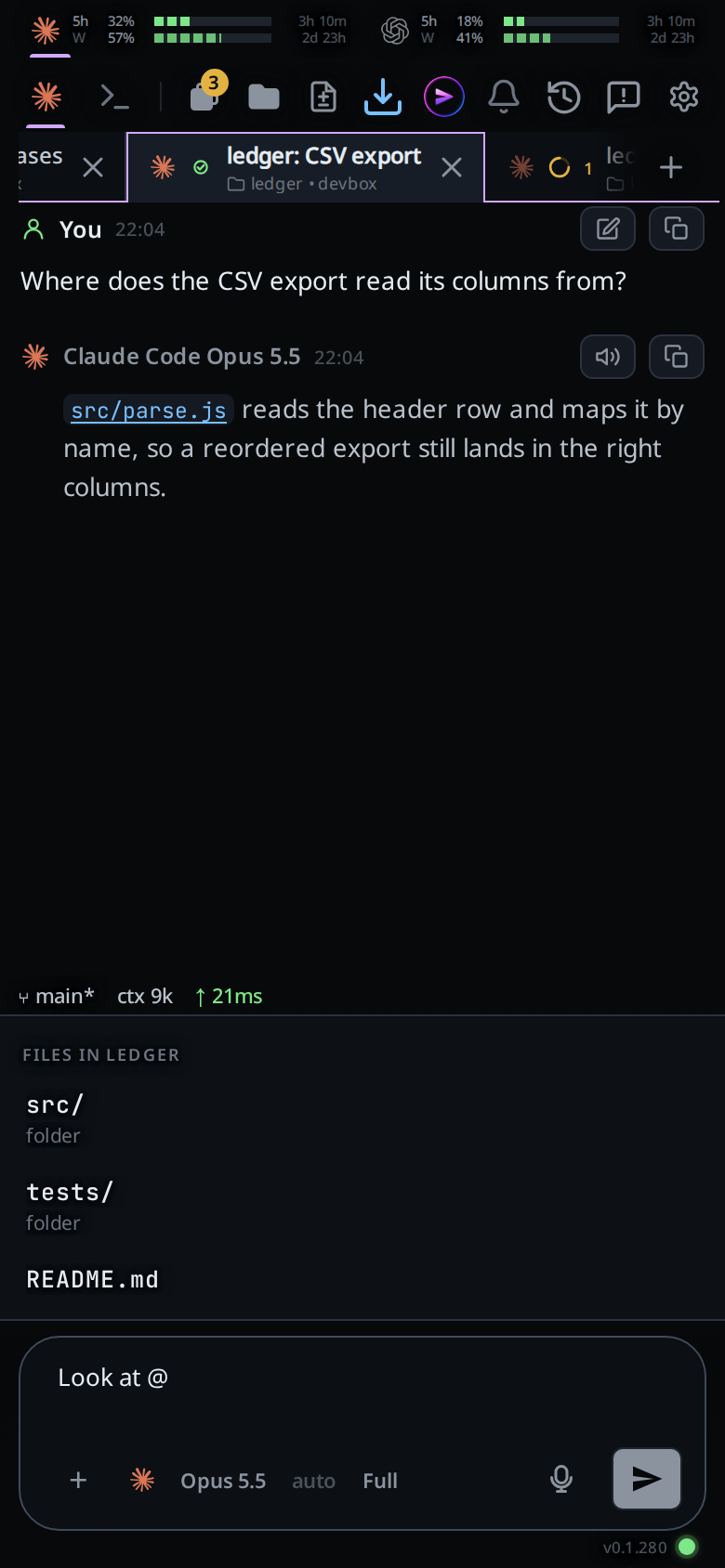
Keep typing to filter. Matching is fuzzy across the whole path:
@storfindssrc/storage.js, and@lib/appfindslib/app.js. A file whose name starts with what you typed comes first.The top match shows in grey after the caret. When what you typed starts its path, you see the rest of it; otherwise you see the whole path after an arrow,
→ src/storage.js.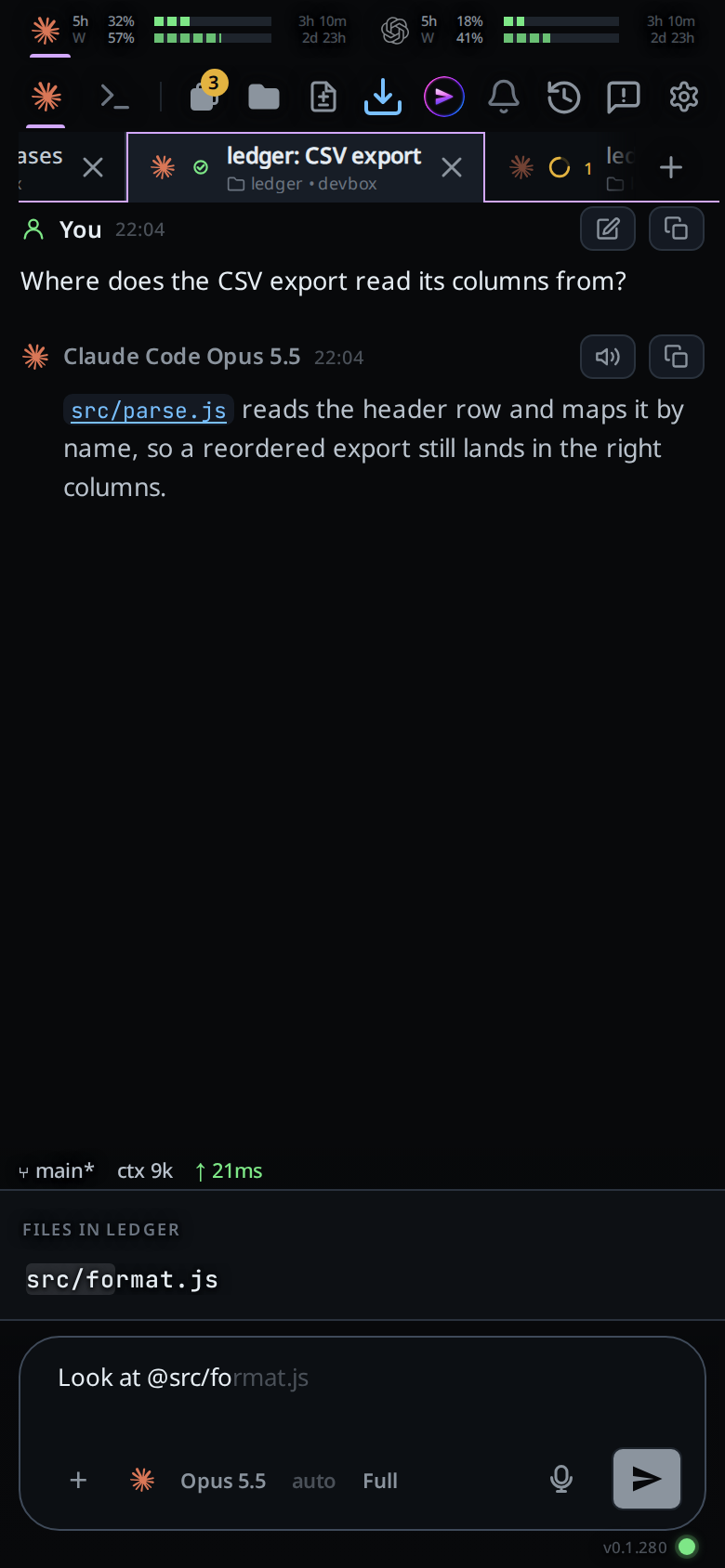
Take it with Tab, or tap the grey text. Walk the rows with ↓ and ↑ and take one with Enter or Tab, or tap a row. On a bare
@, Tab takes the first row.A file goes in as
@pathwith a space after it. A folder goes in as@folder/and the list stays open on what it holds, so you can go on down. A folder with a space in its name goes in quoted and closes the list.Escape closes the list. Enter with no row chosen sends your message as it is.
What you see
Files in <folder>: the heading, with the tab's folder name.- Each row is a path relative to the tab's folder, with the letters you typed
lit. A folder ends in
/and readsfolderunder it. - No list when nothing matches.
Limits and known gaps
- The agent gets the path as text. VCode does not paste the file into your message; the agent opens the file itself.
- An
@inside a word, such as an email address, opens nothing. - In a git repository the list holds the files git knows, tracked and new, and
leaves out the ones
.gitignoreignores. Elsewhere it skipsnode_modulesand.git. - A path with a space goes in quoted:
@"my notes/plan.md". - The list shows at most 40 rows. Type more of the name to narrow it.
- Shell mode has no list: there
@is the shell's.
Related
- slash-menu: the same panel and the same grey text, for commands
- attach-photos-and-files: send a file's contents rather than its path
- send-a-message: what happens when you send