
Turn on fast mode for a tab
Fast mode asks the model for faster output, at a higher cost in usage. It is a switch per tab, under the effort slider, on the models that have it.
Why you would use it
You are waiting on the agent for something you need now: a fix during an incident, a quick back and forth. Fast mode trades usage for speed on that one tab and leaves your other tabs as they are.
How to use it
Tap the model button (
#modelpick) in the row under the composer. The slash panel opens on Models.On a model that has fast mode, a row reading
Fast, after a lightning bolt, sits under theEffortslider, with the model's note under the title. Tap it (#fast-switch) to turn fast mode on. Tap it again to turn it off.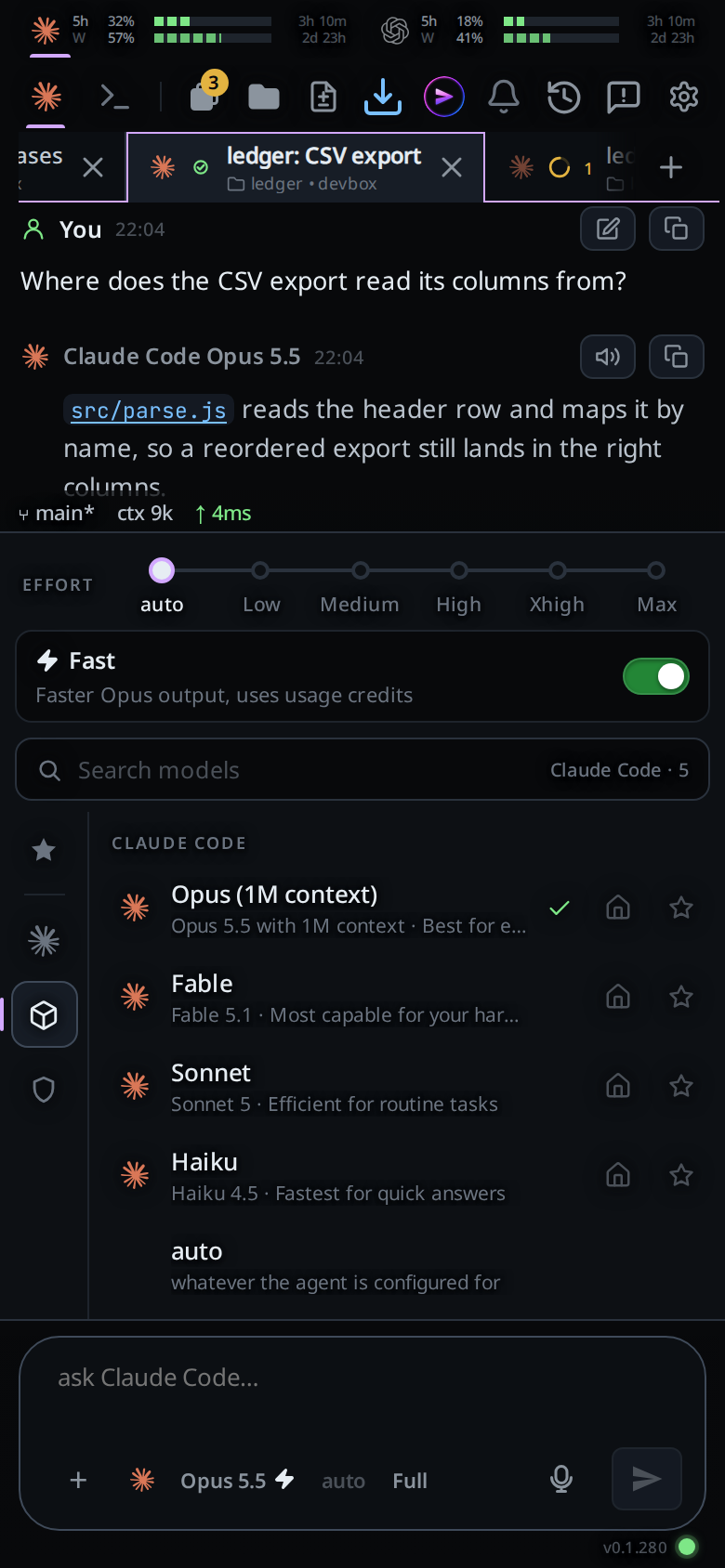
Or type /fast and send it to switch fast mode, /fast on to turn it on, or
/fast off to turn it off. The command is never sent to the agent.
What you see
With fast mode on, the model button shows a lightning bolt after
Opus 5.5, and its tooltip ends in. Fast mode on./fastanswers with a toast:Fast mode onorFast mode off. On a model without fast mode it answersSonnet has no fast mode, with the model's name, and changes nothing. Any other word answers/fast takes on or off.If Claude turns fast mode down, the bolt on the model button goes grey and the Fast row says why in amber:
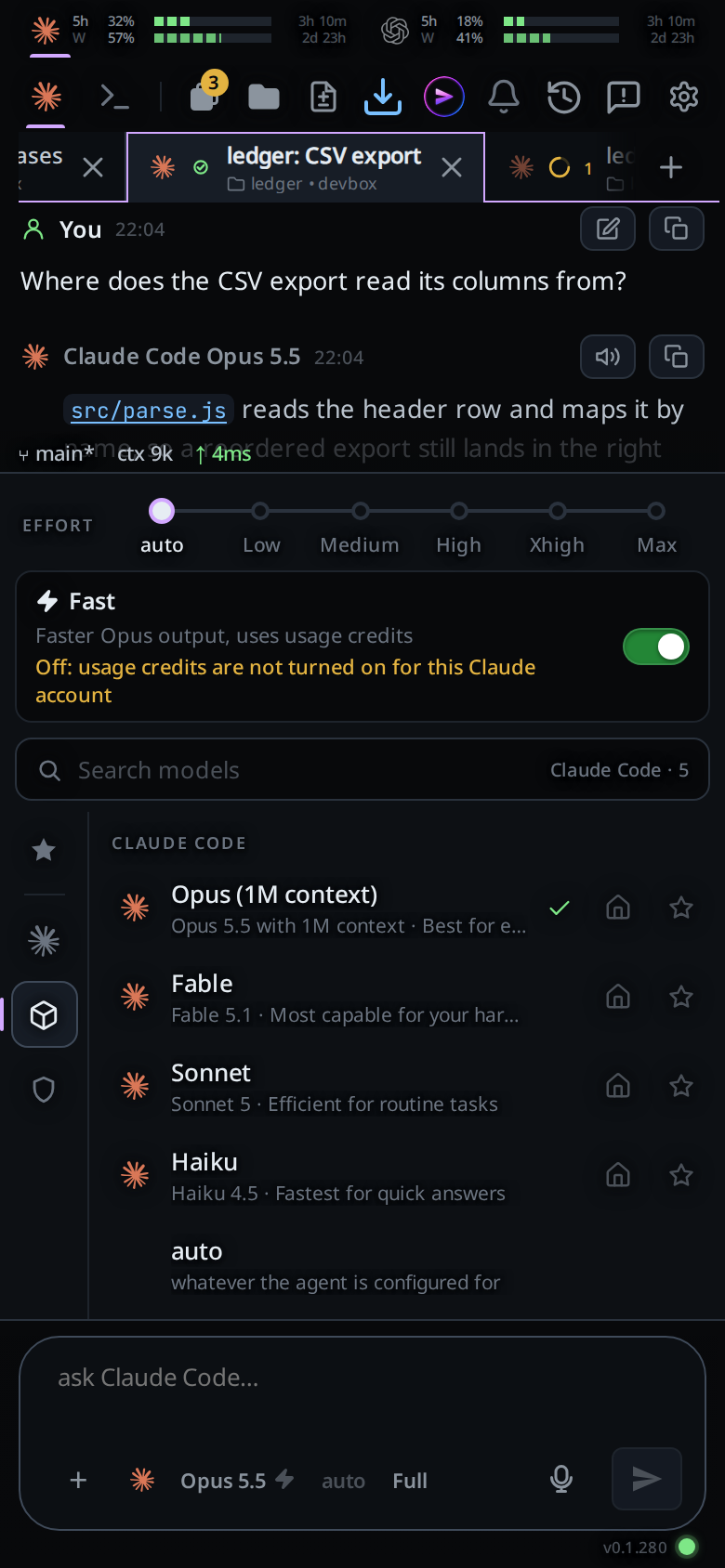
What Claude reports The amber line Usage credits are off on the account Off: usage credits are not turned on for this Claude accountThe organization does not allow the model Off: your organization does not allow this modelToo many fast requests for now A line saying fast mode is cooling down and comes back on by itself Anything else Off:and Claude's own reason codeA starred favourite saves fast mode with the model and effort. It shows a bolt beside its effort bars, and picking it turns fast mode on or off to match.
Options and settings
| Option | Default | What it changes |
|---|---|---|
Fast row (#fast-switch) |
off | Fast mode for this tab |
/fast |
Switches fast mode | |
/fast on, /fast off |
Sets fast mode |
The note under the title comes from the agent: Codex's own words for its fast
tier (for example 2x speed, increased usage), and for Claude
Faster Opus output, uses usage credits.
Limits and known gaps
- Only Claude and Codex have fast mode, and only on the models their CLIs list with it: Opus on Claude, the models with a Fast tier on Codex.
- Fast mode stays on when you switch the tab to a model without it, and does nothing there. Back on a model that has it, it applies again.
- New tabs start with fast mode off. There is no default in settings. A Codex tab where you never touch the switch runs at the speed your Codex config picks; once you switch it, the tab's setting wins.
- On Claude the amber line appears after the next reply: Claude says how fast mode went at the end of each turn. Close and open the panel to see it.
- Only Claude says why fast mode is off. Codex takes the request with each message and reports nothing back.
Related
- switch-the-model: the button that opens the panel, and which models have fast mode
- set-the-effort: the slider above the Fast row
- slash-menu: favourites that save fast mode with the model