
Fezu report
Tap the report button next to the settings cog, or run /fezu-report, in any thread to send the Fezu team a private bug report, feature request or feedback. You can attach up to 3 screenshots. The report is kept with your account under Reports on fezu.dev/account.
Why you would use it
You found a Fezu bug, want a new feature, or have feedback for the team. The active model turns the relevant request into a short report without sending the conversation or its files. A screenshot shows the team what you saw.
How to use it
Tap the report button (
#report-open), the speech bubble with an exclamation mark just left of the settings cog. Pick Report a bug, New feature or General feedback.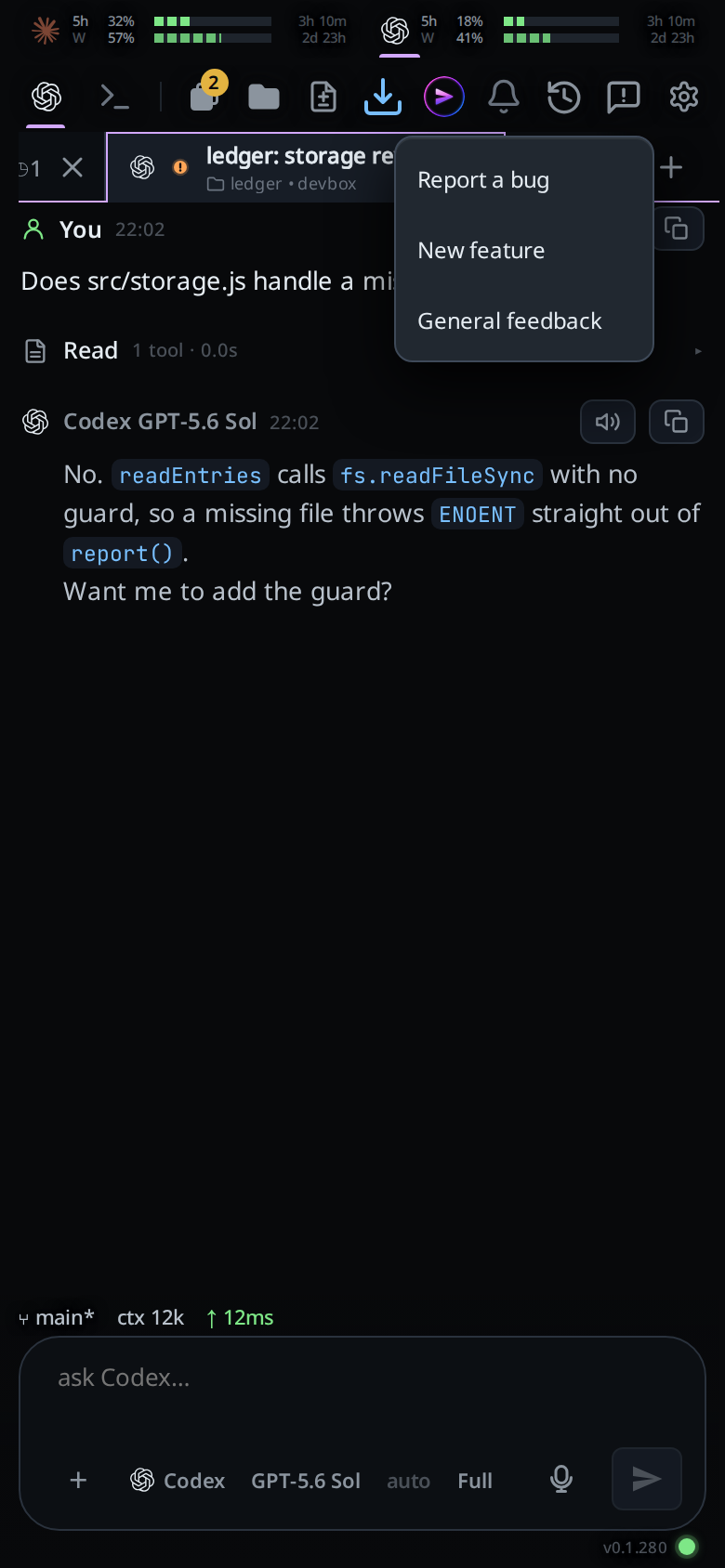
The composer (
#draft) now holds/fezu-report bug,/fezu-report featureor/fezu-report feedback. Add a line saying what happened or what you want, and send it. You can also type the command yourself; a first word ofbug,featureorfeedbackpicks the kind.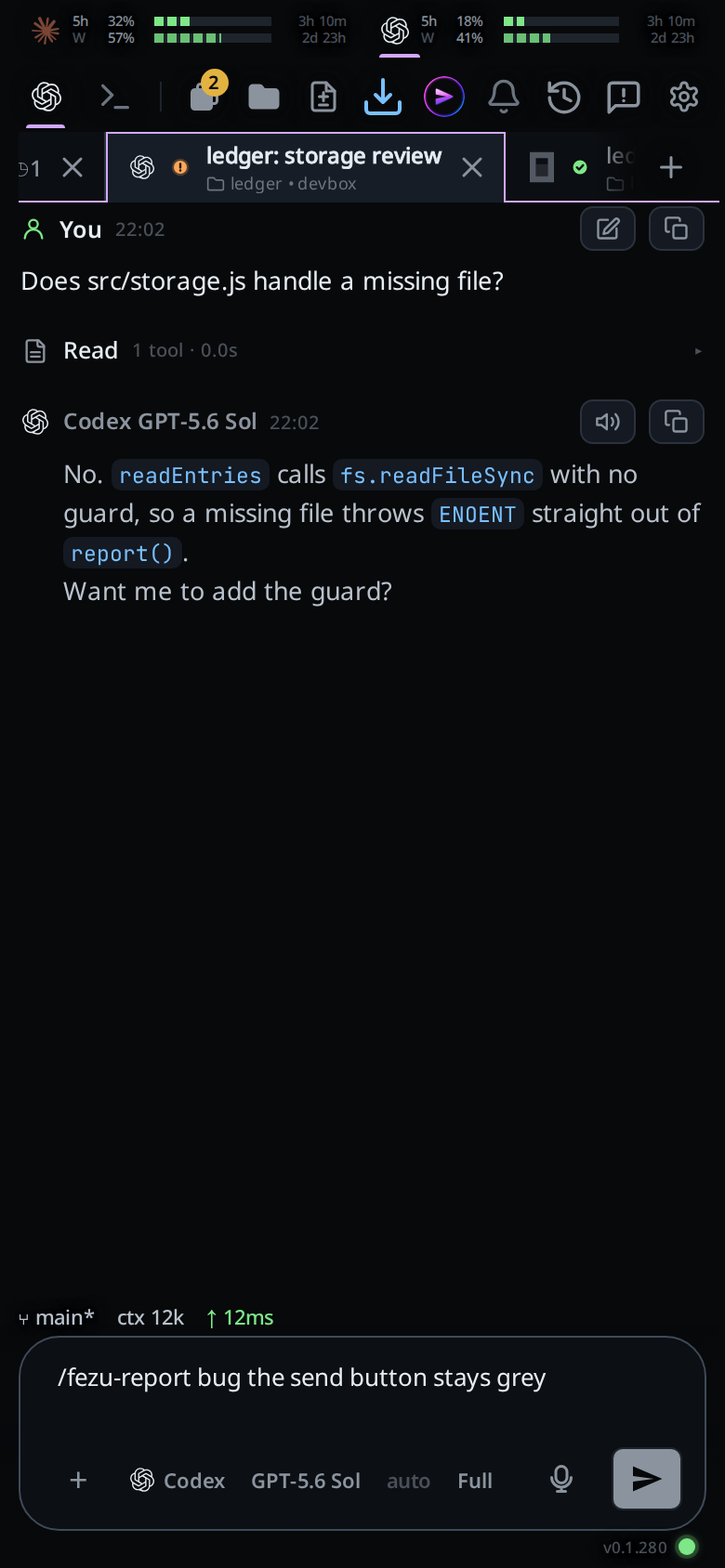
To add screenshots, attach them to the same message, the way you attach any image. A report takes PNG, JPEG or WebP images only, up to 3, each up to 2 MB. With another kind of file attached the app says
Reports take images only, and with more than 3 imagesA report takes at most 3 images; nothing is sent.The model writes a title and body, then sends the report. It asks first if the report contains personal data, secrets, paths or code you may not want to share, or if a screenshot shows secrets. After it is sent, the transcript shows the report's ref, such as
R-3422FA9E, how many images went with it, and a link to your account. Quote the ref when you write to the team about the report. An image that did not go is named with the reason, for exampleImage shot.png was not sent: It is over 2 MB.The report itself is sent either way.
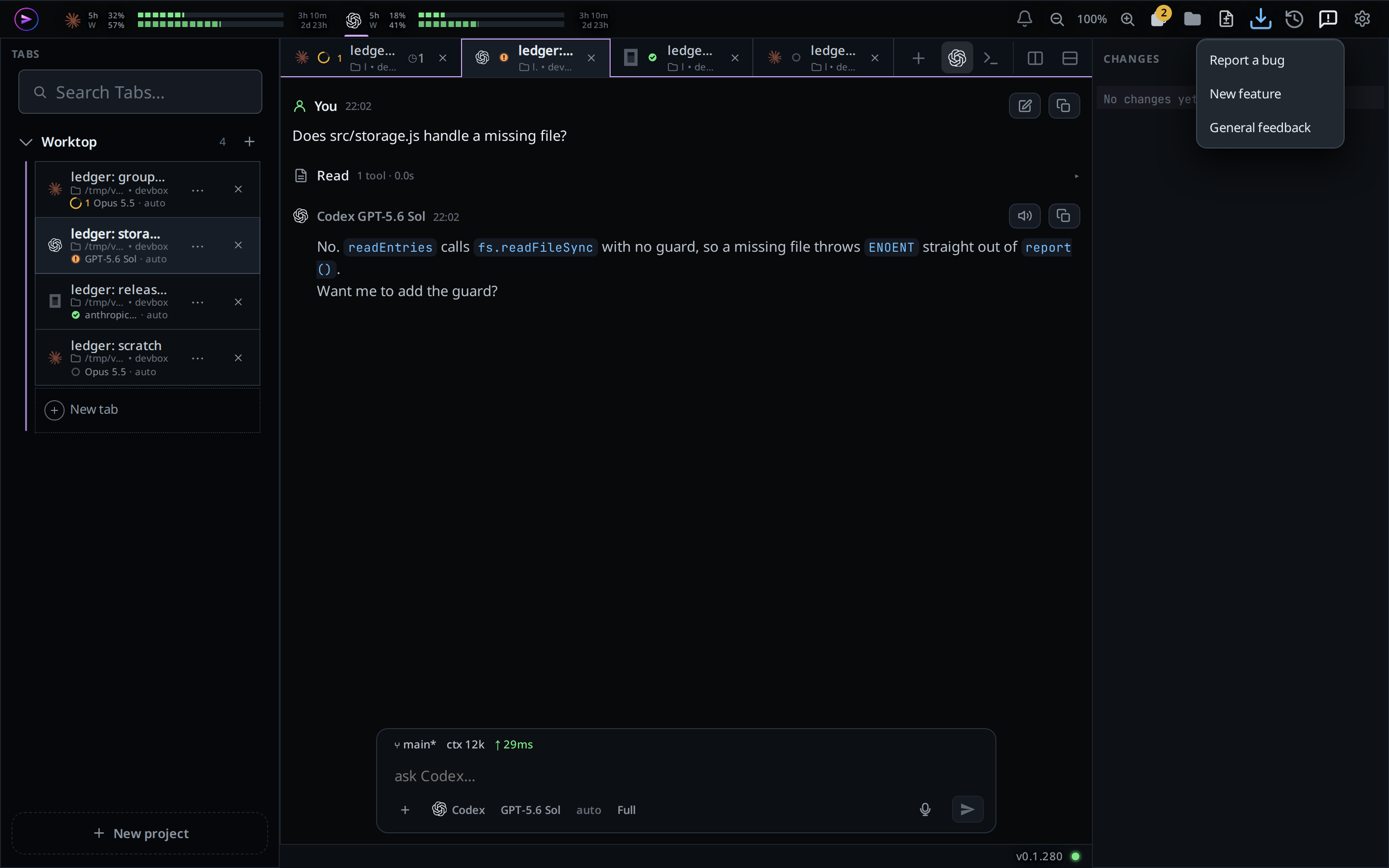
On a wide screen the button sits at the right end of the top bar, before the cog.
What you see
Reports go privately to the Fezu team and appear under Reports on fezu.dev/account, each with its ref, kind, status and date, and small thumbnails of its screenshots. The status follows the team's work on it: filed while it is open, closed when it is done, rejected when the team will not act on it. It changes within 15 minutes, and goes back to filed if the team reopens it. When a report becomes closed or rejected, you get one email at your account's address saying so, with the ref in its subject, with the team's reply when there is one. Reply to that email to write back to the team. Tap a thumbnail to see it full size. The box sends the generated kind, title and body, and the images you attached to the report message; it does not send the transcript or other files. The model cannot add or choose an image.
Options and settings
| Option | Default | What it changes |
|---|---|---|
Report button (#report-open) |
Always shown | Opens Report a bug, New feature and General feedback; each puts /fezu-report <kind> in the composer. |
/fezu-report [bug|feature|feedback] [details] |
Manual invocation | Asks the active model to write a private report for the Fezu team. Without a kind, the model picks one. |
/vcode-report |
Manual invocation | The same command under its name from before the rename to Fezu. |
Limits and known gaps
Claude, Codex, OpenCode, Cursor, Devin, Copilot and Muse threads all take the command. A workstation must be linked to a Fezu account before it can send a report. You can send up to two reports every 10 minutes. The report needs a working connection to the Fezu site.
Screenshots are kept only until the team resolves the report: a closed or rejected report keeps its text and loses its images. When the team's storage for screenshots is full, the oldest are removed first. Deleting your account deletes them too. When the Fezu site is not taking images, the report goes as text and each image says The Fezu site is not taking images right now.
Reports also include automatic viewport diagnostics: screen and viewport sizes, safe-area insets, frame and header positions, page scroll, the focused element type and the last viewport reading with no text field focused. They contain no field values, page text, URLs or file paths. These measurements help diagnose iPhone layout problems; they do not establish what caused them.
Related
- Link this box to your fezu.dev account: link a workstation before sending reports.